DonationCoder.com forum
 
Read-only archive. This is a static copy of the DonationCoder.com forum. Reading and searching work as before; logging in, posting and private messages do not.
Archive of 2026-10-21 · About this archive · Main site

Author Topic: Favorite clips not appearing in tray menu?  (Read 6,120 times)

jpar5

  • Supporting Member
  • Joined in 2007
  • **
  • Posts: 11
Favorite clips not appearing in tray menu?
« on: July 02, 2012, 04:37 PM »
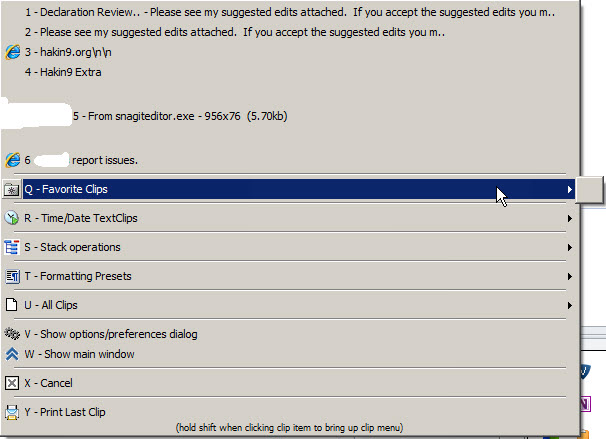
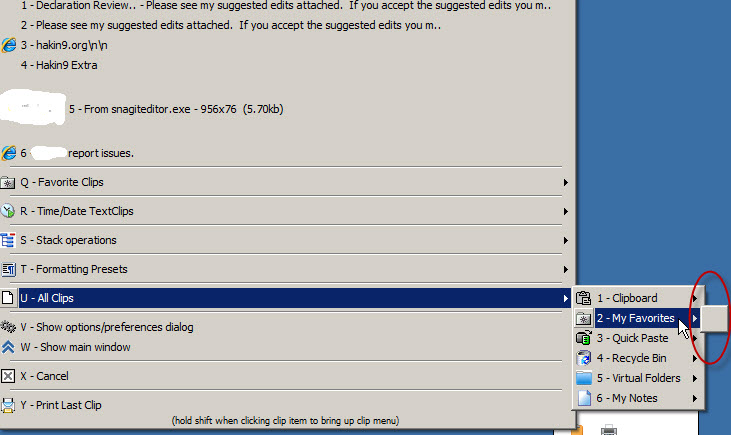
I have a couple of favorite clips defined.  When I try to access them from the tray menu, I see nothing but a blank entry.  Any idea what is going on?  Thanks.

mouser

  • First Author
  • Administrator
  • Joined in 2005
  • *****
  • Posts: 40,931
    • Gathering Badge
    • Plugin Coding Medal
    • Participated in NANY Challenge Seventeen Times
    • Cody Award
    • Coding Snacks
    • Volunteers/Staff
Re: Favorite clips not appearing in tray menu?
« Reply #1 on: July 02, 2012, 04:50 PM »
Strange..

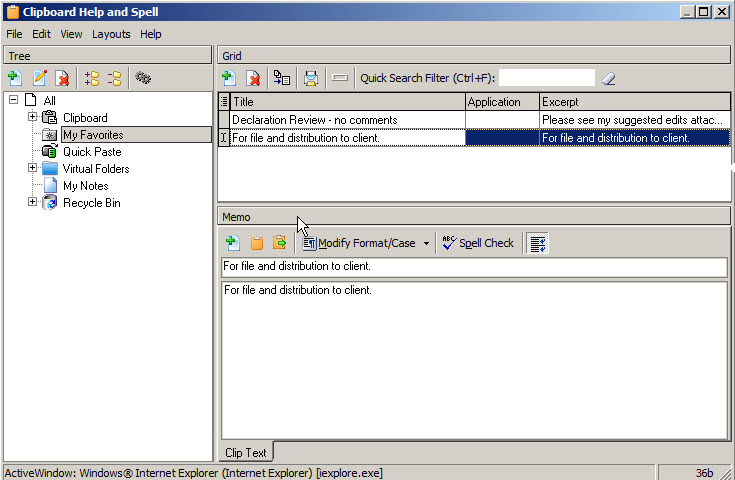
Ok let's see, can you do this, in the grid, click the little button on the header of the grid to the left of the Title column, which will bring up a list of columns; enable the "Excerpt" column, and see what it shows for those favorites.

I'm thinking maybe the excerpt column is blank somehow.

If so, then at least we know what's happening, and I can add code to fall back to automatic excerpt when explicit excerpt is blank -- and we can also try to think why the excerpt is blank.

If the excerpt field is not blank for those favorites, then we have to figure out what else is going on.  CHS does have some options about how to display excerpts which could conceivably be causing this, but first things first.

jpar5

  • Supporting Member
  • Joined in 2007
  • **
  • Posts: 11
Re: Favorite clips not appearing in tray menu?
« Reply #2 on: July 02, 2012, 05:16 PM »
That field is not blank (see screenshot once enabled).  Other things?  Thanks Mouser.

mouser

  • First Author
  • Administrator
  • Joined in 2005
  • *****
  • Posts: 40,931
    • Gathering Badge
    • Plugin Coding Medal
    • Participated in NANY Challenge Seventeen Times
    • Cody Award
    • Coding Snacks
    • Volunteers/Staff
Re: Favorite clips not appearing in tray menu?
« Reply #3 on: July 02, 2012, 05:24 PM »
Ok I think i see the problem -- not sure why this hasn't been pointed out before by others..

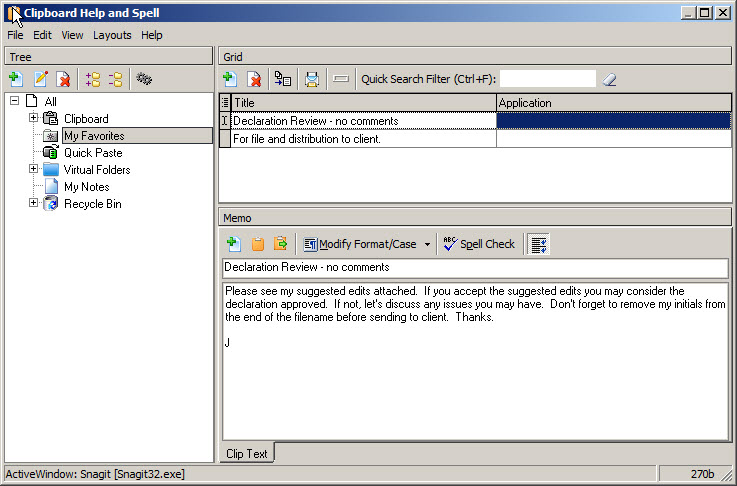
There are 2 ways to mark a clip as a favorite -- one is to check the box in the column labeled "Favorite?" (which you have hidden in your grid) -- this method works and leaves the clip in its folder wherever else that may be.

The other way is to actually MOVE the clip into the My Favorites folder, without needing to check the "Favorite?" box.

It looks like the 2nd way is not showing the items in the quick paste submenu.

I will fix.

For now you can work around this by enabling the "Favorite?" column and checking the box for your 2 favorites.

Let me know if that works.

jpar5

  • Supporting Member
  • Joined in 2007
  • **
  • Posts: 11
Re: Favorite clips not appearing in tray menu?
« Reply #4 on: July 02, 2012, 05:30 PM »
Bravo Mr. Mouser, that did the trick!  Interestingly, when I check both boxes only the first clip showed up in the favorites menu.  I assumed it just wasn't saving my 2nd selected clip so I exited and re-started CHS and then both showed up.  Problem solved.  Thanks again for the quick responses/solution! - jpar5

mouser

  • First Author
  • Administrator
  • Joined in 2005
  • *****
  • Posts: 40,931
    • Gathering Badge
    • Plugin Coding Medal
    • Participated in NANY Challenge Seventeen Times
    • Cody Award
    • Coding Snacks
    • Volunteers/Staff
Re: Favorite clips not appearing in tray menu?
« Reply #5 on: July 02, 2012, 05:45 PM »
Quote
when I check both boxes only the first clip showed up in the favorites menu.  I assumed it just wasn't saving my 2nd selected clip
it would have probably saved the checkbox change as soon as you selected another clip or moved off the current clip.

glad to hear the workaround fix worked; i should have the bug corrected in the next release.

Original address: https://www.donationcoder.com/forum/index.php?topic=31482.0