DonationCoder.com forum
 
Read-only archive. This is a static copy of the DonationCoder.com forum. Reading and searching work as before; logging in, posting and private messages do not.
Archive of 2026-10-21 · About this archive · Main site

Author Topic: Outlook display messed - any ideas?  (Read 8,603 times)

m_s

  • Charter Member
  • Joined in 2005
  • ***
  • Posts: 433
Outlook display messed - any ideas?
« on: April 07, 2006, 08:12 AM »
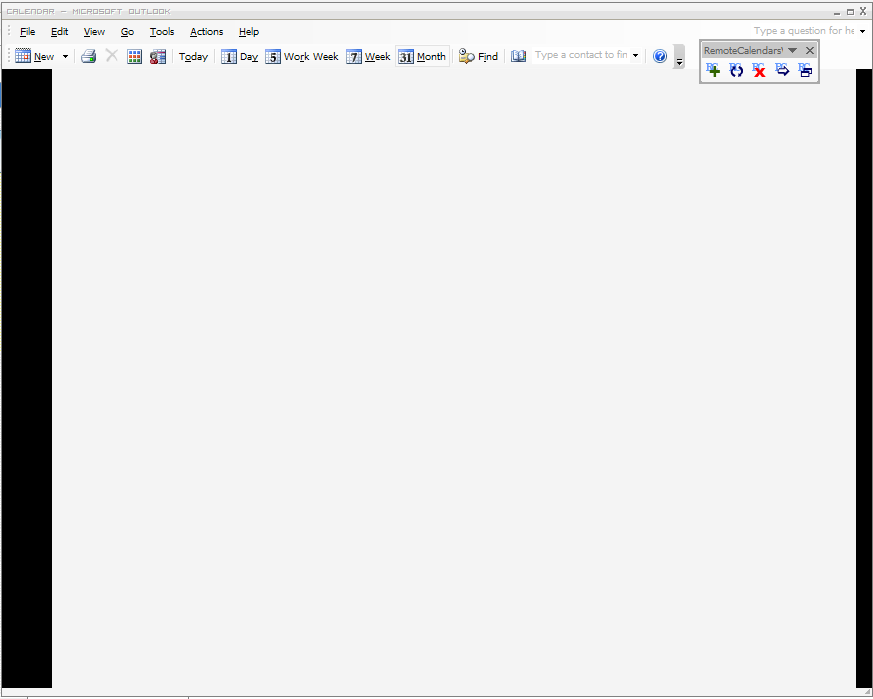
I've just run Outlook for the first time on my clean XP install.  Everything is up-to-date, but my screen is messed as in screenshot.  Before running, I installed MS Visual Studio 2005 Runtime Engine, Outlook 2003 PIA, and RemoteCalendars - the first two both are prerequisites for the third, which allows you to load iCal format into Outlook.  I wondered if it might be a case of WindowBlinds messing things up, but excluding Outlook from WindowBlinds makes no difference.  Any ideas? 

(PS. Screenshot taken with the sweet - but not nearly as powerful as ScreenshotCaptor! - ScreenJot (http://www.downloadsquad.com/2006/04/03/capture-arbitrary-parts-of-the-screen-with-screenjot/), then converted from BMP to PNG with the brilliant built-in image converter in DOpus.)

m_s

  • Charter Member
  • Joined in 2005
  • ***
  • Posts: 433
Re: Outlook display messed - any ideas?
« Reply #1 on: April 07, 2006, 08:37 AM »
Now I'm very confused - completely removed the three add-ins I had installed, but Outlook still looks the same!  Then reinstalled Outlook and updated graphics drivers, but still exactly the same...
« Last Edit: April 07, 2006, 09:14 AM by m_s »

noth(a)nk.you

  • More than meets the eye.
  • Charter Member
  • Joined in 2005
  • ***
  • Posts: 78
Re: Outlook display messed - any ideas?
« Reply #2 on: April 07, 2006, 09:39 AM »
Have you tried unloading Windowblinds?  They seem to have been having some problems.  (And some users report legal copies broken with the same symptoms.)

m_s

  • Charter Member
  • Joined in 2005
  • ***
  • Posts: 433
Re: Outlook display messed - any ideas?
« Reply #3 on: April 07, 2006, 10:01 AM »
Bingo!  It worked when I unloaded WindowBlinds (mine is a legit copy, btw)...  Reloaded WB, and it doesn't work again.  Any ideas for a workaround, or just wait for new version of WB?

m_s

  • Charter Member
  • Joined in 2005
  • ***
  • Posts: 433
Re: Outlook display messed - any ideas?
« Reply #4 on: April 07, 2006, 10:30 AM »
Ah, changed skin and it works again!

Original address: https://www.donationcoder.com/forum/index.php?topic=3109.0