DonationCoder.com forum
 
Read-only archive. This is a static copy of the DonationCoder.com forum. Reading and searching work as before; logging in, posting and private messages do not.
Archive of 2026-10-21 · About this archive · Main site

Author Topic: Menu toolbar behaves weird  (Read 5,458 times)

damax

  • Charter Member
  • Joined in 2005
  • ***
  • Posts: 35
Menu toolbar behaves weird
« on: May 15, 2012, 08:25 AM »
Hi mouser,

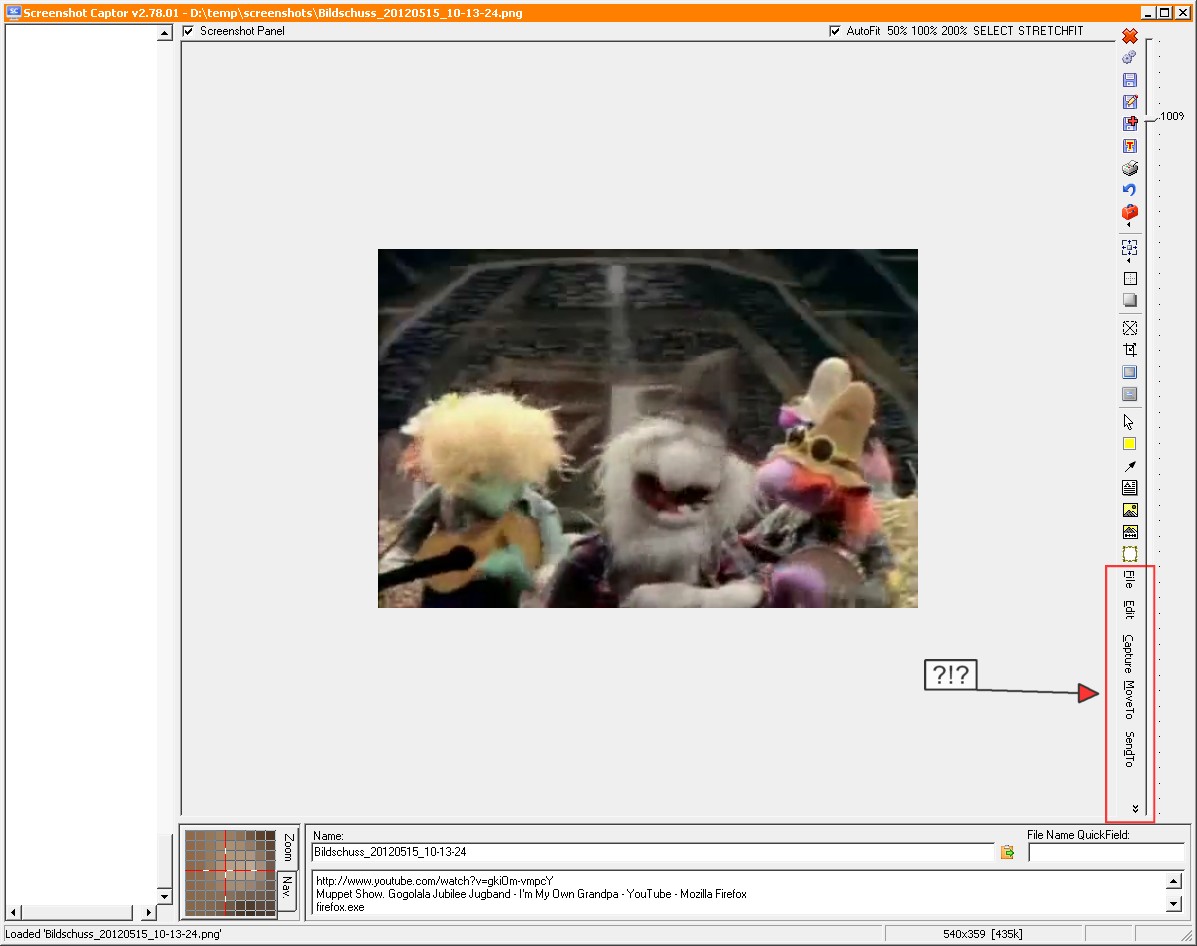
today, my SC started with its menu toolbar on a very unusual spot (see attachment).

Bildschuss_20120515_10-16-32.jpg (139.1 KB)

I have absolutely no idea how it got there and how to get it "on top" again.

Any suggestion?

=======
da]v[ax
=======

ralfs

  • Charter Member
  • Joined in 2005
  • ***
  • Posts: 81
Re: Menu toolbar behaves weird
« Reply #1 on: May 15, 2012, 03:46 PM »
Click and hold with left mouse button on a free place in this menu bar and drag it to its right place on top of the window.
Ralf

damax

  • Charter Member
  • Joined in 2005
  • ***
  • Posts: 35
Re: Menu toolbar behaves weird
« Reply #2 on: May 16, 2012, 06:34 AM »
Thanks!  :Thmbsup: That was easy but I wouldn't have found that one out by myself
=======
da]v[ax
=======

UdoMM

  • Supporting Member
  • Joined in 2015
  • **
  • Posts: 1
Re: Menu toolbar behaves weird
« Reply #3 on: December 02, 2015, 09:29 AM »
Hi there,

yes, this is a very old Topic but since it took me quite a long time to find a solution to this issue I just like to ask if there is any notice about this dragging ability of the menu bar documented in the manual anywhere.
In case there is not (I couldn't find it there, but might have looked at the wrong places), I like to propose this to be notified in the manual, maybe at the "Tips & Tricks" section.

Cheers,

UdoMM

Original address: https://www.donationcoder.com/forum/index.php?topic=30993.0