DonationCoder.com forum
 
Read-only archive. This is a static copy of the DonationCoder.com forum. Reading and searching work as before; logging in, posting and private messages do not.
Archive of 2026-10-21 · About this archive · Main site

Author Topic: Done: Click Button to screen capture and Open MsPaint  (Read 7,418 times)

justabeginner

  • Honorary Member
  • Joined in 2007
  • **
  • Posts: 52
Done: Click Button to screen capture and Open MsPaint
« on: March 05, 2012, 12:37 AM »
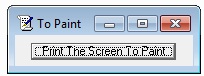
Just another screen capture to MsPaint program.

download removed

You need to click the command button to capture the screen.

I made a different version, that saves to a file when PrintScreen is pressed. It is here:

  /forum/index.php?topic=29427.0
« Last Edit: March 31, 2012, 07:02 AM by lanux128 »

Nzyme

  • Participant
  • Joined in 2011
  • *
  • Posts: 100
Re: Done: Click Button to screen capture and Open MsPaint
« Reply #1 on: March 17, 2012, 09:29 AM »
Password for the rar file???

lanux128

  • Global Moderator
  • Joined in 2005
  • *****
  • Posts: 6,277
    • Coding Snacks
    • Volunteers/Staff
    • Gathering Badge
    • Participated in NANY Challenge Once
    • Linux User
Re: Done: Click Button to screen capture and Open MsPaint
« Reply #2 on: March 31, 2012, 07:02 AM »
to OP: pls check your archives before posting. i removed the download link for now.

justabeginner

  • Honorary Member
  • Joined in 2007
  • **
  • Posts: 52
Re: Done: Click Button to screen capture and Open MsPaint
« Reply #3 on: April 10, 2012, 01:12 AM »
Sorry, but I was involved in a car accident. I sustained some concusion after hitting my head on the side of the car. I have tried to remember the pass word, but have had no luck.

The car was a right-off and the laptop was smashed.

Crazy TAXI DRIVER.

Got to watch out for those Yellow Cabs.

Original address: https://www.donationcoder.com/forum/index.php?topic=30197.0