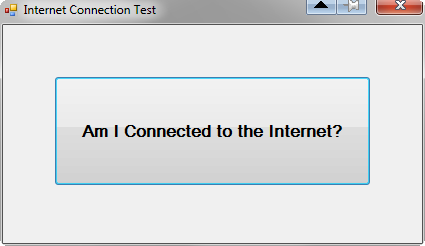
You can download the entire C# project as a 41 Kb zipped archive. The project is quite brief, and demonstrates testing for the presence of an active (i.e., "up") internet connection.
[attach]
[attach]

 Topic: Kyrathasoft Internet Connection Test Demo (Read 20,400 times)





            if (!kyr.networkIsUp()) {
                MessageBox.Show("You currently are not connected to the Internet.", "Cannot check for update");
                return;
            }

            string msg = string.Empty;
            string pathLastSuccessfullyCheckedForUpdate = Path.Combine(specFldrAppData, "lastUpdateCheck.txt");

            if (System.IO.File.Exists(Path.Combine(specFldrAppData + "updateURL.txt"))) {
                try {
                    updateToolStripMenuItem.Enabled = false;
                    Cursor = Cursors.WaitCursor;
                    this.Text = "Checking for update...";
                    string url = string.Empty;
                    using (StreamReader sr = new StreamReader(Path.Combine(specFldrAppData + "updateURL.txt"))) {
                        url = sr.ReadLine();
                    }

                    WebClient client = new WebClient();
                    try {
                        client.DownloadFile(url, specFldrAppData + "temp.txt");
                    } catch (Exception exFailedToObtain) {
                        MessageBox.Show("Unable to obtain update info from website at this time. Please try again later." +
                        Environment.NewLine + Environment.NewLine + exFailedToObtain.Message, "Try Again Later");
                        updateToolStripMenuItem.Enabled = true;
                        Cursor = Cursors.Default;
                        this.Text = appTitle;
                        return;
                    }
                    client.DownloadProgressChanged += new DownloadProgressChangedEventHandler(client_DownloadProgressChanged);
                    string downloadURL = string.Empty;
                    string[] parts;
                    using (StreamReader sr = new StreamReader(Path.Combine(specFldrAppData, "temp.txt"))) {
                        parts = sr.ReadLine().Split('|');
                        string newest = parts[1].Trim();
                        parts = sr.ReadLine().Split('|');
                        downloadURL = parts[1].Trim();
                        pathToOnlineZippedInstaller = downloadURL;
                        parts = sr.ReadLine().Split('|');
                        expectedDownloadSize = Convert.ToInt32(parts[1]);
                        if (String.Compare(Application.ProductVersion.ToString(), newest) < 0) {

                            if (blnLoadedPrayerHasBeenModified) {
                                msg = "A loaded prayer has been modified. Discard it and download the available installer for an updated version of this application?";
                                if (DialogResult.No == MessageBox.Show(msg, "Discard modified prayer and download update?", MessageBoxButtons.YesNo, MessageBoxIcon.Question, MessageBoxDefaultButton.Button2)) {
                                    return;
                                }
                            } else {
                                clearMyPrayerFields();
                            }

                            if (blnWorkingOnNewPrayer) {
                                msg = "You're currently working on a new prayer. Discard it and download the available installer for an updated version of this application?";
                                if (DialogResult.No == MessageBox.Show(msg, "Discard modified prayer and download update?", MessageBoxButtons.YesNo, MessageBoxIcon.Question, MessageBoxDefaultButton.Button2)) {
                                    return;
                                }
                            } else {
                                clearMyPrayerFields();
                            }

                            versionDownloading = "v" + newest;
                            this.Text = "Downloading newest version " + versionDownloading;
                            downloadProgress.Value = 0;

                            downloadFullpath = Path.Combine(pathToDesktop, Path.GetFileName(downloadURL));
                            tmrDownload.Enabled = true;
                            presentMyPrayersPanel();
                            myPrayersInterfaceToolStripMenuItem.Checked = true;
                            tmrDownload.Start();
                            _downloadUpdateBegins = DateTime.Now;
                            blnDownloadingUpdateInstaller = true;
                            client.DownloadFileAsync(new Uri(downloadURL), downloadFullpath);
                        } else {
                            using (StreamWriter sw = new StreamWriter(pathLastSuccessfullyCheckedForUpdate)) {
                                sw.WriteLine(DateTime.Now.ToString());
                            }
                            this.Text = appTitle;
                            if (myPrayersInterfaceToolStripMenuItem.Checked) {
                                this.Text += " (\"My Prayers\" interface) ";
                            }
                            MessageBox.Show("You are using the most recent version of the program: " +
                                Application.ProductVersion.ToString(), "No update is currently available");
                            this.Text = appTitle;
                        }
                    }
                } catch (Exception exUpdate) {
                    updateToolStripMenuItem.Enabled = true;
                    blnDownloadingUpdateInstaller = false;
                    Cursor = Cursors.Default;
                    string errMsg = exUpdate.Message;
                    if ((exUpdate.Message.Contains("outside the bounds")) || (exUpdate.Message.Contains("remote name could not be resolved"))) {
                        errMsg = "\"Prayer Minder\" was unable to connect to the download server to check for an available update at this time.";
                    }
                    MessageBox.Show(errMsg, "Error while seeking available program update");
                }
                finally {

                }
            } else {
                MessageBox.Show("\"Prayer Minder\" couldn't retrieve the URL to look for updates. Please contact the programmer.", "Failed to obtain update info");
            }

            updateToolStripMenuItem.Enabled = true;
            Cursor = Cursors.Default;

}MessageBox.Show("You currently are not connected to the Internet.", "Cannot check for update");Guess you never actually saw this error?:
Formatted for C# with the GeSHI Syntax Highlighter [copy or print]
MessageBox.Show("You currently are not connected to the Internet.", "Cannot check for update");
So far, I've only seen that when my wireless adapter was unplugged, or I deliberately turned off the router. But it should work if there's ever a temporary ISP service outage, shouldn't it?It's in fact only a signal that the (local) network for that computer isn't working, but that's the part that is 'always' working, when behind a proxy. Just a loose cable/adapter would trigger it.





Original address: https://www.donationcoder.com/forum/index.php?topic=29819.0