DonationCoder.com forum
 
Read-only archive. This is a static copy of the DonationCoder.com forum. Reading and searching work as before; logging in, posting and private messages do not.
Archive of 2026-10-21 · About this archive · Main site

Last post Author Topic: Calibre - e-Book (Personal Library/Document) Management - Mini-Review  (Read 73,649 times)

IainB

  • @Slartibartfarst
  • Supporting Member
  • Joined in 2008
  • **
  • Posts: 7,544
Original post:2012-01-23
Last updated:2014-04-12

Basic Info
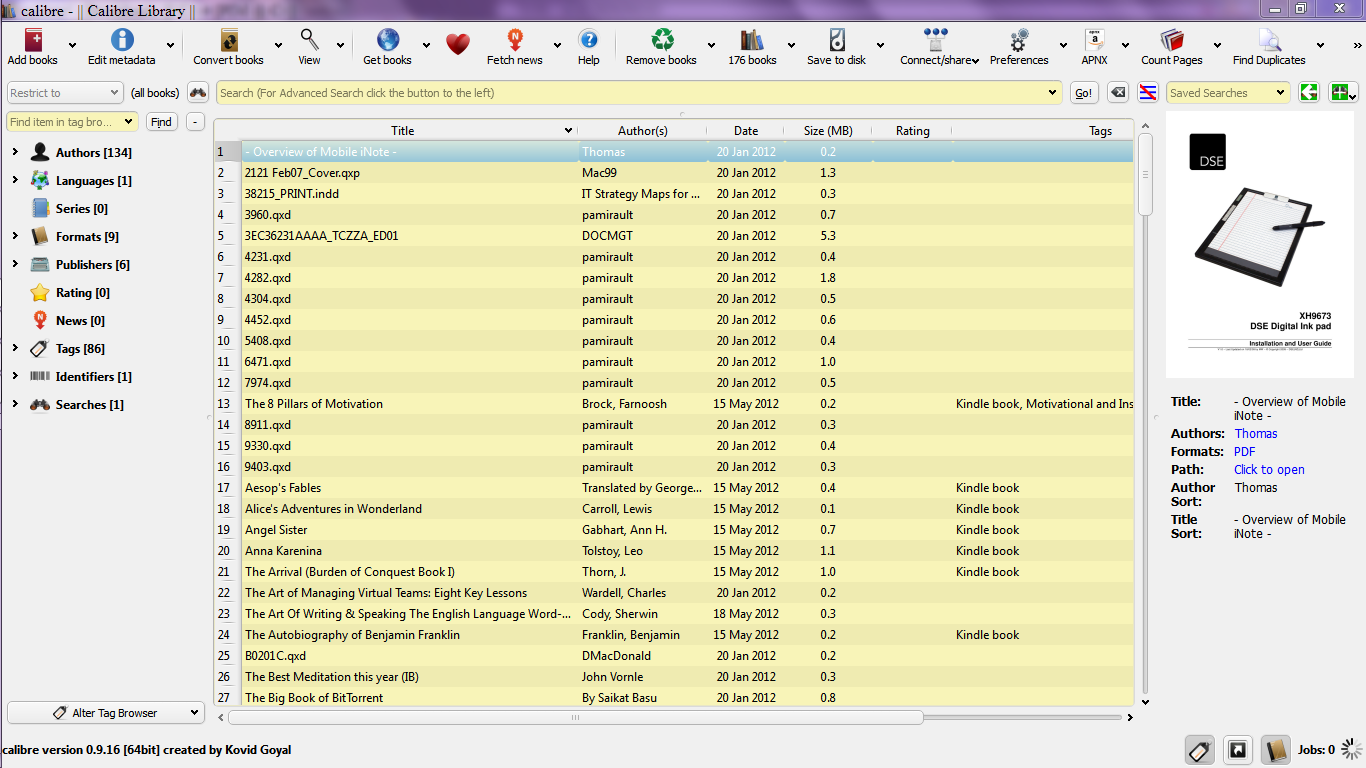
App Name[attach]
« Last Edit: April 11, 2014, 12:23 PM by IainB »

cranioscopical

  • Friend of the Site
  • Supporting Member
  • Joined in 2006
  • **
  • Posts: 4,776
    • Cody Award
    • Official Forum Clown
    • rotten turkey sandwich - Rotten Turkey Sandwich
I find Calibre to be excellent. Thanks for the review IainB!

(How large was the large library?)

See also here, on DC.

Chris

40hz

  • Supporting Member
  • Joined in 2007
  • **
  • Posts: 11,861
+1 with Cranioscopical!

I've been using it heavily for over a year now and I find it exceptionally useful. I've even set it up for a few clients, all of whom have given it rave reviews. And financial contributions.

One is currently experimenting with its webserver capabilities to see if it could function as their private corporate e-library system.

Also kudos for that mention of Qiqqa. That's another essential research tool that deserves to be much better known than it is.
:Thmbsup:

« Last Edit: January 23, 2012, 06:38 PM by 40hz »

skwire

  • I eat Coding Snacks for breakfast...
  • Global Moderator
  • Joined in 2005
  • *****
  • Posts: 5,297
    • Participated in NANY Challenge Seventeen Times
    • Coding Snacks
    • Superboy Coder
    • Cody Award
    • Volunteers/Staff
    • Gathering Badge
I use Calibre to convert most any e-book format into EPUB format for use on my phone.  Works very very well in this regard.

TucknDar

  • Advanced coder of Nowt
  • Charter Member
  • Joined in 2005
  • ***
  • Posts: 1,133
Another calibre fan here. Recently bought a Kindle, and Calibre is great for managing my book collection, and converting epub files to Kindle-ready mobipocket format. Highly recommended!

IainB

  • @Slartibartfarst
  • Supporting Member
  • Joined in 2008
  • **
  • Posts: 7,544
(How large was the large library?)
See also here, on DC.
Library size: (Apologies for omitting the library size) the one that "froze" Calibre is 1,174 files, 2.8Gb in total size. I do not know what proportion of those files Calibre would be able to translate/manage.
It was a relatively smaller part of my overall library, but I called it large because it seemed to be large enough to bring Calibre to its knees.

The link you gave was interesting - thanks. I had not seen that before. I usually try to scan DCF for prior reviews/references of any software that I am thinking of doing a review of, but I was being maddeningly interrupted at the time I was researching Calibre, and, this probably distracted me sufficiently to use the wrong search term (I probably used something like "Calibri") and thus I entirely missed the reference you gave.    :-[

Interestingly, that thread also mentions CPU utilisation in a comment by J-Mac

IainB

  • @Slartibartfarst
  • Supporting Member
  • Joined in 2008
  • **
  • Posts: 7,544
...I've even set it up for a few clients, all of whom have given it rave reviews. And financial contributions...
...
One is currently experimenting with its webserver capabilities to see if it could function as their private corporate e-library system.

Also kudos for that mention of Qiqqa. That's another essential research tool that deserves to be much better known than it is.
:Thmbsup:
Oddly enough, I am considering suggesting it for a client of mine (a property management company specialising in apartment block bodycorp administration) - along with Qiqqa. They have a huge library and a big DM (Document Management) problem, due to a lot of their output and company records being in .PDF format. Their current DM practices and use of IT are anachronistic (which is putting it mildly), and there will be a significant cost attributable to that - one which I estimate could be reduced by approx. 80% by the more intelligent application of technology and automation.

40hz

  • Supporting Member
  • Joined in 2007
  • **
  • Posts: 11,861

Oddly enough, I am considering suggesting it for a client of mine (a property management company specialising in apartment block bodycorp administration) - along with Qiqqa. They have a huge library and a big DM (Document Management) problem, due to a lot of their output and company records being in .PDF format.

Must be the real property industry and it's relatives.  ;D

Mine is a mortgage broker service. Same deal with them. Tons of transmissions and scans. All in PDF.

Luck! :Thmbsup:

If I hear anything worth repeating I'll let you know.

cranioscopical

  • Friend of the Site
  • Supporting Member
  • Joined in 2006
  • **
  • Posts: 4,776
    • Cody Award
    • Official Forum Clown
    • rotten turkey sandwich - Rotten Turkey Sandwich
Library size: (Apologies for omitting the library size) the one that "froze" Calibre is 1,174 files, 2.8Gb in total size. I do not know what proportion of those files Calibre would be able to translate/manage.
...
Interestingly, that thread also mentions CPU utilisation in a comment by J-Mac
Thanks for the info. Calibre is looking after 1.3Gb for me and I've seen no problem at all. It's almost amazingly fast on all of my machines. Either I've simply been lucky or the threshold for trouble is >1.3Gb.
Chris

Daleus

  • Supporting Member
  • Joined in 2007
  • **
  • Posts: 147
I got myself a Kobo eReader late last fall, about the same time that I ran across Calibre.  I got it originally because I wanted to be able to carry around my collection of out of print Traveller rules books.

Well, *that* was a disappointment - for old stuff like those Traveller books, you get image scans of pages and not real pdf documents.  Still, if I don't mind going blind occasionally (over 50 eyes) I can still read them.  I later discovered a program that would actually OCR scan a pdf file and give me the text!  Awesome, and I am now converting my collection to text, so that I can re-lay it out and convert to ePub which is the native format for the Kobo, although it handles others.

Of course, I am totally foolish to spend this much time on such a project, quite likely *more* time than I will spend reading the blasted things.  Yay OCD!

So, I have been adding to Calibre about a dozen at a time, as I get them converted.  I also have been combing the Gutenberg Project for old out of print science fiction and recently added from there, a collection of Charles Dickens books.  I actually read A Christmas Carole over the holidays, after being a devoted fan of the 1950's movie starring Alistair Simm.  It was fun to discover the movie does not stray far from the book.

So, so far, my experience with Calibre has been flawless.  It's ability to handle copious eBook formats in it's library, it's ability to convert between them, being cross-platform *and* (haven't tried this one yet) it comes with a server you can run on your network and use wirelessly to reload your reader has me bowled over!

Daleus, Curmudgeon-at-Large

Daleus

  • Supporting Member
  • Joined in 2007
  • **
  • Posts: 147
Re: Calibre - e-Book (Personal Library/Document) Management - Mini-Review
« Reply #10 on: January 24, 2012, 12:36 PM »
Looking back over this thread, I wonder has anyone done a review of Qiqqa?

I followed the link to their site, but as I am not an academic, I'm not certain I would have a use for this program.

I'm going to download it anyway such is the power of a DC recommendation - I'll try *any* program you folks suggest, to see just what it can do for me.
Daleus, Curmudgeon-at-Large

cranioscopical

  • Friend of the Site
  • Supporting Member
  • Joined in 2006
  • **
  • Posts: 4,776
    • Cody Award
    • Official Forum Clown
    • rotten turkey sandwich - Rotten Turkey Sandwich
Re: Calibre - e-Book (Personal Library/Document) Management - Mini-Review
« Reply #11 on: January 24, 2012, 07:43 PM »
(over 50 eyes)
Wow, with >50 eyes you sure must read fast!
Chris

J-Mac

  • Supporting Member
  • Joined in 2007
  • **
  • Posts: 2,918
Re: Calibre - e-Book (Personal Library/Document) Management - Mini-Review
« Reply #12 on: January 25, 2012, 11:32 AM »
I tried running this on my previous computer and it would constantly lock-up my system. Then again that PC had graphic card conflicts that often caused problems with certain programs. Anyway after importing a lot of PDF ebooks Calibre was spinning out of control - 50-60% CPU usage & a big chunk of memory. Couldn't shut it down without going into safe mode.

New 'puter now - maybe I'll give it another try.

Thanks!

Jim
"I am getting so tired of slitting the throats of people who say that I am a violent psychopath."

IainB

  • @Slartibartfarst
  • Supporting Member
  • Joined in 2008
  • **
  • Posts: 7,544
Re: Calibre - e-Book (Personal Library/Document) Management - Mini-Review
« Reply #13 on: January 27, 2012, 08:05 AM »
Looking back over this thread, I wonder has anyone done a review of Qiqqa?
I don't think so, but I have been thinking of doing a proper Mini-Review, having used Qiqqa for a few months now. It's a superb document and information/reference management system.

IainB

  • @Slartibartfarst
  • Supporting Member
  • Joined in 2008
  • **
  • Posts: 7,544
Re: Calibre - e-Book (Personal Library/Document) Management - Mini-Review
« Reply #14 on: February 06, 2012, 11:42 PM »
New Calibre Release: 0.8.38 [03 Feb, 2012] available:
See all new features of v0.8 here.
Changelog - Release: 0.8.38 [03 Feb, 2012]:
Spoiler (click to show/hide)
Quote
New Features
Implement the ability to automatically add books to calibre from a specified folder.
Closes tickets: 920249

calibre can now watch a folder on your computer and instantly add any files you put there to the calibre library as new books. You can tell calibre which folder to watch via Preferences->Adding Books->Automatic Adding.

Conversion: When automatically inserting page breaks, do not put a page break before a h1 or h2 tag if it is immediately preceded by another h1 or h2 tag.

Driver for EZReader T730 and Pint-of-View PlayTab Pro

Closes tickets: 923283, 922969

app103

  • That scary taskbar girl
  • Global Moderator
  • Joined in 2006
  • *****
  • Posts: 5,888
    • Participated in NANY Challenge Six Times
    • Coding Snacks
    • Gathering Badge
    • Cody Award
    • Volunteers/Staff
Re: Calibre - e-Book (Personal Library/Document) Management - Mini-Review
« Reply #15 on: February 15, 2012, 12:21 AM »
I used to be a user of My Ebook Library until the services and community associated with the application shut down, and you could no longer retrieve book information from the internet.

I tried Calibre as a possible replacement but quickly uninstalled it when it insisted on destroying my well organized book collection by moving all my books into a single folder. That was a deal breaker for me.

Have they done anything to make that optional yet? I want to keep my books right where they are, organized in folders by subject (non-fiction) or author (fiction).

IainB

  • @Slartibartfarst
  • Supporting Member
  • Joined in 2008
  • **
  • Posts: 7,544
Re: Calibre - e-Book (Personal Library/Document) Management - Mini-Review
« Reply #16 on: February 15, 2012, 04:47 AM »
@app103: The version of Calibre I am using does not move anything around, but copies (duplicates) your documents (Word and PDF) into a folder, and changes the filenames a bit:
Example: C:\Users\[User]\Calibre Library\[Author ID]\Document file name.ext

Calibre also puts metadata in that folder, and seems to include any other files that it thinks might be related/relevant - e.g., as the cover page.
It appears not to scan and OCR PDF files with images containing text, so you will search in vain for (say) the string "toffee cats" that is in such a file.

By comparison, Qiqqa does that brilliantly. lt builds its own (duplicate) library of your PDF documents, with the PDF image documents all apparently OCR-scanned in the process and made text-searchable. Very handy. I'm not sure that it handles Word docs though.
« Last Edit: February 15, 2012, 11:42 AM by IainB »

elvisbrown

  • Programmer - what else
  • Charter Member
  • Joined in 2005
  • ***
  • Posts: 27
Re: Calibre - e-Book (Personal Library/Document) Management - Mini-Review
« Reply #17 on: February 15, 2012, 09:30 AM »
I've been using Calibre since I bought a Kindle and quite frankly for what it does there is not much better available. However there are a couple of things that it doesn't do too well. I am talking about 95% brilliant and 5% could be better to give you some idea of scale of my comments.

Libraries
It doesn't manage large libraries at all well, I'm talking about 1000+ books (I'm on i7 with 8GB) and I am not sure it was ever intended to cope with libraries that big in the first place. I think the storage needs to be ported to a proper database structure instead of the folder method that's being used now.

Kindle Collections
Kindle Collections is an extension for Calibre and I find it can be hit and miss at times. I use it to organise my collections but when I restart the Kindle it is seldom the way I organised it.

Small change in return for what it does do well like manage metadata, covers and the downloading of news is worth it just for that alone. I have made donations for both Calibre and Kindle Collections and I would urge anyone using it regularly to the same.

Kindlean
I have just purchased Kindlean which does nothing but manage Kindle collections and it is beautiful, functional and efficient.

Alfa Ebooks Manager
I've been looking at this for managing my library. It is the best I have seen so far. The free version really doesn't do much but point out what the paid version would do. The full version is not cheap ($40) but if it did what it says it does it is probably worth it. The only problem I have struck is that on one of my laptops (both Win7 64Bit) it throws .Net errors when it tries to start then fails completely. Spending that much money on a product that won't even start makes me nervous even though the other laptop runs it perfectly.

To sum up I think I need three applications because I haven't found one application that does everything well.
  • Calibre to manage what goes from my library to my Kindle
  • Kindlean to manage the collections on the Kindle
  • An Ebook Library manager as yet undecided.

Thanks for the article on Calibre :-)
I started out with nothing and still have most of it left

Daleus

  • Supporting Member
  • Joined in 2007
  • **
  • Posts: 147
Re: Calibre - e-Book (Personal Library/Document) Management - Mini-Review
« Reply #18 on: February 15, 2012, 12:35 PM »
(over 50 eyes)
Wow, with >50 eyes you sure must read fast!

Doh! Yeah. And it takes hours to clean my glasses when I've been out in the rain.
Daleus, Curmudgeon-at-Large

app103

  • That scary taskbar girl
  • Global Moderator
  • Joined in 2006
  • *****
  • Posts: 5,888
    • Participated in NANY Challenge Six Times
    • Coding Snacks
    • Gathering Badge
    • Cody Award
    • Volunteers/Staff
Re: Calibre - e-Book (Personal Library/Document) Management - Mini-Review
« Reply #19 on: February 15, 2012, 04:13 PM »
@app103:[/b] The version of Calibre I am using does not move anything around, but copies (duplicates) your documents (Word and PDF) into a folder, and changes the filenames a bit:
Example: C:\Users\[User]\Calibre Library\[Author ID]\Document file name.ext

So I'll need to buy another hard drive just for Calibre?  :huh:

Does it at least give you the option not to put all of that on your OS drive?

wales

  • Supporting Member
  • Joined in 2007
  • **
  • Posts: 23
Re: Calibre - e-Book (Personal Library/Document) Management - Mini-Review
« Reply #20 on: February 15, 2012, 05:19 PM »
I had not heard of Qiqqa, had a look and it appeared something for me.  However after download  and attempting to install on xp service pack 3 the error "service pack 2 required"

Please can anyone help?

40hz

  • Supporting Member
  • Joined in 2007
  • **
  • Posts: 11,861
Re: Calibre - e-Book (Personal Library/Document) Management - Mini-Review
« Reply #21 on: February 15, 2012, 06:46 PM »
I had not heard of Qiqqa, had a look and it appeared something for me.  However after download  and attempting to install on xp service pack 3 the error "service pack 2 required"

Please can anyone help?

@wales - That's got to be frustrating. Especially since you have SP3 already installed.

For installation issues, your best bet is to put that question directly to Qiqqa since their developers would have a better idea what's causing the problem is and how to solve it. Their support link is here:

https://getsatisfaction.com/qiqqa

:)

wales

  • Supporting Member
  • Joined in 2007
  • **
  • Posts: 23
Re: Calibre - e-Book (Personal Library/Document) Management - Mini-Review
« Reply #22 on: February 15, 2012, 07:54 PM »
Thank you for your reply.   I have contacted qiqqa and a no reply email has said that they are busy and will try to answer my question asap.

gwynevans

  • Charter Member
  • Joined in 2006
  • ***
  • Posts: 14
Re: Calibre - e-Book (Personal Library/Document) Management - Mini-Review
« Reply #23 on: February 15, 2012, 08:09 PM »
So I'll need to buy another hard drive just for Calibre?  :huh:
Does it at least give you the option not to put all of that on your OS drive?

eBooks aren't all that big, so it's a reasonable choice to take a copy of them into it's library tree, rather than try & track changes that would occur if it just tried to reference them 'outside'.  I've currently only got just over 1000 books in mine, and the library around 912MB  (Mostly ePub, rather than PDF though).

One advantage not mentioned is that using Stanza on the iPad or the browser on a Kindle, I can access them wirelessly via Calibre's server & WiFi!

It does allow you to choose where to place the library (and to have more than 1 if desired), including moving an existing library tree around.

IainB

  • @Slartibartfarst
  • Supporting Member
  • Joined in 2008
  • **
  • Posts: 7,544
Re: Calibre - e-Book (Personal Library/Document) Management - Mini-Review
« Reply #24 on: February 15, 2012, 10:01 PM »
  • Ability to "pull" metadata from many different sources is very useful.
  • Ability to "harvest" online content-sources and convert them to e-books is a brilliant idea (not yet tested by me).

@40hz has had a look at this feature (copied from another thread):
re: calibre: Ok, I just gave it a workout. What it does (i.e go out and get a feed at a scheduled time, download it, and create an ebook out of it) works quite well.

per the developer of calibre:
Quote
The news downloading feature, one of calibre's most popular, has an interesting story behind it. I used to subscribe to Newsweek, back when it was still a real news magazine. But one fine day, Newsweek simply stopped being delivered to my house and no matter how much time I spent on the phone with various sales reps, it simply would not start again. Since I'd just got my first e-book reader at the time, I decided to add the ability to download and convert websites to calibre. From the beginning, I decided to make it as modular as possible, so that other people could contribute "recipes" for different news sites. The calibre cookbook has kept on growing and now calibre has recipes for over three hundred news sources in many different languages.

The limitations, however, are annoying. Each feed gets made into its own book. You can't combine feeds using the standard scripts provided by calibre. I'm guessing you could if you were to combine them in you own script. But that defeats some of the convenience being sought.

The other problem is that a new book gets created for each source each time the "get news" button is pushed. So if you were tracking 10 feeds daily, on Monday you'd find 10 books in your library list. When it ran again on Tuesday you would then have 20 books in your library unless you deleted Monday's run. Not a real problem since you could just select all and delete. But what happens when you add something in that only gets checked weekly - and for which you want to keep a few back issues on hand? Since calibre doesn't allow you to set up folders, it starts getting excessively "manual" keeping your newsrack pruned. Which, in all fairness, may only be a problem for tech news junkies like me.

I'm in the habit of closely tracking about 30 feeds daily - and well over a hundred additional between those I peruse on a weekly or monthly basis. So having somewhere between 100 and 150 "books" in my library just for that doesn't really work for me. I suppose I could do it using a portable installation of calibre which would be used just for feeds and act as a super-newsreader. But it's kind of a kludge. And it still doesn't combine multiple feeds into a single book. I don't want a library's periodical room. I want a geek's version of Reader's Digest.

What I was hoping for was something that could support a few different collections of RSS feeds. Something that could take three different feed lists and use them to produce a daily newspaper, a weekly journal, and a monthly magazine, all on an fully automated basis.

calibre can't do that. But it's soooo close it makes me want to scream.

But that won't accomplish anything worthwhile.

So now I'm firing up my email program and composing an extremely polite message to calibre's developer Kovid Goyal to ask what it would take to get that capability added.

Original address: https://www.donationcoder.com/forum/index.php?topic=29691.0