


I have a repetitive task everyday, where I have to go through a lot of documents grabbing information. Then the information gets put into an email along with headers (that are usually the same ones day after day), and sent out. I've been using Notepad++ (and a lot of copying, pasting, and typing) for this, but I came up with an idea for a small program that would actually help streamline the task quite a bit. I tried to come up with as detailed a description of it as I could:
I. The GUI
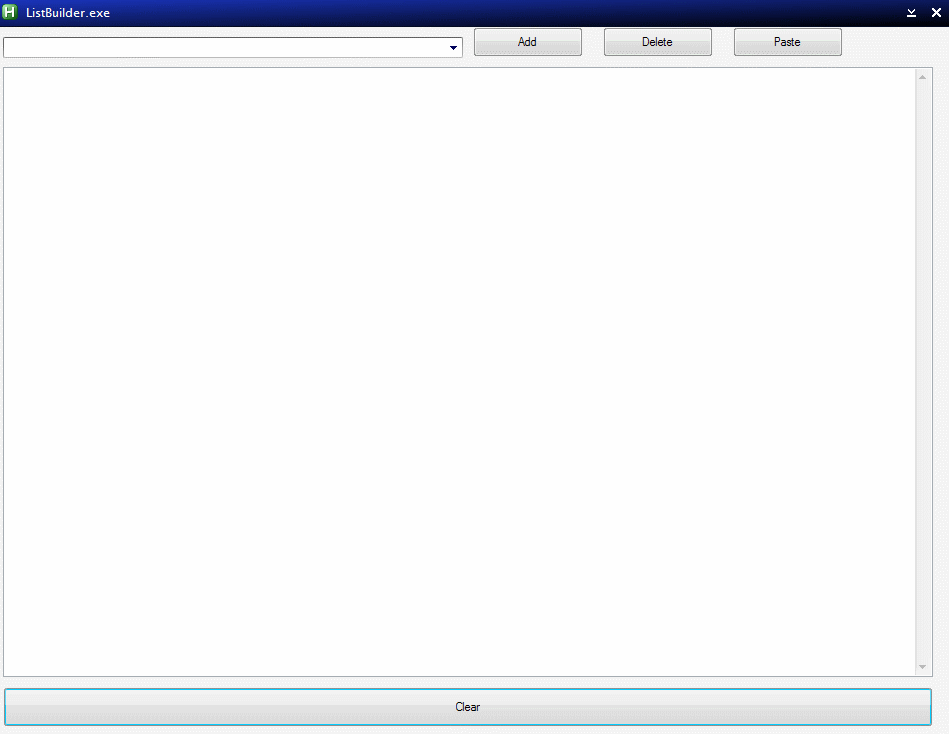
A. Textbox - The main part of the GUI should be a simple textbox. It should allow for typing, copying, pasting, etc. but no special formatting options or anything are needed. (Unicode support for the whole program would be a big plus though as it is possible I'll need to use this with Japanese text at some point.)
B. Above the textbox.
1. A persistent dropdown list for headers. (This should initially be empty when the program is first run).
2. A button to add whatever is selected in the textbox to the dropdown list.
3. A button to paste the selected header from the dropdown list at the cursor position in the textbox.
4. A button to delete the currently selected header from the dropdown list.
5. Not necessary at this point, but a way to switch header lists for different projects would probably be a good idea.
C. Below the textbox.
1. A button to clear the contents of the textbox. (Should confirm first, in case of accidental clicks).
II. Global Hotkeys - The program should set the following global hotkeys while it is running.
A. Win+Ctrl+C - Copy selected text from active program, and paste at the cursor position in the textbox.
B. Win+Ctrl+V - Paste entire contents of the textbox at the cursor position of the active program.
I think someone who is more adept than I am at AutoHotkey would probably be able to code this without too much of a problem.
I. The GUI
A. Textbox - The main part of the GUI should be a simple textbox. It should allow for typing, copying, pasting, etc. but no special formatting options or anything are needed. (Unicode support for the whole program would be a big plus though as it is possible I'll need to use this with Japanese text at some point.)
B. Above the textbox.
1. A persistent dropdown list for headers. (This should initially be empty when the program is first run).
2. A button to add whatever is selected in the textbox to the dropdown list.
3. A button to paste the selected header from the dropdown list at the cursor position in the textbox.
4. A button to delete the currently selected header from the dropdown list.
5. Not necessary at this point, but a way to switch header lists for different projects would probably be a good idea.
C. Below the textbox.
1. A button to clear the contents of the textbox. (Should confirm first, in case of accidental clicks).
II. Global Hotkeys - The program should set the following global hotkeys while it is running.
A. Win+Ctrl+C - Copy selected text from active program, and paste at the cursor position in the textbox.
B. Win+Ctrl+V - Paste entire contents of the textbox at the cursor position of the active program.
I think someone who is more adept than I am at AutoHotkey would probably be able to code this without too much of a problem.


 . But if it fits, then maybe we can persuade him to to upgrade it to unicode


 ListBuilder.rar