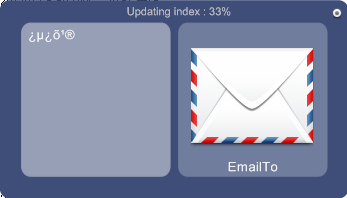
| Application Name | Qatapult |
| Short Description | Qatapult is keyboard application launcher focusing on the decomposition in objects and actions ala Quicksilver. |
| Supported OSes | Windows 2000 -> 7 |
| Website | http://emmanuelcaradec.com/qatapult/ |
| Setup File | http://emmanuelcaradec.com/qatapult/bin/Qatapult.zip |
| Screenshots | 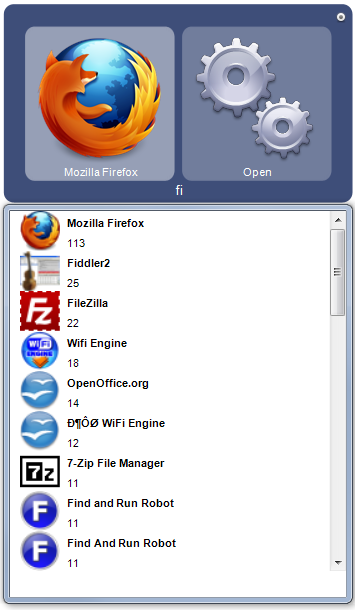 |
| Change list | 10.03.2012 (summary of changes happened onto the period ) - plugin system for creating custom sources (in javascript ) - plugin system for defining new commands to use in rules (in javascript ) - plugin system for skin (in javascript ) - better ranking - fix crashing when no debugger was installed - alfred-like skin by pigeonlips - bookmark plugin by ewemoa - catalogs (allow to not include every source by default ) 12.02.2012 - settings format change to xml - basic plugin system for creating new rules - a 'reload' rules command for quickly testing changes - shift+enter now create newline in text - provide multiple values inside rules - a WINDOW source that list the currently active windows that can be queried for $x.title and $x.hwnd 06.02.2012 - the text now don't display vertically anymore - the completion don't automatically select the first subfolder - you don't need to hit the down key twice to browse the results - results are cleared when you hide the ui, so that it's always clean when you invoke qatapult - fuzzy matching on some results like on the startmenu items : "moz firx" will match firefox. All characters must be in the name in the correct order to match. That allows to miss a char and still get the correct result. 21.01.2012 I made some change progressively since the 15 - Fix some memory leak on images - Hotkey configuration (you can now set you favorite hotkey in the settings ) 15.01.2012 - Text edition mode : you can now switch to edit mode by typing . and then use the arrows and delete keys. - You can also paste text into the UI with ctrl+v - There is now support for extra user commands : there is no UI, but you can check them in the ini file. I added two examples. You can use %p (path), %d (directory ) and %f (filename ) as inputs 14.01.2012 - windows 2000/XP support (hopefully ) - status line 08.01.2012 - The focus issues should now be gone. Qatapult hides itself when it's not the foreground window - The download of gmail contact is now limited to only new contacts - The contact sources now fetch and displays the profile pictures from the gmail directory (the download of theses is a bit long of course : if you enable this, please wait that the download complete before closing Qatapult otherwise, you'll only get half of your contact ) - I added a special source (type Clock ) that display an animated clock. I'm not sure what I'm going to do with it but it's fun. If it gives you ideas, please share  - You can add extra directories to index (they are currently limited to 3 level of recursion because indexing too large directories cause huge slow downs ) - The text is not typed anymore (it's displayed by underline the text on the icons ). I'm not sure if this behavior is very usable. Tell me what you think about it. However it definitly looks better. 18.12.2011 - remove the verb indexing from the shell (it's too slow, doesn't always work and not nicely extendable ) - scale small icons (badly ) - unicode storage for startmenu items - icons in the listview - new controls tabs/shift+tab for pane navigation, right for completion (the rest is a bit more difficult to bind right now ) - extra icons (with reference to people who made them, I removed one GPL icon so I think that my source code was automatically GPL till previous version ) - memory leak fixing - automatic opening of listbox after 1 second - slower (not a very desirable feature :I will need to spend some time there, it's ok on my very new PC, not sure on others ) 15.12.2011 - fix a bug in the indexing of the verbs associated with the startmenu items 14.12.2011 - you can now send email (you'll need to edit the settings.ini file to add your email, username, password and smtp server ) rem : I use blat to send email, it requires that you add the stunnel proxy server if you use a ssl smtp server like gmail (http://www.stunnel.org/ ) - qsll can fetch your contact from gmail (see the little knob on the top right corner of the UI to give him the permission ) - items from the startmenu are now fetched from an index that make finding them faster |
| Instructions | Here is what you can do with the current version : The invocation shortcut is shift+space You can run an application by typing it's name You can type windows path like that and browse the file system (tab works for completion ) c:\... You can type text either with a ' prefix which will give text a boost, or just continue to type until there is nothing left but text and it will be automatically known You can use this text in 2 ways. Once you get a text hit the right arrow then the down arrow to get a list of what is available at this point. There is two operation you can send a mail to a contact (this doesn't work yet ) or you can search a website. Type 'search with' then hit the right arrow to select which website to search. You can try actions on applications too, you can open, get the properties and other things detected from the context menu. Hit 'return' at any point to run the current action. If you want to quit, just type quit in the first pane. |
| Current commands | - Type 'name of your software' to run it, or followed by properties, sendto, etc... - 'Quit' to quit the application - 'Clock' to display a animated clock (won't display the animated clock before vista ) - 'text' 'EmailTo' 'name of your contact' - type '.' to switch to text mode when typing something |
Qatapult
« on: January 13, 2012, 11:30 PM »


 loder.zip