Bits - Ultra Recall
« on: January 13, 2012, 12:18 PM »


 Topic: Bits - Ultra Recall (Read 38,610 times)


[...] I store all my important documents in it. I can search for any document within Ultra Recall and usually find it faster than otherwise. Of course I only use the documents stored in UR for reference; if I need to revise and resend anything I will still use the original document in its native app.


You have a choice whether to Link or Copy documents, emails, web pages, etc. to Ultra Recall.
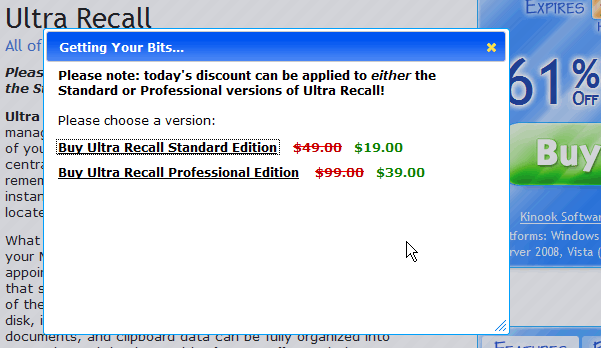
I bought a license for UltraRecall Pro v3 when it was on BdJ in 2008. Kinook say V4 is a major upgrade that I would have to pay for. This Bits deal at $39 is cheaper than their regular upgrade price of $50: Kinook prices.
Purchased it on the same Bits deal you did - and then paid $50.00 for the upgrade back in August 2009 - (call me Dumberer!).No, I'd call you realistic!
It's been over three years between Bits deals (I think - haven't noticed any intermediate ones, anyway) and how were you to know they would run another deal? In the Bits thread, Kinook say they're bringing out an updated version for Windows 8 and Office 2012, but don't say when, so I'm wondering if I'll fall behind again, not that either of those matter to me at the moment.
I wouldn't be surprised if this happens again with Windows8 & Office 2012 -> Ultra Recall v5
As an addendum to my post above, I will say that one of Ultra Recall's biggest missing features is the one that is biting me hard right now: the inability to save its settings for future use. I just reinstalled UR-Pro on my brand new computer and have spent the last hour + trying to get the layouts and settings just like they were before. Unfortunately it is not as simple as making a copy of an .ini or .dat file; UR stores its settings in the Windows registry, so unless you have a way to back-up your previous computer's registry in a way that allows you to restore only certain keys or at least read the settings in a human-recognizable language, then you must simply start over and try to get it close. I imagine that I COULD have made screen captures of each settings page but that wasn’t on my mind when I was making sure I had all the necessary setup files and registration codes available for the re-installations of all my software. Drats!!
Not truly a problem... just a pretty damn good annoyance!
Thanks!
Jim
Oops - another little irritant I just discovered, though it is actually a Microsoft thing, not directly an Ultra Recall thing. Prior to this I could open and edit any Microsoft document (Word, Excel, Outlook - never tried PPT or PUB) within Ultra Recall. Nice feature, not having to open the Office app associated with the file. Now however with Office 2010, Microsoft has disallowed opening any file outside of the associated Office 2010 app.
Ultra Recall uses Internet Explorer as it's internal browser and so used that to open/edit Microsoft Office files. Now Microsoft no longer allows Office files to open in IE - safety/security thing apparently, or so Microsoft claims. A real PITA though. Now clicking on an Office file inside Ultra Recall opens the file in its native app - Word, Excel, etc. Not a tremendous hardship but it is nice to be able to do it all in UR. Hopefully someone finds a hack for this!
Thank you.
Jim
Original address: https://www.donationcoder.com/forum/index.php?topic=29590.0