DonationCoder.com forum
 
Read-only archive. This is a static copy of the DonationCoder.com forum. Reading and searching work as before; logging in, posting and private messages do not.
Archive of 2026-10-21 · About this archive · Main site

Author Topic: GIMP: Cursor Obscuring Image When Using Free Select Tool  (Read 5,294 times)

ewemoa

  • Honorary Member
  • Joined in 2008
  • **
  • Posts: 2,922
    • Plugin Coding Medal
    • Participated in NANY Challenge Three Times
GIMP: Cursor Obscuring Image When Using Free Select Tool
« on: November 03, 2011, 07:11 AM »
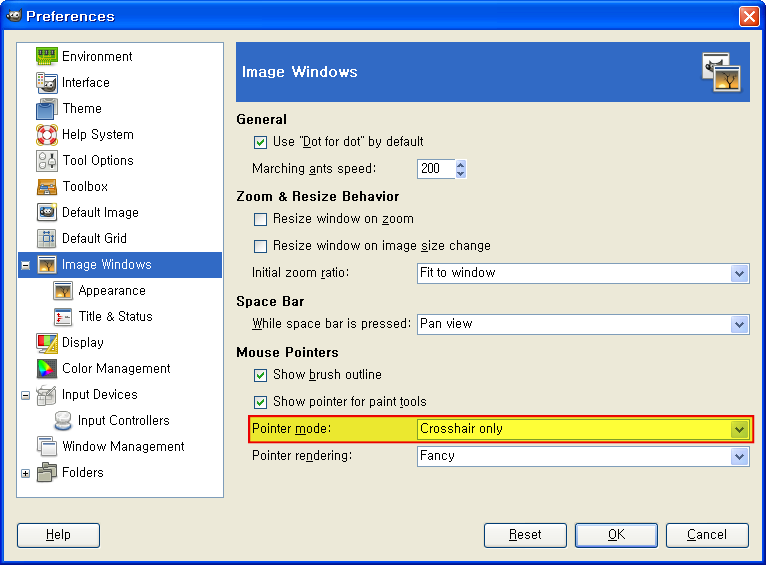
Under GIMP (2.6.1) I noticed that the pointer cursor would sometimes obscure the image too much causing difficulty while using the free select tool.  After some not-too-successful searching, I learned that there's a preference that seems to help:
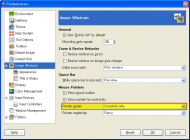
gimp-cursor-obscurement-work-around-for-free-select-tool.png

Perhaps there are better work-arounds.  If anyone knows of any, I'd be interested in hearing about them -- apart from changing the system's pointer cursor, that is :)
Edvard

  • Coding Snacks Author
  • Charter Honorary Member
  • Joined in 2005
  • ***
  • Posts: 3,027
    • Participated in NANY Challenge Once
    • Coding Snacks
    • Linux User
Re: GIMP: Cursor Obscuring Image When Using Free Select Tool
« Reply #1 on: November 06, 2011, 07:02 PM »
Wow, I never knew that, very cool!  :Thmbsup:
I use a larger cursor anyways, so I probably should be more bothered by it, but strangely I'm not.
There have been times, however...  :mad:

OTOH, I don't know of any further hidden secrets besides how getting comfortable with the hotkeys makes working with Gimp faster, and the fact that there are thousands of tutorials on how to do almost anything with it.
All children left unattended will be given a mocha and a puppy.

ewemoa

  • Honorary Member
  • Joined in 2008
  • **
  • Posts: 2,922
    • Plugin Coding Medal
    • Participated in NANY Challenge Three Times
Re: GIMP: Cursor Obscuring Image When Using Free Select Tool
« Reply #2 on: November 07, 2011, 12:13 AM »
OTOH, I don't know of any further hidden secrets besides how getting comfortable with the hotkeys makes working with Gimp faster

Indeed!
« Last Edit: November 07, 2011, 07:11 AM by ewemoa »

Original address: https://www.donationcoder.com/forum/index.php?topic=28564.0