


Dear Community,
as a visually impaired i really miss a feature that i have had in earlier versions of Matrox-PowerTools (the graphicdriver-suite from Matrox).
There was the possibility to activate with a Hotkey a blinking circle around the mousepointer with arrows pointing to the mousepointer. I used this feature a lot if i have my mousepointer lose out of the eyes or if it is positioned on a color i cant recognize it very well. So i pressed the Hotkey and Voila! i know again where my mousepointer is sitting.
In the new version this feature is missing. *SNIFF*
My Logitech Software has such a feature, but i have a problem with this. If i press the Hotkey, only a one-shot circle is moving from big to small to the middle of the mousepointer. There are two problems: 1. The circle is too thin for me to see and 2. as it is a one-shot and very fast, i cant see it also.
What i wish to have is a utility that when a (customizable) Hotkey is pressed draws a thick circle around the mousepointer position in a small distance.
Extensions (if possible it would be GREAT!!!!):
- A blinking circle with two switching colors would be a big help. So the cursor can be easily seen on different background colors.
- It would be nice if the thickness, blinking colors and diameter of the circle could be adjusted.
- Wonderful will be, if the circle could blink until the hotkey is released and move together with the mousepointer when the mouse is moved. So i can track the mousepointer to get to a certain control where i want to click i.E.
I think it is not an easy to realize wishlist. But if someone knows a freeware or a reasonable priced shareware util that do that, or can implement/create such a util i will have luck tears in my eyes. You can't imagine what this will mean to me and how it will make my life easier in private and in my job.
If you have any suggestions, please help.
Very thankful in advance...
JoTo
as a visually impaired i really miss a feature that i have had in earlier versions of Matrox-PowerTools (the graphicdriver-suite from Matrox).
There was the possibility to activate with a Hotkey a blinking circle around the mousepointer with arrows pointing to the mousepointer. I used this feature a lot if i have my mousepointer lose out of the eyes or if it is positioned on a color i cant recognize it very well. So i pressed the Hotkey and Voila! i know again where my mousepointer is sitting.
In the new version this feature is missing. *SNIFF*
My Logitech Software has such a feature, but i have a problem with this. If i press the Hotkey, only a one-shot circle is moving from big to small to the middle of the mousepointer. There are two problems: 1. The circle is too thin for me to see and 2. as it is a one-shot and very fast, i cant see it also.
What i wish to have is a utility that when a (customizable) Hotkey is pressed draws a thick circle around the mousepointer position in a small distance.
Extensions (if possible it would be GREAT!!!!):
- A blinking circle with two switching colors would be a big help. So the cursor can be easily seen on different background colors.
- It would be nice if the thickness, blinking colors and diameter of the circle could be adjusted.
- Wonderful will be, if the circle could blink until the hotkey is released and move together with the mousepointer when the mouse is moved. So i can track the mousepointer to get to a certain control where i want to click i.E.
I think it is not an easy to realize wishlist. But if someone knows a freeware or a reasonable priced shareware util that do that, or can implement/create such a util i will have luck tears in my eyes. You can't imagine what this will mean to me and how it will make my life easier in private and in my job.
If you have any suggestions, please help.
Very thankful in advance...
JoTo


 How about this one?
 Cheers, mate! Or Skål! as we say in Norway.


 Hello, Here Pitr Paulus Again in the 'air'!
 ). Thanks for al explanations and so on. It's good to be with 'this family'.! I really mean it.
 !!
!! Help! I just used the Screenshot Captor and maybe it is a strange question but on my desktop is a STRANGE icon of Screenshot Captor. I've been looking for the standard one (the blue screen) and in the previous version it was still there.
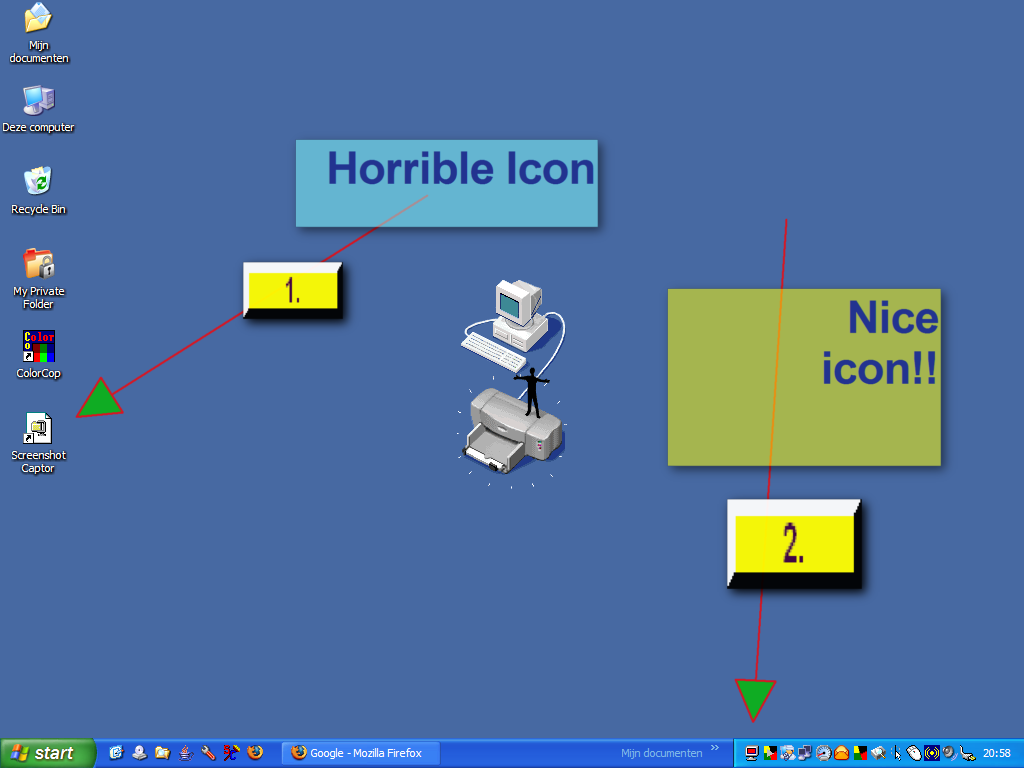
 Hello Joto and Mouser, when I started the computer after my weekend-break (few days Rotterdam/Holland, city of all places) the NICE icon was already back .. so Mouser: you were right! Thanks. And thanks also to Joto for thinking about. As you suggested, I have Screenshot Captor now starting-up and thus deleted the icon. (I also learned that here 'how to make programs start-up'!).