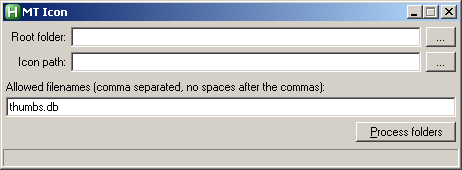
OK first we are working Win 7 (64) and only applicable to List or Details View
Either automatically (unlikely), or by processing a folder and its immediate subfolders (more Likely)
Change the colour of a folder if empty, including folders where thumbs.db is the only file that exists exists
Purpose: I have a folder containing a number of working folders, that I process the contents of. This is to give a quick visual indication of which folders remain to be worked on.
Note, I have a util to remove empty folder, but in this case I do not want to remove them as they will slowly be topped up again, and processed as and when.
TIA
Either automatically (unlikely), or by processing a folder and its immediate subfolders (more Likely)
Change the colour of a folder if empty, including folders where thumbs.db is the only file that exists exists
Purpose: I have a folder containing a number of working folders, that I process the contents of. This is to give a quick visual indication of which folders remain to be worked on.
Note, I have a util to remove empty folder, but in this case I do not want to remove them as they will slowly be topped up again, and processed as and when.
TIA