DonationCoder.com forum
 
Read-only archive. This is a static copy of the DonationCoder.com forum. Reading and searching work as before; logging in, posting and private messages do not.
Archive of 2026-10-21 · About this archive · Main site

Last post Author Topic: In search of ... someone using CAD software  (Read 27,899 times)

barney

  • Charter Member
  • Joined in 2006
  • ***
  • Posts: 1,294
In search of ... someone using CAD software
« on: September 27, 2011, 02:10 AM »
Folk,

I just got a request for CAD software referrals.  Last CAD I used was Generic CAD, ~twelve-fifteen years ago.  It's not free anymore  :(.

A Google search brought up more links than I wanna thimk about :o!

So, is anyone here using any of the current CAD offerings?  "Free would be best, but a low-end stipend would not be unreasonable." (Her terminology, not mine  :).)  Doesn't need to be an AutoCad clone, just something that will suffice for homemade furniture, room diagrams & the like.  She's pretty meticulous, has a better selection of woodworking tools than I'd even think of having - and knows how to use 'em well! - along with minimal metal working stuff.  ('Nother words, she's a better builder than I ever thought of being.)  However, she's tired of drawing stuff out on the kitchen table, and asked me for recommendations.  As mentioned, my last CAD endeavors were over a decade ago, and that software is now kinda pricey.

So, is anyone here using anything they could recommend for a 1st-class builder with medium computer skills?
(Vector would be best - some of what I saw was raster  :o>.)
Make a good day ... barn

4wd

  • Pedantic Old Bastard
  • Supporting Member
  • Joined in 2006
  • **
  • Posts: 5,652
    • Coding Snacks
Re: In search of ... someone using CAD software
« Reply #1 on: September 27, 2011, 03:04 AM »
Going to have to change your name to Leonard I think  ;D
"I will not follow where the path may lead, but I will go where there is no path, and I will leave a trail." - Muriel Strode, 1903

barney

  • Charter Member
  • Joined in 2006
  • ***
  • Posts: 1,294
Re: In search of ... someone using CAD software
« Reply #2 on: September 27, 2011, 03:09 AM »
That'd prolly be humorous if I understood it  :huh: ;D.
Make a good day ... barn

rgdot

  • Supporting Member
  • Joined in 2009
  • **
  • Posts: 2,197
Re: In search of ... someone using CAD software
« Reply #3 on: September 27, 2011, 03:13 AM »
Perhaps have a look at this and read the disclaimer at the end too ofcourse

http://usa.autodesk.com/adsk/servlet/item?siteID=123112&id=14185424

4wd

  • Pedantic Old Bastard
  • Supporting Member
  • Joined in 2006
  • **
  • Posts: 5,652
    • Coding Snacks
Re: In search of ... someone using CAD software
« Reply #4 on: September 27, 2011, 03:26 AM »
That'd prolly be humorous if I understood it  :huh: ;D.

In Search Of...w
IMDB


EDIT: Just dated myself  :(
"I will not follow where the path may lead, but I will go where there is no path, and I will leave a trail." - Muriel Strode, 1903

barney

  • Charter Member
  • Joined in 2006
  • ***
  • Posts: 1,294
Re: In search of ... someone using CAD software
« Reply #5 on: September 27, 2011, 04:48 AM »
@rgdot
I'll run it by her, but I suspect it'll be more learning curve than she wants - unless it has changed in the last decade, AutoDesk was a bitc ... er-r-r, it wasn't easy.

@4wd
OK, now that you've put it in perspective, I get it.  And don't worry, I'm still prolly a bit more dated than thee :P.  Although, that's not necessarily a contest I like to win  :down:, whether I qualify or not  :P.
[Edit:  and you're not the first to accuse me of Vulcanism  ;D.]
Make a good day ... barn

techidave

  • Supporting Member
  • Joined in 2007
  • **
  • Posts: 1,046
Re: In search of ... someone using CAD software
« Reply #6 on: September 27, 2011, 10:32 AM »
Google Sketchup

mrainey

  • Charter Member
  • Joined in 2005
  • ***
  • Posts: 439
Re: In search of ... someone using CAD software
« Reply #7 on: September 27, 2011, 12:33 PM »
Solid Edge 2D is professional-quality and free.

http://www.plm.automation.siemens.com/en_us/products/velocity/solidedge/free2d/index.shtml?stc=usiia400104&gclid=CJrSrbi3vasCFZAs7Aodhyd2xQ
Software For Metalworking
http://closetolerancesoftware.com

Curt

  • Supporting Member
  • Joined in 2006
  • **
  • Posts: 7,565
Re: In search of ... someone using CAD software
« Reply #8 on: September 27, 2011, 01:11 PM »
Ashampoo has a hole range of CADs of varying complexity, plus "kitchen extension":
https://www.ashampoo.com/en/usd/pca/12/CAD_and_Construction

click thumb to enlarge:

[attachthumb=#]


« Last Edit: September 27, 2011, 03:31 PM by Curt »

mrHappy

  • Charter Member
  • Joined in 2006
  • ***
  • Posts: 69
Re: In search of ... someone using CAD software
« Reply #9 on: September 27, 2011, 01:34 PM »
123D

Free from Autodesk, not yet tried it myself.
Still beta.
There are only 10 types of people in the world. Those who understand binary and those who have friends.

Veign

  • Charter Honorary Member
  • Joined in 2005
  • ***
  • Posts: 993
    • Gathering Badge
    • Participated in NANY Challenge Twice
Re: In search of ... someone using CAD software
« Reply #10 on: September 27, 2011, 01:46 PM »
I've used both Inventor and Soildworks in my past life (I designed industrial fans - huge fans the size of houses).  Both excellent applications and I believe both offer student pricing - does she qualify?.

Another option I've heard good things about, but never got the chance to use, is Rhino3D.

bob99

  • Supporting Member
  • Joined in 2008
  • **
  • Posts: 345
Re: In search of ... someone using CAD software
« Reply #11 on: September 27, 2011, 02:32 PM »
Solid Edge 2D is professional-quality and free.

http://www.plm.automation.siemens.com/en_us/products/velocity/solidedge/free2d/index.shtml?stc=usiia400104&gclid=CJrSrbi3vasCFZAs7Aodhyd2xQ

This looks very good on the site and in the PDF brochure. I believe they are looking for more professional users though.
Here's the info needed to download:

Screenshot - 9_27_2011 , 10_14_41 AM.png

superboyac

  • Is your software in my list?
  • Charter Member
  • Joined in 2005
  • ***
  • Posts: 6,347
Re: In search of ... someone using CAD software
« Reply #12 on: September 27, 2011, 03:09 PM »
Whoo!  This used to be my area of expertise not too long ago.  Autocad is very expensive, but it can do anything.  From what it sounds like, the price would make it overkill for what you described.  If Autocad is overkill, any of the big 3D packages are way overkill, like Rhino, Solidworks, etc.  i wouldn't go down that road.

I think Sketchup was a good suggestion.  It's free and quite fun to use.  It's not as easy as everyone makes it out to be, I think it's so fun that people think it's easier than it is.  But with a few days of messing around, you'd be able to do some really great things with it.

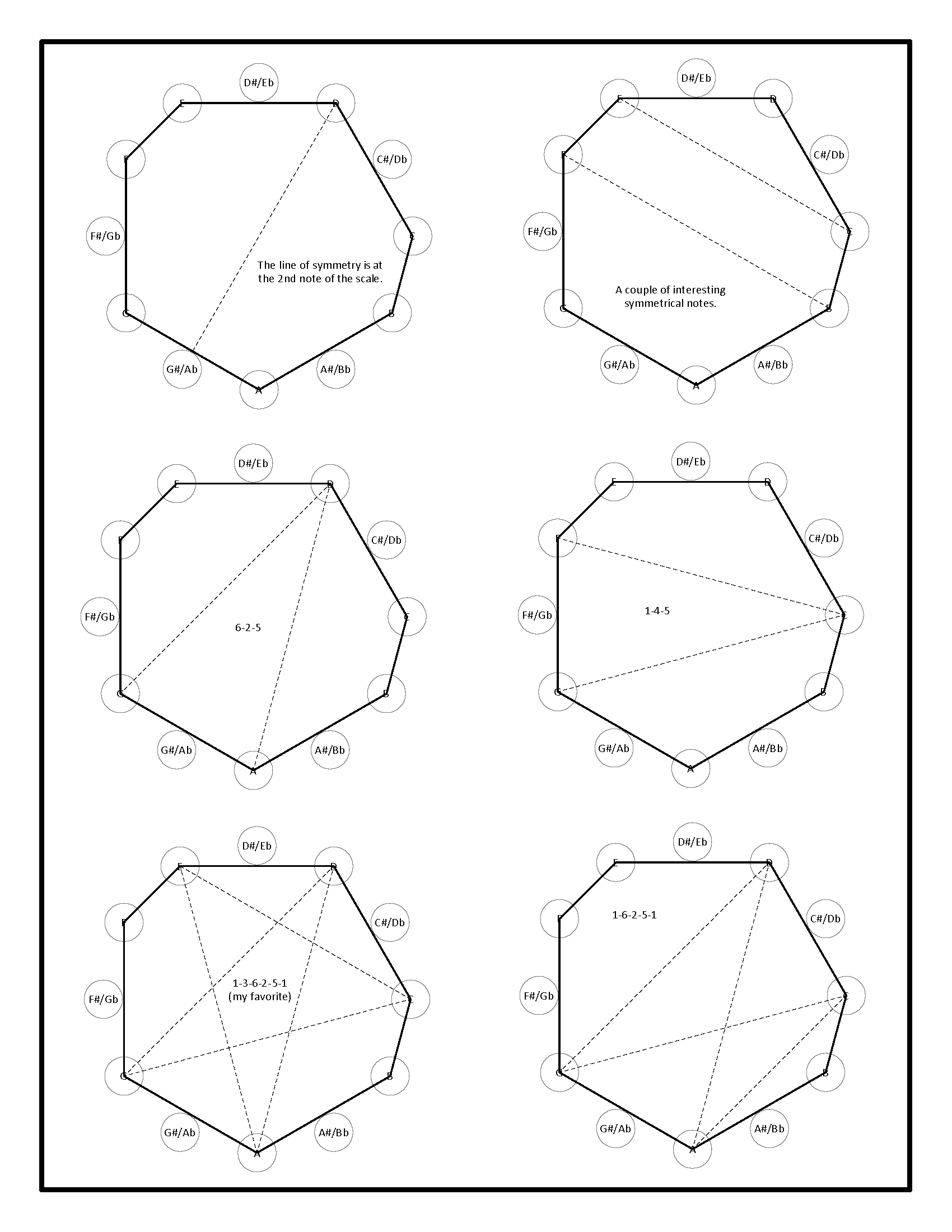
Autocad is an amazing tool.  A couple of years ago, I would have been considered a top expert with Autocad.  In around 2005, I was offered a job to actually go around teaching people how to use a 3D version of one of their software branches (but I had just gotten a new job).  To me, Autocad has the perfect level of drawing freedom mixed with as much precision as you want.  I used to use it only for engineering drawings.  Then I used it to put together really interesting graphic/text documents.  
circle-of-5ths_Page_3.png
I just love the freeform layout abilities of it.  I prefer it even over things like Indesign, because all the snapping and "smart" alignments work perfectly in Autocad.  All of Adobe's "smart" stuff that are supposed to help you align and snap things together never jive with my brain well.  I'm always cursing out why it won't snap where I want it to snap.  It's almost like it snaps everywhere BUT where I want it to snap.  In Autocad, you can control that behavior just exactly the way you want.

Then a couple of years ago, I made a full on 3D artwork (a sword) with Autocad.  I was blown away that my engineering experience was able to translate to that.
durindal-test-6-50%.png
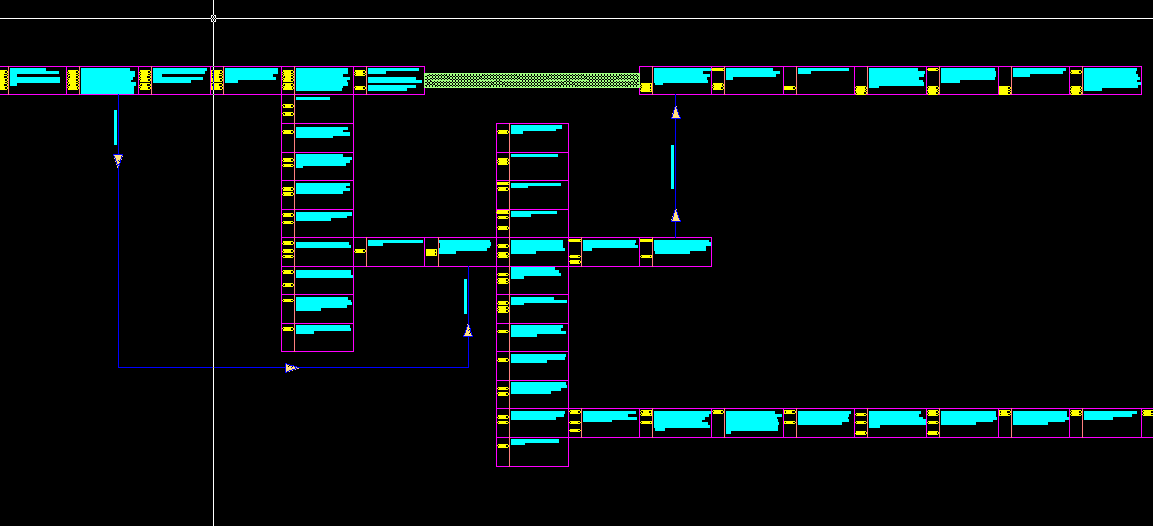
Now, I'm using Autocad to create story outlines.  Why?  Freedom, baby.  I tried using all the writing tools and outliners, etc, but they all impose their own specific restrictions.  In Autocad, i can create outlines just the way I want to.
I0527_ 007.png

I'm a huge fan of Autocad as a tool for documenting your creativity.  Sorry for being off-topic, I was reminiscing.

hamradio

  • Amateur Radio Guy
  • Charter Honorary Member
  • Joined in 2006
  • ***
  • Posts: 893
    • Plugin Coding Medal
    • Participated in NANY Challenge Fifteen Times
    • Cody Award
    • Coding Snacks
    • Volunteers/Staff
    • Hardware Hacker
Re: In search of ... someone using CAD software
« Reply #13 on: September 27, 2011, 04:22 PM »
Also Autodesk Homestyler might do what you want.  It is web based.

Edvard

  • Coding Snacks Author
  • Charter Honorary Member
  • Joined in 2005
  • ***
  • Posts: 3,027
    • Participated in NANY Challenge Once
    • Coding Snacks
    • Linux User
Re: In search of ... someone using CAD software
« Reply #14 on: September 28, 2011, 06:02 PM »
^^ Ooh... that looks like it'll work for what OP is looking for.

If you want something a little (ok, a lot) more powerful (AND FREE!!) take a look at DoubleCAD:
http://www.doublecad.com/Products/DoubleCADXTv3/tabid/1100/Default.aspx
IMHO, the best free CAD for Windows.
So good that if it ran in Wine, I'd use that instead of QCAD.

But it won't, so on Linux, I use QCAD:
http://qcad.org/index.html
Linux has a free Community Edition that you build from source, and I've heard there are ways to get it to compile on a Windows system.
Since it is pretty much geared for design from the ground up, there's not much in the way of pre-built assemblies for interior design, so probably not worth the hassle.
All children left unattended will be given a mocha and a puppy.

barney

  • Charter Member
  • Joined in 2006
  • ***
  • Posts: 1,294
Re: In search of ... someone using CAD software
« Reply #15 on: September 28, 2011, 09:18 PM »
Currently, my desktop has icons for:
  • CADemia
  • Google Sketchup (v8)
  • HeeksCAD
  • A9CAD
  • Archer
  • RtWizard
  • TdhCadwin
  • DoubleCAD XT
and a few others.

I also installed Intellicad 98 on the virtual XP element for Win7.

DoubleCad has possibilities, as does Intellicad, or even Inkscape.  The rest just won't cut it.  They're capable systems, I'm certain, but my Master (Mistress?) Builder has no desire to learn PERL, or Ruby, or ...

She just wants to draw things, have the system dimension 'em, then print 'em.

Several of the CAD products we examined had no drawing capability at all  >:( - 'twas all language based.  Some of the others had drawing/drafting capability, but the learning curve was steep beyond her measure of patience  :).  We haven't looked yet at Autodesk Homestyler, so that one's up in the air.

Funny, when I was playing around with Generic CAD a decade or so ago, I could draw what I wanted, dimension it, and be done with it.  Or,  could follow the text window and start writing my drawings.  But I had the option to do either - or both, mixed - and the learning curve was fairly shallow.  In the decade that has passed, all the offerings have gotten significantly more sophisticated, to the point that you need an engineering/architectural degree just to deal with the terminology.

Actually, she's looking at DoubleCAD, Intellicad (I'll give it to her if she likes it, as it won't run on Win7 and is abominably slow on the XP VHD.), and Inkscape. 

QCAD sounds pretty good - pre-built assemblies are excess baggage for what she wants, unless she builds 'em herself.  We'll have to look into that one, as well.
Make a good day ... barn

Edvard

  • Coding Snacks Author
  • Charter Honorary Member
  • Joined in 2005
  • ***
  • Posts: 3,027
    • Participated in NANY Challenge Once
    • Coding Snacks
    • Linux User
Re: In search of ... someone using CAD software
« Reply #16 on: September 29, 2011, 01:49 AM »
QCAD is very much like you describe; draw what you want, or describe it in the command window.
Simple and powerful at the same time.
I just thought it might be a little less than what was wanted, but sounds like it may be a nice fit.
And the price ain't too bad...
All children left unattended will be given a mocha and a puppy.

barney

  • Charter Member
  • Joined in 2006
  • ***
  • Posts: 1,294
Re: In search of ... someone using CAD software
« Reply #17 on: September 29, 2011, 01:59 AM »
Well-l-l ...

Yeah, but that means I'll prolly have to compile it  :down:.  That is not a thing at which I excel  :'(.

On the other hand, maybe it won't work for Win  ;), so my failings in that arena may not be exposed  :P.
Make a good day ... barn

barney

  • Charter Member
  • Joined in 2006
  • ***
  • Posts: 1,294
Re: In search of ... someone using CAD software
« Reply #18 on: September 29, 2011, 03:33 AM »
OK, MB likes QCAD ... pulled down the trial, she worked with it.  Not a super result, but she likes it better than anything else we've tried.  I'm still not certain how to get the dimensions to display, but that'll come in time, hopefully.

Anyway, she likes it, talking about buying the Pro version.  I'm a bit dubious, but it's not my call.  If she's comfortable with it, that's more important than most anything else.

Oh, yeah, she said to say, "Thanks!" to all of you.  She's kinda new to forae, and is a bit amazed at what can happen when helpful folk get together to solve a problem for someone they don't know, will prolly never meet.  From her, "Kisses all around."

Make a good day ... barn

Edvard

  • Coding Snacks Author
  • Charter Honorary Member
  • Joined in 2005
  • ***
  • Posts: 3,027
    • Participated in NANY Challenge Once
    • Coding Snacks
    • Linux User
Re: In search of ... someone using CAD software
« Reply #19 on: September 29, 2011, 07:19 AM »
talking about buying the Pro version
Right, that's what I was talking about, sorry I wasn't more clear.
50 bucks isn't bad for a fairly capable 2-D CAD program.

I'm still not certain how to get the dimensions to display
You have to do those manually  :-\
http://www.qcad.org/qcad/manual_reference/chapter24.html
In the Document Preferences is where you set the sizes of the dimensions and arrows, etc.

It's got it's quirks, but the reference manual is fairly concise, so that and the tutorials should get you where you need to go.
http://www.qcad.org/qcad_doc.html

Also, I'm currently using it to draw plans for re-building my porch, so I'll be available to give whatever advice I'm able.  :Thmbsup:
All children left unattended will be given a mocha and a puppy.

Edvard

  • Coding Snacks Author
  • Charter Honorary Member
  • Joined in 2005
  • ***
  • Posts: 3,027
    • Participated in NANY Challenge Once
    • Coding Snacks
    • Linux User
Re: In search of ... someone using CAD software
« Reply #20 on: September 29, 2011, 07:28 AM »
Ooh, looky!
http://sourceforge.net/projects/qcadbin-win/
http://www.himili.com/blog/downloads/qcad-for-windows-gpl-version/

That's the Community Edition compiled for Windows so you don't have to.  :)
One of them ought to work...

What's the difference?
http://www.ribbonsoft.com/qcad_doc_faq.html#35
Basically, no Polyline support, as well as the Community Edition being an older version with fewer features.
I've been using it with no problems, but I've never used the Pro version, so I wouldn't miss what's missing.
All children left unattended will be given a mocha and a puppy.

kfitting

  • Charter Member
  • Joined in 2005
  • ***
  • Posts: 593
Re: In search of ... someone using CAD software
« Reply #21 on: September 29, 2011, 10:37 AM »
SuperboyAC, I use autocad at work and love the freeform drawing capabilities as well... I hate visio and other such "diagramming" software because they take the art out of diagramming! 

BUT, what are your thoughts on the new UI (2010 and later, assuming you're seen/used it)??  To me it is cumbersome and the entire program is getting sluggish.

Sorry if this is OT, by the way.

superboyac

  • Is your software in my list?
  • Charter Member
  • Joined in 2005
  • ***
  • Posts: 6,347
Re: In search of ... someone using CAD software
« Reply #22 on: September 29, 2011, 02:29 PM »
SuperboyAC, I use autocad at work and love the freeform drawing capabilities as well... I hate visio and other such "diagramming" software because they take the art out of diagramming! 

BUT, what are your thoughts on the new UI (2010 and later, assuming you're seen/used it)??  To me it is cumbersome and the entire program is getting sluggish.

Sorry if this is OT, by the way.
I like that!  The art of diagramming, indeed!  I also struggle with viso because my mind is so invested in the Autocad way.
As for the new ribbon UI, yeah, I'm not a huge fan.  I'm not against the ribbon in general, just in Autocad it's not the most useful thing.  Autocad keeps adding cool visual things in their releases, and they are usually not terribly useful and I end up turning them off.  Most people who use Autocad a lot are using it from the command line, with custom commands, and they are FAST.  If you watch them, they look like little birds pecking away at food.  It's just zip zip click zip click, it's fast.  A ribbon and menu system, etc, only slows them down.
I'm a hybrid user.  I would say I'm 90% command line, but I have my buttons placed in strategic areas around the screen.  I turn off all the visual stuff that appears around the cursor, I find it slow and annoying.  I try to make it so there's nothing around the cursor, it's all showing up at the command line.  Otherwise, the screen starts getting too cluttered and slow, and autocad keeps trying to force you to do something you're not interested in.  I turn off the zoom animations.  I HATE the palette-style layer managers.  I always switch back to the windowed dialogs with the "classic" commands.  Same for the xref managers.

The coolest part of the newer versions is the "smart" features they've added to the objects.  I love the dynamic blocks.  I like (but am not very good yet at) the auto-constraint things you can add to objects, which essentially turns them into super dynamic blocks.

kfitting

  • Charter Member
  • Joined in 2005
  • ***
  • Posts: 593
Re: In search of ... someone using CAD software
« Reply #23 on: September 29, 2011, 07:43 PM »
I'm not a huge fan.  I'm not against the ribbon in general, just in Autocad it's not the most useful thing.
Totally agree.  Whether a ribbon works is very dependent on how the designers lay it out... AutoCAD's just makes me cry (I actually like Excel's implementation). 

Yeah, I do a lot of system block diagrams at work and it really can be an art form: How do you convey as much relevant data in as concise a way as possible?  And yes, I find Edward Tufte's ideas stimulating (while a tad too theoretical sometimes!).

kilele

  • Charter Member
  • Joined in 2006
  • ***
  • Posts: 243
Re: In search of ... someone using CAD software
« Reply #24 on: September 29, 2011, 08:12 PM »
TigerCad is another freeware 2d cad made by an engineer as a hobby project. You can find it at
http://peterhoward42.blogspot.com/2008/07/tigercad.html

Original address: https://www.donationcoder.com/forum/index.php?topic=28175.0