


Since farr still doesn't have internal commands, i made this small script for myself, and decided to post it here.
Using ctrl+space to bring up farr can be a problem, for example, the selection in emacs won't work, since it's bound to that same key, and also, you can't select various items in explorer, by pressing ctrl+space.
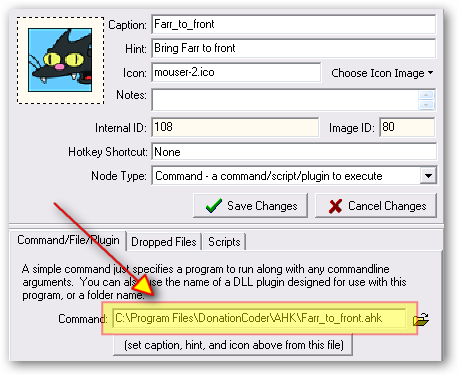
I configure it like this: Add it to farr's directory of scripts.
Then, when i want to use ctrl+space, i press ctrl+space to bring up farr, and i type exit[enter], to execute this script.
The script closes farr, and keeps itself in the tray.
It creates a hotkey, so that when i press [windows key]+F, it runs farr, and exits.
It's just an easy way of being able to use ctrl+space, and still be able to call farr up real fast again, since farr is all about speed and productivity
(.ahk file attached, .rar contains .ahk and .exe)
Using ctrl+space to bring up farr can be a problem, for example, the selection in emacs won't work, since it's bound to that same key, and also, you can't select various items in explorer, by pressing ctrl+space.
I configure it like this: Add it to farr's directory of scripts.
Then, when i want to use ctrl+space, i press ctrl+space to bring up farr, and i type exit[enter], to execute this script.
The script closes farr, and keeps itself in the tray.
It creates a hotkey, so that when i press [windows key]+F, it runs farr, and exits.
It's just an easy way of being able to use ctrl+space, and still be able to call farr up real fast again, since farr is all about speed and productivity
(.ahk file attached, .rar contains .ahk and .exe)
 exit.ahk

 kfitting that's not the issue.






 Brilliant, thanks lanux - works well!


