


Oh dear. This is going to take ages to try everything out.
I've now positioned the MIMO to the left of the keyboard and it seems like the right place for it, maybe it's just the novelty though.
I didn't want to do this originally because I'd put the keyboard's detachable number keypad on the left (this is what you can do with the MS Sidewinder keyboard). So, it didn't seem right to put the touchscreen on the left as well - it would be too far left.
But, I've removed the number keypad completely and put the touchscreen in its place. The touchscreen isn't lying flat (for reasons I mentioned above) but, on its stand, it looks and feels like it's at a good position and angle to use. Quite natural to take my left hand off the keyboard whilst typing and hit a button on the touchscreen - more natural than reaching to hit the touchscreen when it's behind the keyboard (in front of the main monitor).
The truth is I never used the Sidewinder's number keypad whilst it was on the left hand side. I was meant to be using it as a macro trigger keypad but could never remember which keys did which function, hence the reason for having a touchscreen to display what each key/button does.
I think I'll create a "generic" button template for WinButtons that will behave like a typical number keypad (with a few extra functions thrown in on the extra buttons). This can then act as the default button layout that displays when specific button groups aren't shown because their parent program doesn't have focus.
I've now positioned the MIMO to the left of the keyboard and it seems like the right place for it, maybe it's just the novelty though.
I didn't want to do this originally because I'd put the keyboard's detachable number keypad on the left (this is what you can do with the MS Sidewinder keyboard). So, it didn't seem right to put the touchscreen on the left as well - it would be too far left.
But, I've removed the number keypad completely and put the touchscreen in its place. The touchscreen isn't lying flat (for reasons I mentioned above) but, on its stand, it looks and feels like it's at a good position and angle to use. Quite natural to take my left hand off the keyboard whilst typing and hit a button on the touchscreen - more natural than reaching to hit the touchscreen when it's behind the keyboard (in front of the main monitor).
The truth is I never used the Sidewinder's number keypad whilst it was on the left hand side. I was meant to be using it as a macro trigger keypad but could never remember which keys did which function, hence the reason for having a touchscreen to display what each key/button does.
I think I'll create a "generic" button template for WinButtons that will behave like a typical number keypad (with a few extra functions thrown in on the extra buttons). This can then act as the default button layout that displays when specific button groups aren't shown because their parent program doesn't have focus.


 , I'll investigate.
 ), and the background is set to red (0xff0000), but that might look like orange on the touchscreen, compared to your high-quality 30" monitor. On my medium-fi 26" Iiyama, it's a tad pink between the (black) buttons, and glowing reddish orange if I disable one button: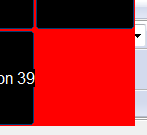


 Guess some sort of RDP/VNC/etc connection could, but that's not really convenient.


