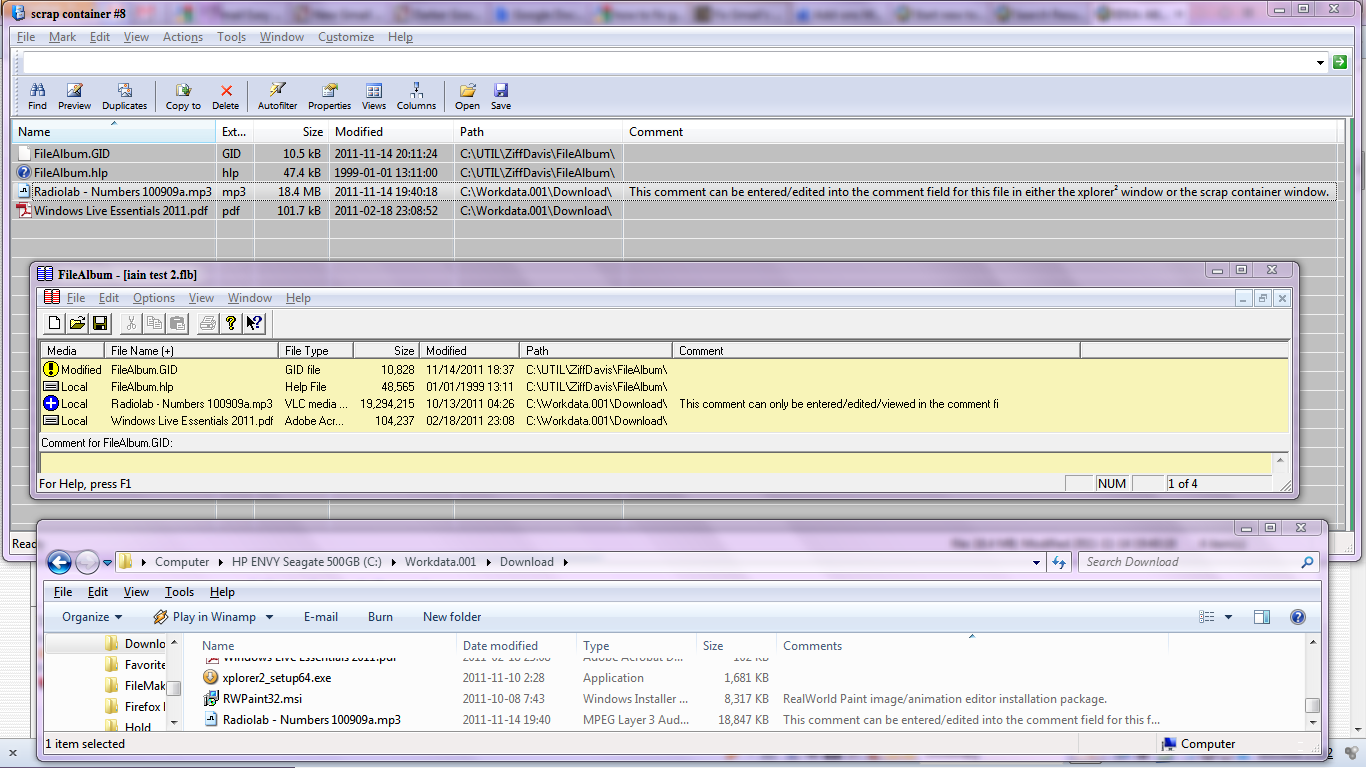
Comment Explorer 2.1.0.0 Added Taskbar Progress for Windows Seven to Comment Compaction routine.
(It makes for messy code, especially in scripts. But it looks cool.)
(It makes for messy code, especially in scripts. But it looks cool.)


 Topic: Comment Explorer 2.5.0.4 (Read 59,743 times)


Okis Miles. I try.
Yesterday happen again the disfunction interacting with clipboard and ditto and have to close comment explorer.
Best Regards

Done . I will continue using the program all the time with Ditto to see is something happen....

At the present moment I have no problems with clipboard, but I can't see the comments after created. Not with the arrows keys, and not with the left click mouse over the icon.
Seems in relation with the option to no problems with the clipboard. When I deactivated the mode =/==> come back the comments.
The program with the use of ==/====> is going well.
I'll take a look to treePagGen


So each time i give a comment for a file or folder by pressing Shift+ F11 , will i be able to view it any way.???
There are 2 modes to the program, Folder and Global. Folder uses the filename and extension with no path as the key to the comment. Global uses the entire path. Folder creates a data file in every folder where you create a comment. Global has one central data file in the same folder as CommentExplorer.exe.@MilesAhead: Thanks for this. I think I understand now.
If neither of the 2 modes reflect what you're asking then I don't see how I can do it. In either mode it's a simple associative array. String key fetches string comment.


Is 2.5.0.4 then some kind of a "final" version, or a you certain it will change again some time soon?
Original address: https://www.donationcoder.com/forum/index.php?topic=27756.0