DonationCoder.com forum
 
Read-only archive. This is a static copy of the DonationCoder.com forum. Reading and searching work as before; logging in, posting and private messages do not.
Archive of 2026-10-21 · About this archive · Main site

Author Topic: Open command line in current directory in Notepad++  (Read 7,209 times)

kyrathaba

  • N.A.N.Y. Organizer
  • Honorary Member
  • Joined in 2006
  • **
  • Posts: 3,200
    • Participated in NANY Challenge Eight Times
    • Programming School - Deluxe Bonus Medal
    • Programming School - Stage 1 Medal
    • Coding Snacks
    • Military Service Badge - US Army
    • Writer
Open command line in current directory in Notepad++
« on: July 10, 2011, 02:40 PM »
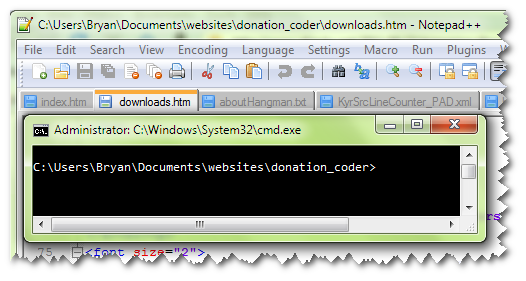
Some of you probably already know this, but I just discovered it.

You can, from the Run menu, open a command line interface into the current directory, from Notepad++.  That's a nice bonus, for me, because I use Notepad++ extensively in my programming.

[attach]
Win 10 Pro running on a 3.2 GHz CPU and 12 Gb RAM
__________________________________________

Proofreading Service: http://williammillerservices.com/proofreading

Original address: https://www.donationcoder.com/forum/index.php?topic=27272.0
