


A quick search in the forum returned no results about this Microsoft product. I'm surprised it hasn't been mentioned yet here, so I decided to post about it.
Search Server 2010 Express is a standalone search server which is free and easy to deploy. It delivers powerful, web-style search across your corporate intranet sites quickly, easily, and for free. It can search all your content sources, including SharePoint sites, file shares (some file types require additional filters, see below), websites, Exchange Public Folders, and third party repositories.
Quote from Microsoft:
Full description of features: Microsoft Search Server Express
A feature comparison matrix of SS 2010 Express with its predecessor, Search Server 2008 Express, and also with Sharepoint Server 2010: Microsoft Search Server Express: Compare
And a couple of screenshots:

Search Server 2010 Express can be downloaded for free from this page: Download details: Microsoft Search Server 2010 Express
Software and hardware requirements are listed there too.
To complete this post, let me list some additional resources about SS 2010 Express:
So, is it really free? Surprisingly, yes. Of course you need a properly licensed Windows Server 2008 SP2 or Server 2008 R2 to install it on, plus the hardware requirements are hefty, but the software itself is completely free.
So far I have only found one caveat, which is only relevant if you decide to install SS 2010 Express on a domain controller.
There are two modes for installing Search Server 2010 Express:
All in all, a great free product for LAN search, which should be better known.
Search Server 2010 Express is a standalone search server which is free and easy to deploy. It delivers powerful, web-style search across your corporate intranet sites quickly, easily, and for free. It can search all your content sources, including SharePoint sites, file shares (some file types require additional filters, see below), websites, Exchange Public Folders, and third party repositories.
Quote from Microsoft:
Quote
Microsoft Search Server 2010 Express is an enterprise search solution that is free to download, simple and flexible to configure, and powerful enough to meet your needs.
Full description of features: Microsoft Search Server Express
A feature comparison matrix of SS 2010 Express with its predecessor, Search Server 2008 Express, and also with Sharepoint Server 2010: Microsoft Search Server Express: Compare
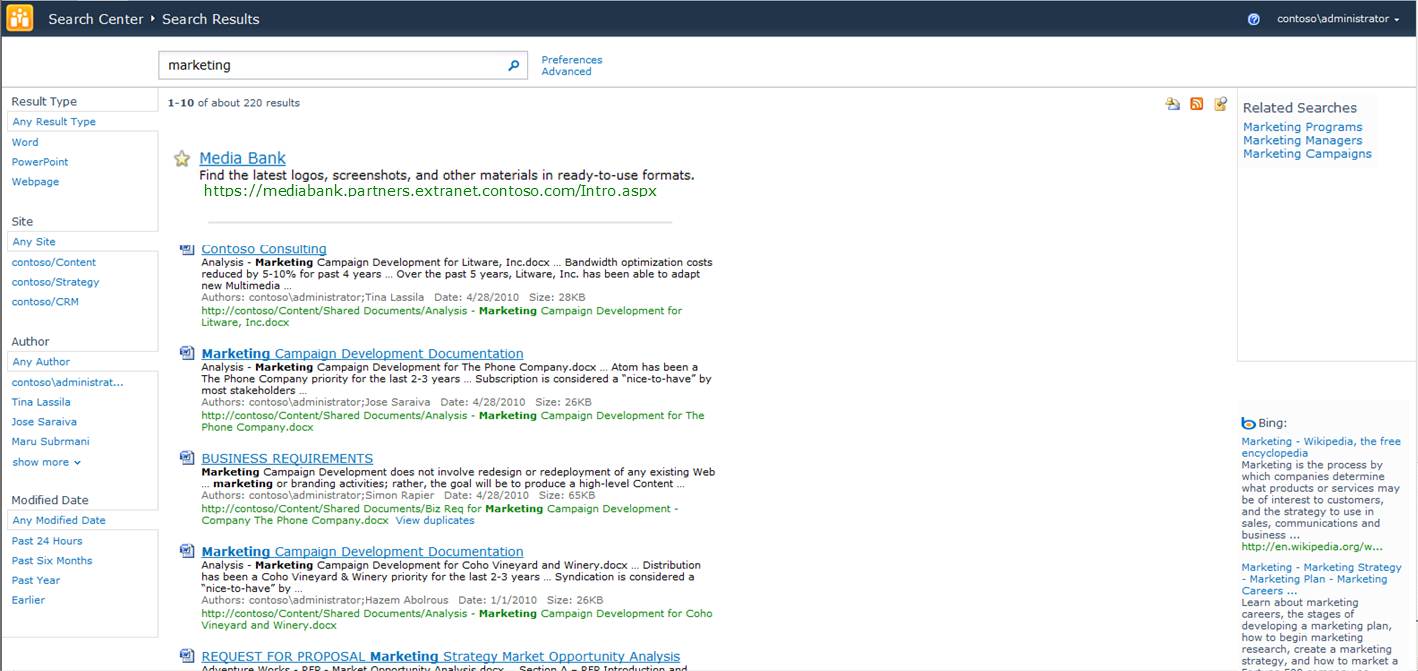
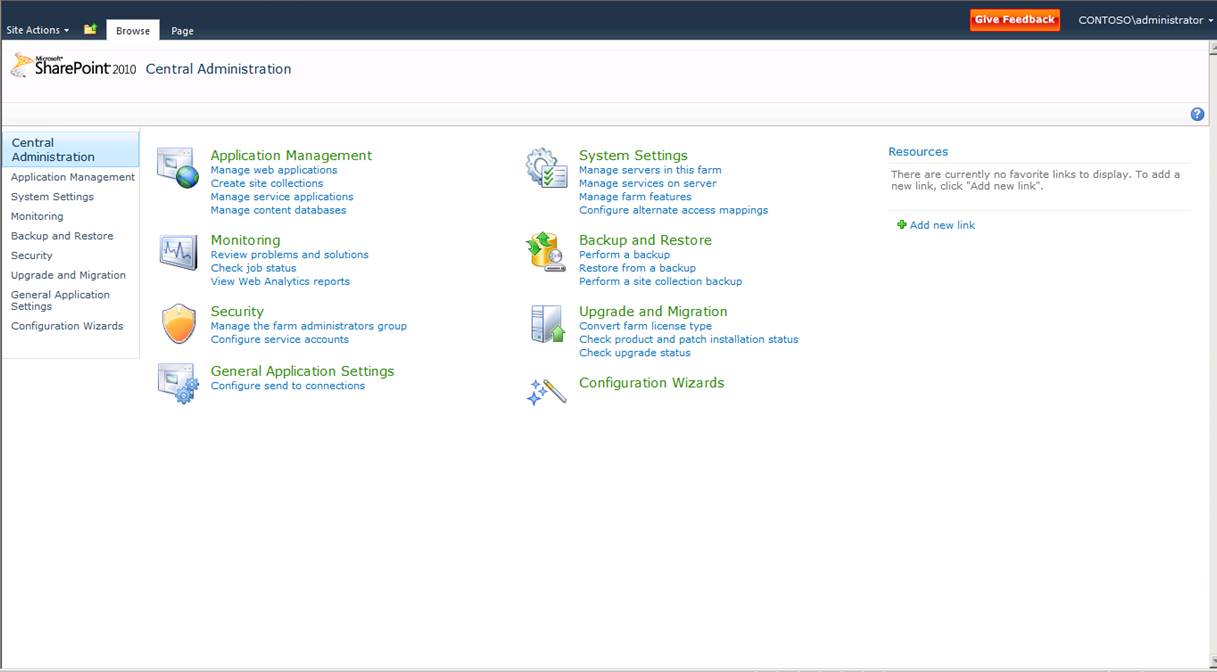
And a couple of screenshots:
Search Server 2010 Express can be downloaded for free from this page: Download details: Microsoft Search Server 2010 Express
Software and hardware requirements are listed there too.
To complete this post, let me list some additional resources about SS 2010 Express:
- An article comparing it favorably with (the also free) Sharepoint Foundation 2010: The Hidden Gem: Search Server 2010 Express (yeah, I "borrowed" my post's title from theirs
 )
) - A step by step installation guide: Microsoft Search Server 2010 Express Part 1: Installation 101 | StoverEffect
- Another installation guide: 2010 Express Setup - Composite C1 Developer
- A guide to configure the PDF iFilter with SS 2010 Express: How to configure PDF iFilter for SharePoint Server 2010 or Search Server 2010 - CodeProject (PDF files are not indexed by default, hence the need for this)
So, is it really free? Surprisingly, yes. Of course you need a properly licensed Windows Server 2008 SP2 or Server 2008 R2 to install it on, plus the hardware requirements are hefty, but the software itself is completely free.
So far I have only found one caveat, which is only relevant if you decide to install SS 2010 Express on a domain controller.
There are two modes for installing Search Server 2010 Express:
- Complete – allows you to specify a SQL Server installation
- Stand-alone – automatically installs and configures an instance of Microsoft SQL Server 2008 Express (which is also free)
All in all, a great free product for LAN search, which should be better known.
