


Dear coders,
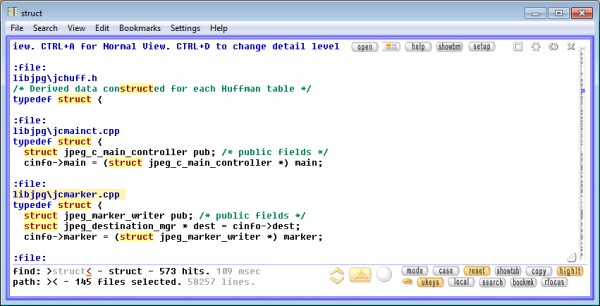
I want to introduce my source code viewer, Depeche View.
Main features:
[attach=#1]
The freeware version, Depeche View Base, is available here:
http://stahlworks.com/dev/depeche-view.html
It allows to load up to 1000 files, and can be sufficient for medium size projects
if you always edit and compile within some IDE running in parallel.
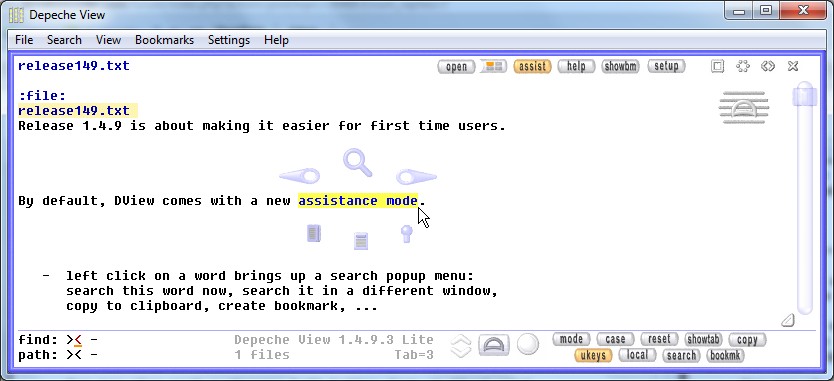
Depeche View has a radical input concept different to any IDE or editor.
The most important moves are:
This requires a bit of training, but then it allows to click through
dependencies in software projects very fast.
I would be happy about any comment, especially about
the pros and cons of the user interface.
I want to introduce my source code viewer, Depeche View.
Main features:
- loads all text files of a folder into memory,
showing all content in one window, as if they were one large text. - search as you type, across all files.
- may show only the result lines (filtered view).
- side by side view of same text in multiple windows.
- portable, without installation.
[attach=#1]
The freeware version, Depeche View Base, is available here:
http://stahlworks.com/dev/depeche-view.html
It allows to load up to 1000 files, and can be sufficient for medium size projects
if you always edit and compile within some IDE running in parallel.
Depeche View has a radical input concept different to any IDE or editor.
The most important moves are:
- SHIFT key and mouse click on a word searches it in the same window.
- RIGHT click on a word searches it in a different window.
- CONTROL click on a phrase or lines copies to clipboard.
- ALT click on a phrase creates a bookmark.
- left click on blank space, keep mouse button pressed,
then move the mouse vertical to surf through the text.
This requires a bit of training, but then it allows to click through
dependencies in software projects very fast.
I would be happy about any comment, especially about
the pros and cons of the user interface.




 .
.


 .
.