


From The Windows Club:
>>>while Windows 7 now allows you to access the advanced settings,..., many would wish for a simple interface from where they could manage the firewall. (...).
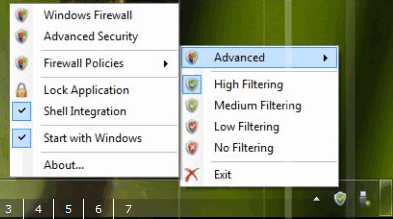
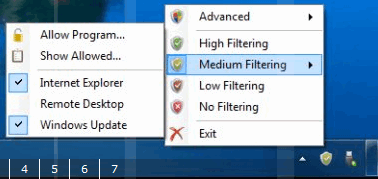
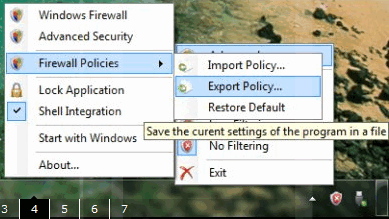
Windows Firewall Control fromBiniSoft.org (http://www.binisoft.org/wfc.php) is a small, intuitive and easy to use program that runs in taskbar, next to the system clock, and provides quick access to the most frequent options used from Windows Firewall. This is the best tool to manage the native firewall in Windows Vista and 7.<<<
>>>while Windows 7 now allows you to access the advanced settings,..., many would wish for a simple interface from where they could manage the firewall. (...).
Windows Firewall Control fromBiniSoft.org (http://www.binisoft.org/wfc.php) is a small, intuitive and easy to use program that runs in taskbar, next to the system clock, and provides quick access to the most frequent options used from Windows Firewall. This is the best tool to manage the native firewall in Windows Vista and 7.<<<
Quote
Windows Firewall Control is a nifty little application developed to provide quick access to the most frequent options used from Windows Firewall. It sits in the system tray and allows user to control the Windows Firewall easily without having to waste time by navigating to the specific part of the Firewall. Options to enable or disable firewall, access Windows Firewall and it’s Advanced Security are all given in the system tray right-click context menu. Users can also add or delete a new rule quickly, allow all traffic, block unknown traffic or even all traffic with a single mouse click.
Quote from: BiniSoft
BiniSoft
We are a small independent studio that is meticulous about our award-winning products, and pride ourselves on building ridiculously easy-to-use software.
If this program is useful to you, please donate $10 and become a registered user.
http://binisoft.org