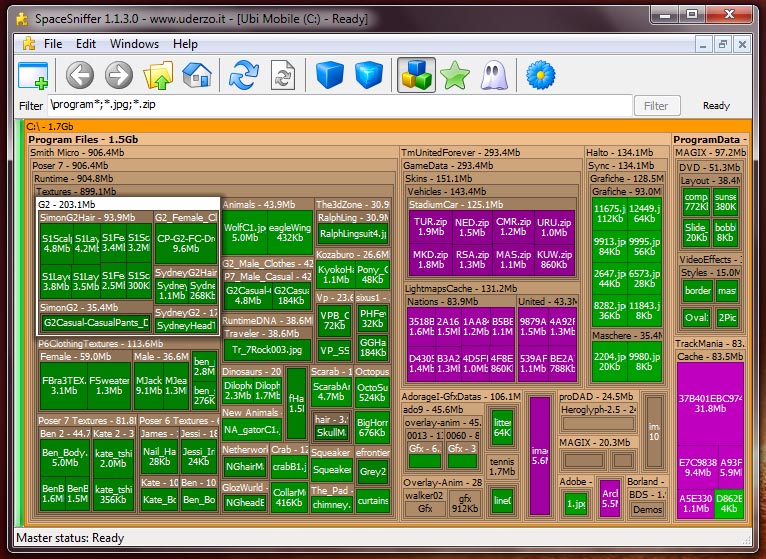
Well, filter patterns are file related.
But i'm currently working (fighting) with a parallel folder patterns syntax.
It will be unusable to apply the same filter pattern also to folders. Results would be reallt weird.
So, the default will still be to filter on files, which is natural to most users.
If one wants to filter also on folders, it should use the new syntax, that is to prepend a backslash to the pattern.
The backslash will not mean "root", it will be just a switch that will assign the pattern to the folder filter.
I choosed the backslash just because it is one of the forbidden chars so i don't risk to find a element with this char in the name.
With the new syntax, if you want to filter, say, all jpegs into temp folders (wherever they are) you will write:
*.jpg;\temp
Does it sound useable? Umberto
But i'm currently working (fighting) with a parallel folder patterns syntax.
It will be unusable to apply the same filter pattern also to folders. Results would be reallt weird.
So, the default will still be to filter on files, which is natural to most users.
If one wants to filter also on folders, it should use the new syntax, that is to prepend a backslash to the pattern.
The backslash will not mean "root", it will be just a switch that will assign the pattern to the folder filter.
I choosed the backslash just because it is one of the forbidden chars so i don't risk to find a element with this char in the name.
With the new syntax, if you want to filter, say, all jpegs into temp folders (wherever they are) you will write:
*.jpg;\temp
Does it sound useable? Umberto