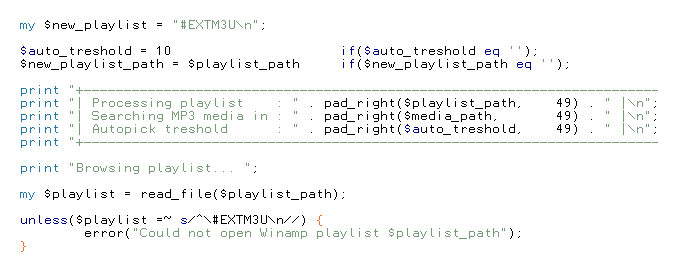
One style to guide them
One glyph to accent them
One face to see them
and, with their hinting, print them.

One glyph to accent them
One face to see them
and, with their hinting, print them.


 Topic: 18 Monospace fonts comparison screenshot (Read 192,131 times)


Humm, playing a bit with Inconsolatas. It gets way too smudgy when any kind of font smoothing is on (cleartype or not). At 12pt, the l (lowercase L) is too big/fat/wide compared to the rest of the characters, and 10pt it's a bit too small. Other sizes don't work very well (it scales like crap, although font smoothing makes that less appearant). And for some reason, Incosolatas doesn't show up in Notepad++, so I was forced to test it in notepad :-sRe: Envy Code R
Droid Sans Mono seems to be okay, but at 10pt and a 768px-height Notepad++ window, I lose 6 lines of text compared to 10pt Dina. Also, Italic text with Droid is a bit smudgy compared to Dina's �ber-crispness.
Same with Envy Code R, it doesn't work very well at 10pt, some characters are a bit too thin and some a bit too heavy, and I again lose around 6 lines of text.
It should be noted that I use "standard" font smoothing and not cleartype, cleartype is so smudgy and I simply can't stand it, means more strain on my wacko eyes, which is kinda the opposite as to what cleartype is supposed to do?. And I work at 10pt not 8pt, I guess my eyesight is going bad...
Simply haven't found any font that works as well as Dina for coding and other monospace use.
Thanks for the links, though


 - carpe noctem
 In NP++ i had Settings > Styler Config > Brace Highlight Style > Font Size = 12. Reseting it to blank was the cure.


"This post is going to be different. There are no visuals this time.
This is a good presentation of programming fonts http://www.codeproject.com/Articles/30040/Font-Survey-of-the-Best-Monospaced-Programming. However, to choose the best font for a particular use case quickly and efficiently, a different presentation approach is required. Since each letter is a picture, comparing even several fonts is the same as comparing thousands of tiny pictures. Yet, most, if not all, websites that try to solve the issue of finding the best programming font, use graphics…
A couple of days ago I spent some time struggling with the code that had “1” (“one”) instead of “l” (lowercase “ell”). The common way to compare fonts is to look at the sequence “Illegal1 = O0″. However, comparison gets tricky when your IDE uses both regular and bold variants of the same font to display code. After some time, I came up with the following solution... Below is a table of mono-spaced fonts collected from numerous sources. I chose point sizes so letter sizes look similar.."

The Winner
In my particular case, “Dina” is the best.


And the conclusion:QuoteThe Winner
In my particular case, “Dina” is the best.
Dina is, of course, created by long-time DonationCoder member Jibz, and can be found here: http://www.donationcoder.com/Software/Jibz/Dina
 .
.
Interesting, is that on Windows, and if so are you using the FON version of Gohufont as well?Yes, that's on Windows, and yes, it is a *.fon version of the font. Also, I downloaded Gohufont from here http://font.gohu.org/ and the zip package contains 4 *.fon files and I use "gohufont-11.fon".)
Original address: https://www.donationcoder.com/forum/index.php?topic=2499.0