DonationCoder.com forum
 
Read-only archive. This is a static copy of the DonationCoder.com forum. Reading and searching work as before; logging in, posting and private messages do not.
Archive of 2026-10-21 · About this archive · Main site

Author Topic: IDEA: Movie Mode  (Read 20,796 times)

app103

  • That scary taskbar girl
  • Global Moderator
  • Joined in 2006
  • *****
  • Posts: 5,888
    • Participated in NANY Challenge Six Times
    • Coding Snacks
    • Gathering Badge
    • Cody Award
    • Volunteers/Staff
IDEA: Movie Mode
« on: December 08, 2010, 07:48 PM »
Whenever my daughter and I watch movies on my PC (or I am playing a fullscreen game), I end up having to first close a bunch of applications I normally have running, because they either make sounds or have popup alerts that distract us and spoil our enjoyment of the movie.

It would be nice if I had utility that I could supply a list of the full paths to all the programs that interfere, that may or may not be running. It would go down the list and check if those apps are running; and if they are, add them to a relaunch list before closing them. Then when I am finished watching my movie, it could relaunch all the apps for me...but only the ones on the relaunch list. This way nothing that wasn't running before would end up getting launched, and I could provide a more extensive list of applications that interfere.

NOTE: At least one of the applications I need to close has to be relaunched with command line parameters.

JavaJones

  • Review 2.0 Designer
  • Charter Member
  • Joined in 2005
  • ***
  • Posts: 2,739
    • Participated in NANY Challenge Once
Re: IDEA: Movie Mode
« Reply #1 on: December 09, 2010, 08:17 AM »
Would it not be easier to have something that mutes all apps but the foreground one (movie player) and is "always on top"? Seems that might also be fairly easy to code and more generally useful.

- Oshyan

app103

  • That scary taskbar girl
  • Global Moderator
  • Joined in 2006
  • *****
  • Posts: 5,888
    • Participated in NANY Challenge Six Times
    • Coding Snacks
    • Gathering Badge
    • Cody Award
    • Volunteers/Staff
Re: IDEA: Movie Mode
« Reply #2 on: December 09, 2010, 11:30 AM »
No, because it's not only sound that causes distractions. Popup alerts and other activities also cause distractions.

This would be fairly easy to code as I described it, and normally it would be the kind of thing I'd make myself, but I am just not in the right frame of mind to be able to do it.

mouser

  • First Author
  • Administrator
  • Joined in 2005
  • *****
  • Posts: 40,931
    • Gathering Badge
    • Plugin Coding Medal
    • Participated in NANY Challenge Seventeen Times
    • Cody Award
    • Coding Snacks
    • Volunteers/Staff
Re: IDEA: Movie Mode
« Reply #3 on: December 09, 2010, 02:29 PM »
I would be willing to add such a feature to Process Tamer.

JavaJones

  • Review 2.0 Designer
  • Charter Member
  • Joined in 2005
  • ***
  • Posts: 2,739
    • Participated in NANY Challenge Once
Re: IDEA: Movie Mode
« Reply #4 on: December 10, 2010, 05:12 AM »
Yeah, I figured the "always on top" bit would take care of the pop-ups. But fair enough. I guess a better way to say it is *I'd* find a more general version to be useful. But I don't want to hijack your request thread. :)

- Oshyan

Target

  • Honorary Member
  • Joined in 2006
  • **
  • Posts: 1,840
    • Coding Snacks
Re: IDEA: Movie Mode
« Reply #5 on: December 10, 2010, 05:21 AM »
could any of the offending apps suffer data loss on being closed?
Alcohol is photoshop, bottled
Askhole - someone who ask for advice, then ignores it
"Look wise, say nothing, and grunt. Speech was given to conceal thought" - Sir William Osler

app103

  • That scary taskbar girl
  • Global Moderator
  • Joined in 2006
  • *****
  • Posts: 5,888
    • Participated in NANY Challenge Six Times
    • Coding Snacks
    • Gathering Badge
    • Cody Award
    • Volunteers/Staff
Re: IDEA: Movie Mode
« Reply #6 on: December 10, 2010, 05:29 AM »
could any of the offending apps suffer data loss on being closed?

No.

superboyac

  • Is your software in my list?
  • Charter Member
  • Joined in 2005
  • ***
  • Posts: 6,347
Re: IDEA: Movie Mode
« Reply #7 on: December 10, 2010, 06:15 AM »
Just to be sure, before it relaunches the programs, it should check to make sure the programs are not already running.  You may have closed a program without realizing you just minimized it to the tray, or there was some dialog that you had to click on before closing.

lanux128

  • Global Moderator
  • Joined in 2005
  • *****
  • Posts: 6,277
    • Coding Snacks
    • Volunteers/Staff
    • Gathering Badge
    • Participated in NANY Challenge Once
    • Linux User
Re: IDEA: Movie Mode
« Reply #8 on: December 26, 2010, 04:55 AM »
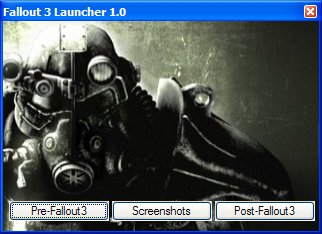
i have a script to do this before launching a game but the apps to be closed/relaunched are manually added to the list. that's why there is a "pre" and "post" button. i'll clean up the code a bit and post it if you're interested.

SleepingWolf

  • Supporting Member
  • Joined in 2007
  • **
  • Posts: 118
Re: IDEA: Movie Mode
« Reply #9 on: February 07, 2011, 04:54 PM »
You could check out EndItAll by PC Magazine at pcmag.com
-------------------------------------------

Question everything, use a fact-checker.
Respect yourself and respect others.
Peace out!

app103

  • That scary taskbar girl
  • Global Moderator
  • Joined in 2006
  • *****
  • Posts: 5,888
    • Participated in NANY Challenge Six Times
    • Coding Snacks
    • Gathering Badge
    • Cody Award
    • Volunteers/Staff
Re: IDEA: Movie Mode
« Reply #10 on: February 07, 2011, 06:45 PM »
You could check out EndItAll by PC Magazine at pcmag.com

Thanks for the suggestion but...

Here are the 2 key points to what I want:

  • I do not want to have to select a bunch of things to kill each and every time.
  • I need it to be able to restart everything it kills later on.

EndItAll can not do that and neither can its successor, TaskPower 2.

4wd

  • Pedantic Old Bastard
  • Supporting Member
  • Joined in 2006
  • **
  • Posts: 5,652
    • Coding Snacks
Re: IDEA: Movie Mode
« Reply #11 on: February 07, 2011, 10:50 PM »
Annoyed with constant popup requesters from people who want to be your Facebook friend?
Find that the latest Nigerian Prince has interrupted your movie watching by offering you a once in a lifetime offer to get wealthy?
Do dings, bells, chimes and buzzes make you miss that once in a million Call of Duty: Black Ops headshot?
Constantly find yourself openning the door for salesmen?  (Sorry, got carried away  :-[ )

Well, your prayers are answered!*

Try ***Movie-ize***, (catchy name, huh).

Comes with a money back guarantee!**

Instructions:
1) Put it anywhere
2) Run it
3) Marvel at the Tray icon
3) Select Preferences to edit the ini file, it's pretty self-explanatory: one line per program, full path required, increment the key number as you go, (ie. Program11, Program12, etc).  It throws Skype in as an example entry.

I should note that all it does is close the process, if the process pops up a requester asking for confirmation, it won't get it from this program.

EDIT: Crap!  Didn't see the command line parameter bit  :-[
I'll have a look at that.  Can you send me an example command line for it?

Removed, see post below.


* Maybe
** Disclaimer: All waranties void if this software proves useful or not.  Liability also not accepted for damage to eyesight through increased movie watching or DVT from failing to move from chair.  Warranty also considered to be void if it's used on a system it wasn't designed for, ie. mine.
"I will not follow where the path may lead, but I will go where there is no path, and I will leave a trail." - Muriel Strode, 1903
« Last Edit: February 08, 2011, 02:35 AM by 4wd »

app103

  • That scary taskbar girl
  • Global Moderator
  • Joined in 2006
  • *****
  • Posts: 5,888
    • Participated in NANY Challenge Six Times
    • Coding Snacks
    • Gathering Badge
    • Cody Award
    • Volunteers/Staff
Re: IDEA: Movie Mode
« Reply #12 on: February 08, 2011, 12:19 AM »
Can you send me an example command line for it?

This is the parameters for launching the particular version of xchat that I run, that sets the settings folder somewhere other than the default location on my system drive:

-d "E:\Programs Installed\xchat-pu70\settings"

4wd

  • Pedantic Old Bastard
  • Supporting Member
  • Joined in 2006
  • **
  • Posts: 5,652
    • Coding Snacks
Re: IDEA: Movie Mode
« Reply #13 on: February 08, 2011, 12:38 AM »
Thanks, got an idea how to go about it - other than that, is it suitable for intended purpose?

eg. The method it uses to kill programs tends to leave their icons in the SysTray until you wander your mouse over them, is this a problem?

Of course, if it is a problem I don't know what I'm going to do about FIXED

While I'm at it, when running programs from command line do you want the CLI window to be open/closed/optional ?

EDIT: Try this one.

Delete the old ini file, it'll create a new one with a couple of examples.
Main things to notice are:
1) Prefix DOS, (or CLI run programs), with the '>' character;
2) Match the parameters with the programs, ie. Param1 is for Program1, etc;

Oh, if it wasn't obvious in the first post, it can handle more than 10 programs - just keep incrementing the program and parameter number.
"I will not follow where the path may lead, but I will go where there is no path, and I will leave a trail." - Muriel Strode, 1903
« Last Edit: March 07, 2011, 07:00 PM by 4wd »

app103

  • That scary taskbar girl
  • Global Moderator
  • Joined in 2006
  • *****
  • Posts: 5,888
    • Participated in NANY Challenge Six Times
    • Coding Snacks
    • Gathering Badge
    • Cody Award
    • Volunteers/Staff
Re: IDEA: Movie Mode
« Reply #14 on: February 08, 2011, 07:02 AM »
The method it uses to kill programs tends to leave their icons in the SysTray until you wander your mouse over them, is this a problem?

Sounds good to me so far and the tray icons won't be a problem.

While I'm at it, when running programs from command line do you want the CLI window to be open/closed/optional ?

There is no extra CLI window when I launch XChat that way.

other than that, is it suitable for intended purpose?

Can't answer that yet, but I'll configure and test this later, when I am fully awake and not busy. (woke up to a ton of work in my inbox)

4wd

  • Pedantic Old Bastard
  • Supporting Member
  • Joined in 2006
  • **
  • Posts: 5,652
    • Coding Snacks
Re: IDEA: Movie Mode
« Reply #15 on: February 08, 2011, 07:24 AM »
Sounds good to me so far and the tray icons won't be a problem.

I'm afraid I fixed that, so you'll have to download it again from above post  :-[

I also gave it an obligatory random version number so I can keep up with myself.

Quote
There is no extra CLI window when I launch XChat that way.

Oh well, I've left in the option of leaving the output window open.
"I will not follow where the path may lead, but I will go where there is no path, and I will leave a trail." - Muriel Strode, 1903

app103

  • That scary taskbar girl
  • Global Moderator
  • Joined in 2006
  • *****
  • Posts: 5,888
    • Participated in NANY Challenge Six Times
    • Coding Snacks
    • Gathering Badge
    • Cody Award
    • Volunteers/Staff
Re: IDEA: Movie Mode
« Reply #16 on: February 08, 2011, 03:42 PM »
The closing of everything works great.

The relaunching has an issue: nothing with command line parameters is being relaunched.

4wd

  • Pedantic Old Bastard
  • Supporting Member
  • Joined in 2006
  • **
  • Posts: 5,652
    • Coding Snacks
Re: IDEA: Movie Mode
« Reply #17 on: February 08, 2011, 11:04 PM »
The relaunching has an issue: nothing with command line parameters is being relaunched.

Could you post or PM the ini file, (blank anything you don't want seen) ?

Ah, I think my handling of quotes was a little skewiff.

Try this one, it seems to work OK with the specific example you gave above - might need to rework it for more complicated quoting.

Have also removed the option to leave open the output CLI, (just to make the parameters in the ini file a little simpler), but if anyone wants it back, say something.

Code: (autoit)
; Filename: Movie-ize.au3
#NoTrayIcon
#Region ;**** Directives created by AutoIt3Wrapper_GUI ****
#AutoIt3Wrapper_icon=popcorn-32x32.ico
#AutoIt3Wrapper_UseUpx=n
#AutoIt3Wrapper_UseX64=n
#AutoIt3Wrapper_Res_Icon_Add=popcorn-32x32.ico
#EndRegion ;**** Directives created by AutoIt3Wrapper_GUI ****

#include <_SysTray.au3>
#include <Process.au3>
#include '_OsVersionInfo.au3'

Global $inifile = 'Movie-ize.ini', $tempini = 'Movie-tmp.ini', $_state = False, $_term = False

;--- Start Tray menu stuff
Opt("TrayMenuMode", 1)
Opt("TrayOnEventMode", 1)

$movieon = TrayCreateItem('Movie-ize',-1,-1,1)
TrayItemSetOnEvent(-1, '_movieOn')
$movieoff = TrayCreateItem('De-Movie-ize',-1,-1,1)
TrayItemSetOnEvent(-1, '_movieOff')
TrayCreateItem('')
$prefs = TrayCreateItem('Preferences',-1,-1,0)
TrayItemSetOnEvent(-1, '_prefs')
$about = TrayCreateItem('About',-1,-1,0)
TrayItemSetOnEvent(-1, '_about')
$exit = TrayCreateItem('Exit',-1,-1,0)
TrayItemSetOnEvent(-1,'_Exit')
TraySetIcon('Movie-ize.exe', 4)
TraySetToolTip("Get out the popcorn 'cause it's movie time!")
TrayItemSetState($movieoff, 129)
TrayItemSetState($movieon, 64)
TraySetState()
;--- End Tray menu stuff

If Not FileExists($inifile) Then
	_CreateBaseIni()
EndIf
$kill = IniReadSection($inifile, 'Programs')
$kparam = IniReadSection($inifile, 'Parameters')

If $CmdLine[0] > 0 Then $_term = True
If $_term Then
	_RunAndExit()  ;--- If there's a CLI argument then Run and Exit
Else
	_Initialise()  ;--- Otherwise, check for Movie-tmp.ini and initialise to movieOn state
EndIf

While 1
	Sleep(1000)    ;--- Twiddle thumbs
WEnd


Func _Initialise()
	If FileExists($tempini) Then
		$xterm = IniReadSection($tempini, 'Start')
		For $i = 1 To $kill[0][0]
			$kill[$i][0] = $xterm[$i][1]
		Next
		$_state = True
		TrayItemSetState($movieon, 129)
		TrayItemSetState($movieoff, 68)
		TrayItemSetState($prefs, 128)
		TraySetToolTip('System Movie-ized')
	EndIf
EndFunc

Func _Exit()  ;--- If not Run And Exit, checks to see if in MovieOn mode and asks user if they really want to exit
	If Not $_term Then
		TrayItemSetState($exit, 4)
		If $_state And (MsgBox(49, 'Movie-ize', 'System currently Movie-ized!' & @CRLF & 'Do you want to quit in this state?') = 2) Then Return
	EndIf
	Exit
EndFunc

Func _about()
	TrayItemSetState($about, 4)
	MsgBox(64, 'Movie-ize', 'Movie-ize v0.22')
EndFunc

Func _prefs()  ;--- Load the ini into users default editor and wait for exit, then re-read ini
	TrayItemSetState($prefs, 4)
	If Not $_state Then  ;--- If in MovieOn mode then killed program state will be lost if user edits ini....so don't! >:^(
		ShellExecuteWait($inifile)
		Sleep(1000)
		$kill = IniReadSection($inifile, 'Programs')
		$kparam = IniReadSection($inifile, 'Parameters')
	Else
		MsgBox(48, 'Movie-ize', 'System currently Movie-ized,' & @CRLF & 'Preferences will be unavailable.')
	EndIf
EndFunc

Func _movieOn()  ;--- Cycles thru program array, if there's a process match it kills it and sets corresponding element to 1
	Local $i, $guineapig
	If Not $_term Then
		TrayItemSetState($movieon, 129)
		TrayItemSetState($movieoff, 64)
		TrayItemSetState($prefs, 128)
	EndIf
	$_state = True
	For $i = 1 To $kill[0][0]
		If $kill[$i][1] <> '' Then
			$guineapig = StringMid($kill[$i][1], StringInStr($kill[$i][1], '\', 0, -1) + 1)
			If ProcessExists($guineapig) Then
				ProcessClose($guineapig)
				$kill[$i][0] = 1
			Else
				$kill[$i][0] = 0
			EndIf
		EndIf
	Next
	_RefreshSystemTray()
	If Not $_term Then TraySetToolTip('System Movie-ized')
EndFunc

Func _movieOff()  ;--- Cycles thru program array looking for 1 element, if found tries to restart the associated program
	Local $i, $exec, $wdir, $execcmd
	If Not $_term Then
		TrayItemSetState($movieon, 64)
		TrayItemSetState($movieoff, 129)
		TrayItemSetState($prefs, 64)
	EndIf
	$_state = False
	For $i = 1 To $kill[0][0]
		If $kill[$i][0] = 1 Then
			If StringLeft($kill[$i][1], 1) = '>' Then
				$exec = StringMid($kill[$i][1], 2)
				$wdir = StringMid($kill[$i][1], 2, StringInStr($kill[$i][1], '\', 0, -1) - 2)
				$execcmd = '"' & $exec & '" ' & $kparam[$i][1]
				Run(@ComSpec & ' /c "' & $execcmd & '"', $wdir, @SW_HIDE)
			Else
				Run($kill[$i][1])
			EndIf
			Sleep(500)
		EndIf
	Next
	If Not $_term Then
		TraySetToolTip("Get out the popcorn 'cause it's movie time!")
		FileDelete($tempini)
	EndIf
EndFunc

Func _CreateBaseIni()  ;--- Creates a basic ini file first time it's run
	Local $i
	IniWrite($inifile, 'Programs', 'Program1', 'C:\Program Files\Skype\skype.exe')
	IniWrite($inifile, 'Programs', 'Program2', '>C:\Program Files\xchat\xchat.exe')
	IniWrite($inifile, 'Parameters', 'Param1', '')
	IniWrite($inifile, 'Parameters', 'Param2', '-d "E:\Programs Installed\xchat-pu70\settings"')
EndFunc

Func _TempIni()  ;--- For Run And Exit, writes a temporary ini file with initial program states, (QaD)
	Local $i
	For $i = 1 To $kill[0][0]
		IniWrite($tempini, 'Start', 'Start' & $i, $kill[$i][0])
		IniWrite($tempini, 'Programs', 'Program' & $i, $kill[$i][1])
		IniWrite($tempini, 'Parameters', 'Param' & $i, $kparam[$i][1])
	Next
EndFunc

Func _RunAndExit()  ;--- If the temporary ini exists, assumes already run once and refills array with correct values before calling _movieOff
	Local $i        ;--- otherwise call _movieOn then _TempIni to write list of killed programs
	If FileExists($tempini) Then
		$xterm = IniReadSection($tempini, 'Start')
		$kill = IniReadSection($inifile, 'Programs')
		$kparam = IniReadSection($inifile, 'Parameters')
		For $i = 1 To $xterm[0][0]
			$kill[$i][0] = $xterm[$i][1]
		Next
		_movieOff()
		FileDelete($tempini)
	Else
		_movieOn()
		_TempIni()
	EndIf
	_Exit()
EndFunc

Func _RefreshSystemTray()  ;--- The magic that clears the SysTray of dead icons courtesy of a UDF by Tuape & Erik Pilsits
	$count = _SysTrayIconCount()
	For $i = $count - 1 To 0 Step -1
		$handle = _SysTrayIconHandle($i)
		$visible = _SysTrayIconVisible($i)
		$pid = WinGetProcess($handle)
		$name = _ProcessGetName($pid)
		$title = WinGetTitle($handle)
		$tooltip = _SysTrayIconTooltip($i)
		If $pid = -1 Then _SysTrayIconRemove($i)
	Next

	If _OsVersionTest($VER_GREATER_EQUAL, 6, 1) Then
		$countwin7 = _SysTrayIconCount(2)
		For $i = $countwin7 - 1 To 0 Step -1
			$handle = _SysTrayIconHandle($i, 2)
			$visible = _SysTrayIconVisible($i, 2)
			$pid = WinGetProcess($handle)
			$name = _ProcessGetName($pid)
			$title = WinGetTitle($handle)
			$tooltip = _SysTrayIconTooltip($i, 2)
			If $pid = -1 Then _SysTrayIconRemove($i, 2)
		Next
	EndIf
EndFunc

UPDATE: v0.22 - Cleaned up some stupid typos, removed some stuff that I forgot.
                       - Now sets the tray menu items to disabled/enabled so you don't call things twice, (why didn't I think of that before?).
                       - Added ability to run and exit, just call it with a command line argument (writes a temp ini when it kills programs, deletes it after relaunching them).
                       - Added some comments to source, ('cause mouser told me I should).
"I will not follow where the path may lead, but I will go where there is no path, and I will leave a trail." - Muriel Strode, 1903
« Last Edit: February 09, 2011, 08:27 AM by 4wd »

app103

  • That scary taskbar girl
  • Global Moderator
  • Joined in 2006
  • *****
  • Posts: 5,888
    • Participated in NANY Challenge Six Times
    • Coding Snacks
    • Gathering Badge
    • Cody Award
    • Volunteers/Staff
Re: IDEA: Movie Mode
« Reply #18 on: February 09, 2011, 01:42 AM »
Thank you! That works.  :)

4wd

  • Pedantic Old Bastard
  • Supporting Member
  • Joined in 2006
  • **
  • Posts: 5,652
    • Coding Snacks
Re: IDEA: Movie Mode
« Reply #19 on: February 09, 2011, 01:55 AM »
Thanks April, source added to post above.
"I will not follow where the path may lead, but I will go where there is no path, and I will leave a trail." - Muriel Strode, 1903

Original address: https://www.donationcoder.com/forum/index.php?topic=24824.0