DonationCoder.com forum
 
Read-only archive. This is a static copy of the DonationCoder.com forum. Reading and searching work as before; logging in, posting and private messages do not.
Archive of 2026-10-21 · About this archive · Main site

Author Topic: Problem with icons  (Read 8,539 times)

nextogen

  • Participant
  • Joined in 2010
  • *
  • Posts: 5
Problem with icons
« on: November 20, 2010, 06:51 PM »
Hello

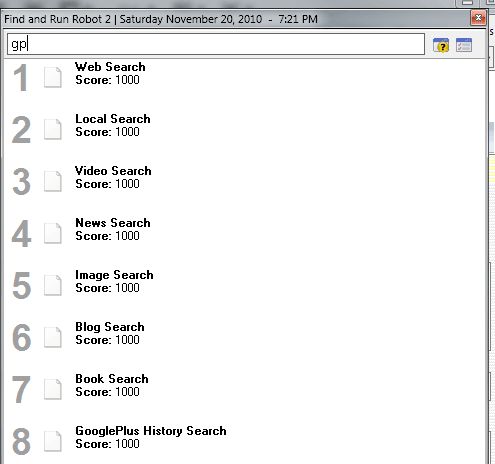
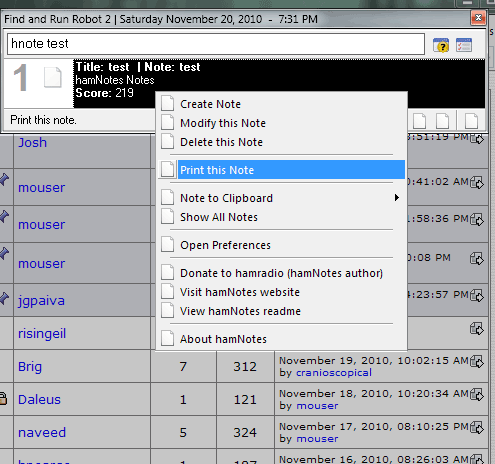
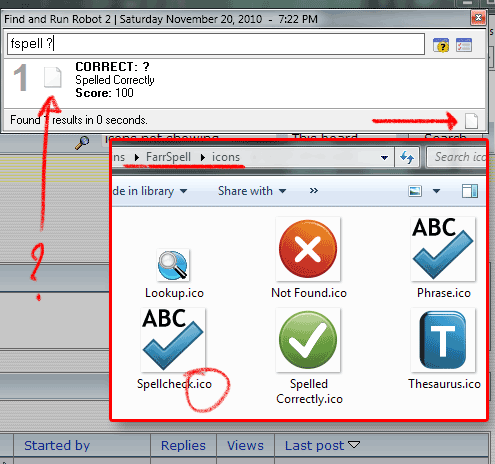
Im having a problem with icons. FARR does not display anything other than general application icons and file types in results area, and has trouble correctly rendering interface when plugin is called up.

[attach]
mouser

  • First Author
  • Administrator
  • Joined in 2005
  • *****
  • Posts: 40,931
    • Gathering Badge
    • Plugin Coding Medal
    • Participated in NANY Challenge Seventeen Times
    • Cody Award
    • Coding Snacks
    • Volunteers/Staff
Re: Problem with icons
« Reply #1 on: November 20, 2010, 07:00 PM »
wow that's strange.. what version of windows are you using?
if you reboot the computer is the effect the same?

Oh! I just remembered something..
if you go to the Display Options tab, at the bottom you will see "Tweaks" box,
can you try experimenting with "Max Size for Large Icon Display"
and see if that has any effect?

you probably have to exit and restart FARR to see the effect of any change.
« Last Edit: November 20, 2010, 07:02 PM by mouser »

nextogen

  • Participant
  • Joined in 2010
  • *
  • Posts: 5
Re: Problem with icons
« Reply #2 on: November 21, 2010, 02:19 AM »
Tried tweaks and restart. Didnt help. Using win7 64bit ver6.1.

Could permissions be the problem or something similar?

hamradio

  • Amateur Radio Guy
  • Charter Honorary Member
  • Joined in 2006
  • ***
  • Posts: 893
    • Plugin Coding Medal
    • Participated in NANY Challenge Fifteen Times
    • Cody Award
    • Coding Snacks
    • Volunteers/Staff
    • Hardware Hacker
Re: Problem with icons
« Reply #3 on: November 21, 2010, 04:31 AM »
Did you try to rebuild your icon cache?

http://www.sevenforums.com/tutorials/49819-icon-cache-rebuild.html

nextogen

  • Participant
  • Joined in 2010
  • *
  • Posts: 5
Re: Problem with icons
« Reply #4 on: November 21, 2010, 02:14 PM »
Did you try to rebuild your icon cache?
http://www.sevenforums.com/tutorials/49819-icon-cache-rebuild.html
Nope, that didn't do it ether.

Tried reinstalling, clean install and install on secondary partition... Same thing. It also happens on my laptop so it has to be some glitch or incompatibility with win version.

mouser

  • First Author
  • Administrator
  • Joined in 2005
  • *****
  • Posts: 40,931
    • Gathering Badge
    • Plugin Coding Medal
    • Participated in NANY Challenge Seventeen Times
    • Cody Award
    • Coding Snacks
    • Volunteers/Staff
Re: Problem with icons
« Reply #5 on: November 22, 2010, 05:29 AM »
that is really strange.. could it be you have some unusual non-standard setting for your icon sizes in windows? or some security program that could be doing this? if you switch to small icon detail view in farr do they show then?

nextogen

  • Participant
  • Joined in 2010
  • *
  • Posts: 5
Re: Problem with icons
« Reply #6 on: November 24, 2010, 03:19 AM »
that is really strange.. could it be you have some unusual non-standard setting for your icon sizes in windows? or some security program that could be doing this?
i did tweak appearance a bit, but its just the same when i reset it to microsofts default settings. i am runing eset but highly doubt that has anything to do with it.

if you switch to small icon detail view in farr do they show then?
nope :(

....

i encountered another problem so ill just ask here: whan i try to run an AVI video it opens with WMP instead MPC-HC (my preferable and associated player for that filetype). is there a fix for that?

thank you for your time

mouser

  • First Author
  • Administrator
  • Joined in 2005
  • *****
  • Posts: 40,931
    • Gathering Badge
    • Plugin Coding Medal
    • Participated in NANY Challenge Seventeen Times
    • Cody Award
    • Coding Snacks
    • Volunteers/Staff
Re: Problem with icons
« Reply #7 on: November 30, 2010, 08:25 PM »
sounds like a general problem with setting the default application to open certain files.
you should be able to change that by right clicking and saying "open with.." and then setting a new default.

sa_99

  • Participant
  • Joined in 2010
  • *
  • Posts: 1
Re: Problem with icons
« Reply #8 on: December 09, 2010, 07:32 AM »
Where there are based on UTF8 "$$u1" ?
I use non-english Windows operating system.
Thanks.

Original address: https://www.donationcoder.com/forum/index.php?topic=24641.0