


NANY 2011 Entry Information
| Application Name | BARD |
| Version | 0.4.0.1 |
| Short Description | Organise your audio library |
| Supported OSes | Windows |
| Download | Latest version or see enclosed file for NANY entry |
| Web Page | http://getbard.com |
| Author | Justice |
Description
Bard uses move/copy operations to quickly organise your audio files into
favourite folders. You can specifiy an 'unlimited' amount of folders
which can all be used to sort audio to with one click. Other basic file
operations such as renaming, deletion of audio is also supported.
In the extras folder you will find a small utility to create a basic
audio library structure for you.
Supported audio formats are wave/mp3/aiff.
Screenshots
Usage
Installation
Portable
Using the Application
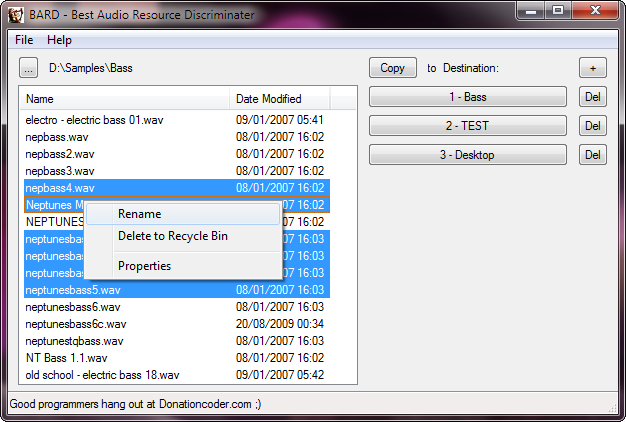
Start the program. Use the [...] button to browse to your audio library. Simply select a file to play it back.
Then add destination folders using the [+] button. Both of these are
saved for subsequent sessions. Select audio from the left list and sort
them by pressing a folder button on the right.
You can toggle the operation button [Move] to switch between move and
copy, so that existing projects will not lose any audio. You can also
right click audio and delete to the Recycle Bin. You can sort selected
audio into the first 9 folders by pressing 1-9 on your keyboard or
numpad.
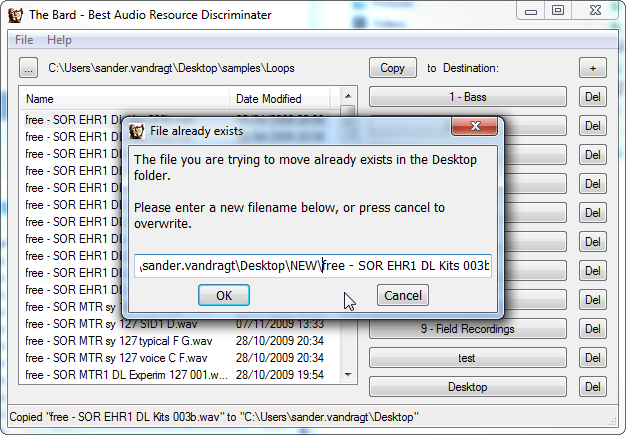
If any audio already exists in the destination folder you will be asked
to rename it. You can rename it to a folder that does not exists, which
will then be created for you. Keep the filename to overwrite the
destination.
Uninstallation
Portable
Thanks to Erratech and inaudible from NuSkoolBreaks forum and the one and only mouser for ideas and feedback.
 Setup-BardFree.exe
 VanDragt.com


 keep it coming.


