DonationCoder.com forum
 
Read-only archive. This is a static copy of the DonationCoder.com forum. Reading and searching work as before; logging in, posting and private messages do not.
Archive of 2026-10-21 · About this archive · Main site

Author Topic: need to scan a map and then color it  (Read 18,836 times)

techidave

  • Supporting Member
  • Joined in 2007
  • **
  • Posts: 1,046
need to scan a map and then color it
« on: October 12, 2010, 03:15 PM »
I am wanting to scan like a US state map into my computer and then color or highlight the individual counties in a different color.  Now I realize that I probably won't be able to click inside of a county and then presto its teh color that I chose. Although that would be nice!

Is there such a piece of software out there that would allow me to do this? 

thanks,
Dave

mouser

  • First Author
  • Administrator
  • Joined in 2005
  • *****
  • Posts: 40,931
    • Gathering Badge
    • Plugin Coding Medal
    • Participated in NANY Challenge Seventeen Times
    • Cody Award
    • Coding Snacks
    • Volunteers/Staff
Re: need to scan a map and then color it
« Reply #1 on: October 12, 2010, 03:23 PM »
I wonder if there are some general programs for making an interactive "coloring-book" from an image by letting you designate regions and then later do interactive coloring by simple clicking on colors and then regions.  Sounds like a great kids program -- surely a good free one must exist? If not then it would make a great NANY application.

I'm almost tempted to work on this just for the fun of it.. But i suspect there must be some good free programs for this already.

I do wonder though if there might be ways to make a really nice version of this with some deluxe features..

techidave

  • Supporting Member
  • Joined in 2007
  • **
  • Posts: 1,046
Re: need to scan a map and then color it
« Reply #2 on: October 12, 2010, 03:35 PM »
I didn't have any idea of how to google search this one.  So I thought I would ask my friends here at DC.  :) :Thmbsup:

thanks for the quick reply Mouser!

techidave

  • Supporting Member
  • Joined in 2007
  • **
  • Posts: 1,046
Re: need to scan a map and then color it
« Reply #3 on: October 12, 2010, 03:43 PM »
Oh yeah, it would also need the ability to save in a format such as doc, pdf, bmp, jpeg or whatever so that anyone could view it.

Cpilot

  • Charter Honorary Member
  • Joined in 2006
  • ***
  • Posts: 293
    • Coding Snacks
Re: need to scan a map and then color it
« Reply #4 on: October 12, 2010, 03:44 PM »
Sounds to me like something a teacher might use.
I don't have time to search right now because I'm at work but there are all kinds of free software out there for educators. You might want to start there.

mouser

  • First Author
  • Administrator
  • Joined in 2005
  • *****
  • Posts: 40,931
    • Gathering Badge
    • Plugin Coding Medal
    • Participated in NANY Challenge Seventeen Times
    • Cody Award
    • Coding Snacks
    • Volunteers/Staff
Re: need to scan a map and then color it
« Reply #5 on: October 12, 2010, 03:46 PM »
well yeah you would want it to be able to save as an image, print, etc.

ideally if it was to be used as kid's coloring book program, you'd be able to give someone the standalone program that was kid friendly and just let them have a collection of images they could color, save and resume, print, download additional images, etc.

but this isn't quite what you were asking, i've gotten off on a kid's coloring book diversion.

techidave

  • Supporting Member
  • Joined in 2007
  • **
  • Posts: 1,046
Re: need to scan a map and then color it
« Reply #6 on: October 12, 2010, 03:57 PM »
no but that would work Mouser, if it was a stand alone program.  the only thing it should run on Windows or a Mac OS. 

I have found various online interactive coloring sites, but they are good only for their pages. 

tomos

  • Charter Member
  • Joined in 2006
  • ***
  • Posts: 11,970
    • Gathering Badge
    • Participated in NANY Challenge Once
Re: need to scan a map and then color it
« Reply #7 on: October 12, 2010, 04:34 PM »
I know Photoshop can do this (select the area and replace with background or foreground colour) - but it's basic functionality so I'm sure almost any of the free Photoshop replacements could do it. The Gimp for sure but I wouldnt recommend it as interface too complex. Wait see if anyone recommends one of the smaller free programmes.
Tom

techidave

  • Supporting Member
  • Joined in 2007
  • **
  • Posts: 1,046
Re: need to scan a map and then color it
« Reply #8 on: October 12, 2010, 04:37 PM »
the biggest obstacle that i can see might be the fact that the boundary lines are not always straight lines.  Since I am not a Photoshop fan, not sure how your idea would work.

tomos

  • Charter Member
  • Joined in 2006
  • ***
  • Posts: 11,970
    • Gathering Badge
    • Participated in NANY Challenge Once
Re: need to scan a map and then color it
« Reply #9 on: October 12, 2010, 05:16 PM »
the biggest obstacle that i can see might be the fact that the boundary lines are not always straight lines.

that doesnt matter

Okay I just had a quick look at Photofiltre (my version is old 6.3.1)
~ Open your file.
~ Change the background colour on the right (to the colour you want for first county) - two overlying squares are shown for fore- & background colours. Click on the 'underneath' one and select a new colour.
~ Select the magicwand tool from the toolbar below those squares (see tooltips if you not sure)
~ Click within a county - the area enclosed by the county boundary will be selected
~ Press the delete button
~ The county should be filled with background colour.

Repeat for next county :)
Tom

skwire

  • I eat Coding Snacks for breakfast...
  • Global Moderator
  • Joined in 2005
  • *****
  • Posts: 5,297
    • Participated in NANY Challenge Seventeen Times
    • Coding Snacks
    • Superboy Coder
    • Cody Award
    • Volunteers/Staff
    • Gathering Badge
Re: need to scan a map and then color it
« Reply #10 on: October 12, 2010, 06:28 PM »
If the scan is decent, you can probably do what you want simply by using the "magic wand" and "fill" tools in most any paint program.  Paint.NET, Paint Shop Pro, etc.

techidave

  • Supporting Member
  • Joined in 2007
  • **
  • Posts: 1,046
Re: need to scan a map and then color it
« Reply #11 on: October 13, 2010, 12:56 AM »
I will have to give that a try skwire.  The school has a HP scanjet 8300 so it should be able to do the job well enough.  It should as much as it cost.

it would be nice if there was something less complicated than those that were mentioned.

4wd

  • Pedantic Old Bastard
  • Supporting Member
  • Joined in 2006
  • **
  • Posts: 5,652
    • Coding Snacks
Re: need to scan a map and then color it
« Reply #12 on: October 13, 2010, 04:07 AM »
If you want just an outline map showing the county lines you might like to check out the Libre Map Project, (USA State map link), it might save you the trouble of scanning.

I haven't fully explored the site but it may have more detailed maps showing things like cities, rivers, etc.

Or, using a scan of a state map, you should be able to overlay the state/county maps from Libre Maps to give you your lines.

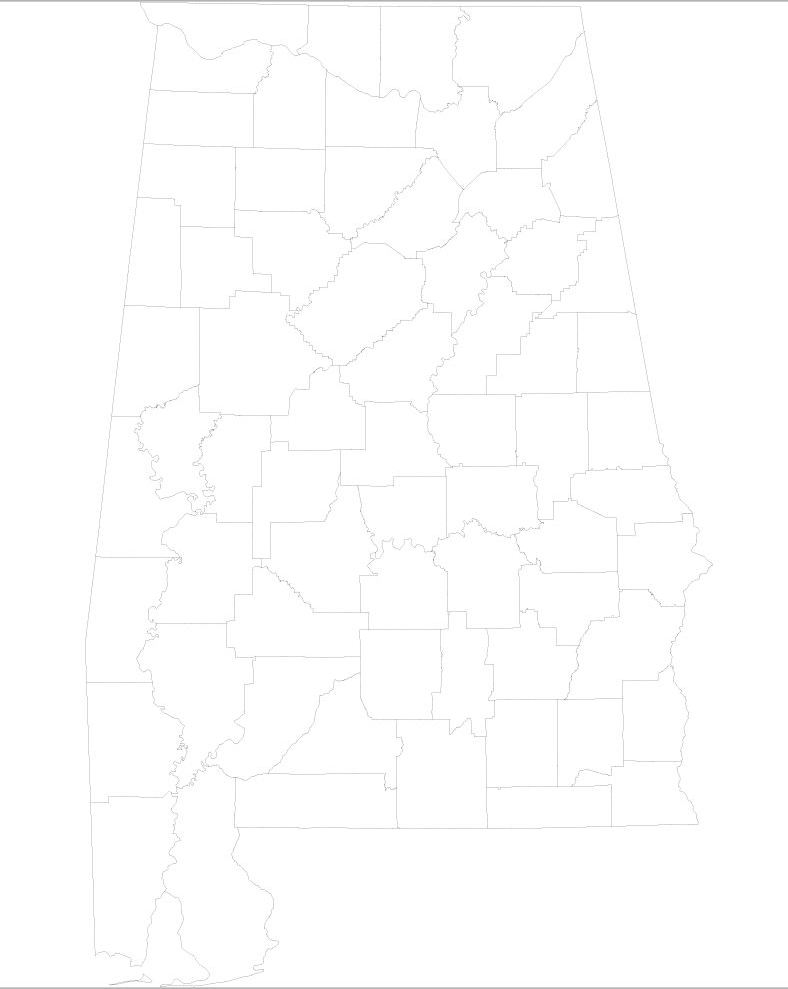
greenshot_2010-10-13_15-02-31.jpg

You'll need an SVG viewer, Adobe has one that incorporates into IE, download it here.

You'll probably need to beef up the contrast on them.  The above is a county map, (Alabama IIRC), but there's also sub-county which might have more detail.
"I will not follow where the path may lead, but I will go where there is no path, and I will leave a trail." - Muriel Strode, 1903
« Last Edit: October 13, 2010, 04:10 AM by 4wd »

tomos

  • Charter Member
  • Joined in 2006
  • ***
  • Posts: 11,970
    • Gathering Badge
    • Participated in NANY Challenge Once
Re: need to scan a map and then color it
« Reply #13 on: October 13, 2010, 07:12 AM »
I've downloaded some SVG maps from wikipedia - cant remember what I searched for but I suspect they'd be there for the individual States.

PS Skwires suggestion is more or less the same as mine - I dont think you'll get anything less complicated, in fact I dont think it is complicated at all - just something new for you to learn ;-) (but then I know how to do it already...)
Tom

4wd

  • Pedantic Old Bastard
  • Supporting Member
  • Joined in 2006
  • **
  • Posts: 5,652
    • Coding Snacks
Re: need to scan a map and then color it
« Reply #14 on: October 13, 2010, 08:04 AM »
I've downloaded some SVG maps from wikipedia - cant remember what I searched for but I suspect they'd be there for the individual States.

Blank Mapsw ?
"I will not follow where the path may lead, but I will go where there is no path, and I will leave a trail." - Muriel Strode, 1903
« Last Edit: October 13, 2010, 08:49 AM by 4wd »

tomos

  • Charter Member
  • Joined in 2006
  • ***
  • Posts: 11,970
    • Gathering Badge
    • Participated in NANY Challenge Once
Re: need to scan a map and then color it
« Reply #15 on: October 13, 2010, 08:32 AM »
Blank Maps
I've downloaded some SVG maps from wikipedia - cant remember what I searched for but I suspect they'd be there for the individual States.

Blank Mapsw ?

ooh that's a nice resource :up:
funnily the (Irish) maps I donwloaded arent included - maybe it just hasn't been updated.
Tom

Curt

  • Supporting Member
  • Joined in 2006
  • **
  • Posts: 7,565
Re: need to scan a map and then color it
« Reply #16 on: October 13, 2010, 10:01 PM »
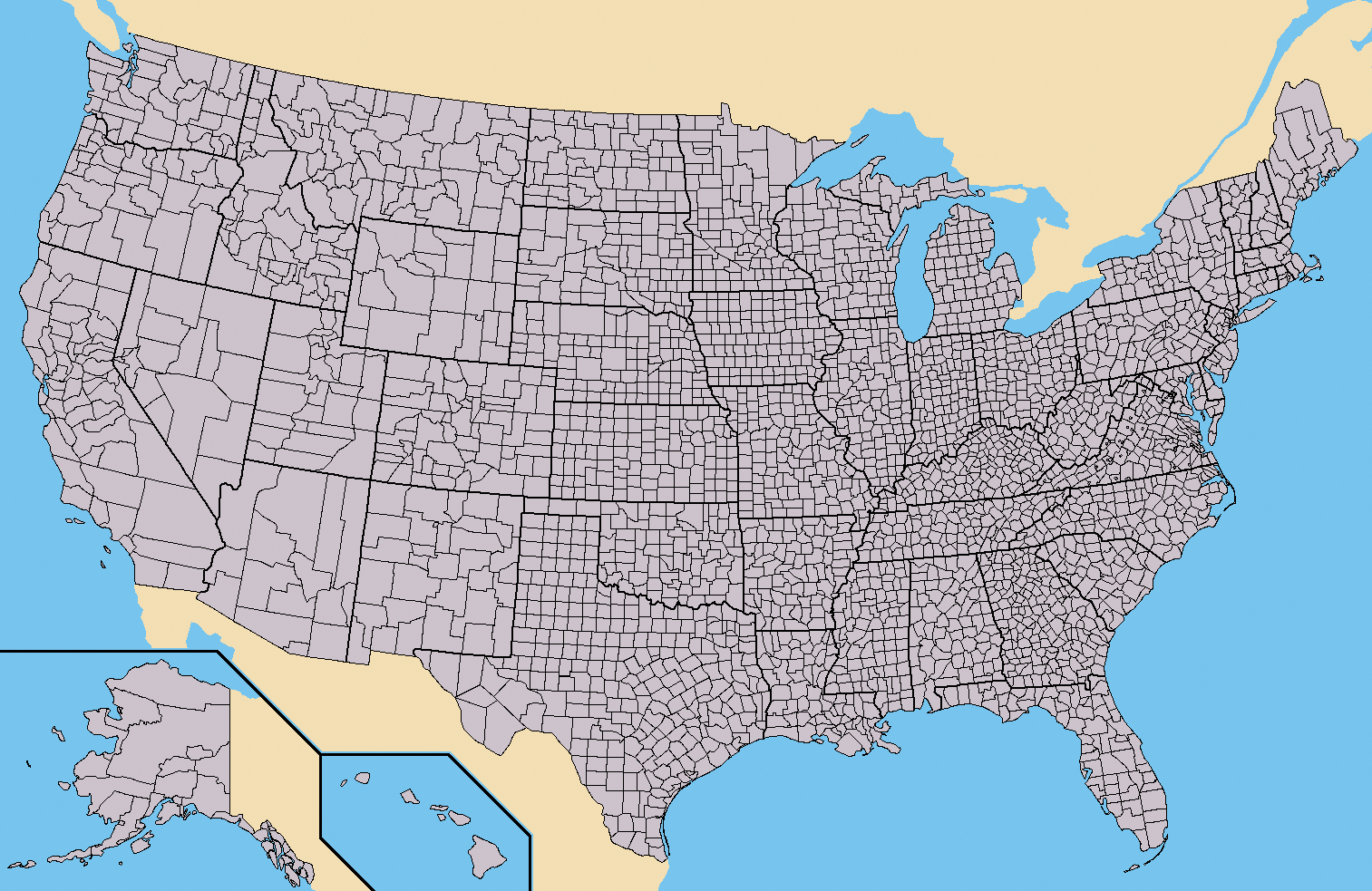
... a US state map ... individual counties ...


Click for 1513×983 pixels (1MB):

[attachthumb=#]


« Last Edit: October 16, 2010, 05:31 PM by Curt »

steeladept

  • Fettucini alfredo is macaroni & cheese for adults
  • Supporting Member
  • Joined in 2006
  • **
  • Posts: 1,061
    • Linux User
    • Military Service Badge - US Air Force
Re: need to scan a map and then color it
« Reply #17 on: October 16, 2010, 10:14 AM »
Now that is an impressive find Curt!

Curt

  • Supporting Member
  • Joined in 2006
  • **
  • Posts: 7,565
Re: need to scan a map and then color it
« Reply #18 on: October 16, 2010, 05:42 PM »
-thanks, steeladept. It really was quite easy: 4wd gave the link, tomos quoted it, I followed it. All it took was to scroll, and READ what maps ("North America") are available.  ;)

4wd

  • Pedantic Old Bastard
  • Supporting Member
  • Joined in 2006
  • **
  • Posts: 5,652
    • Coding Snacks
Re: need to scan a map and then color it
« Reply #19 on: October 17, 2010, 02:38 AM »
Damn!  I knew I should have patented my post :P
"I will not follow where the path may lead, but I will go where there is no path, and I will leave a trail." - Muriel Strode, 1903

Original address: https://www.donationcoder.com/forum/index.php?topic=24234.0