DonationCoder.com forum
 
Read-only archive. This is a static copy of the DonationCoder.com forum. Reading and searching work as before; logging in, posting and private messages do not.
Archive of 2026-10-21 · About this archive · Main site

Author Topic: customize save-as dialog boxes  (Read 6,012 times)

kalos

  • Member
  • Joined in 2006
  • **
  • Posts: 1,824
customize save-as dialog boxes
« on: October 08, 2010, 09:30 PM »
hello

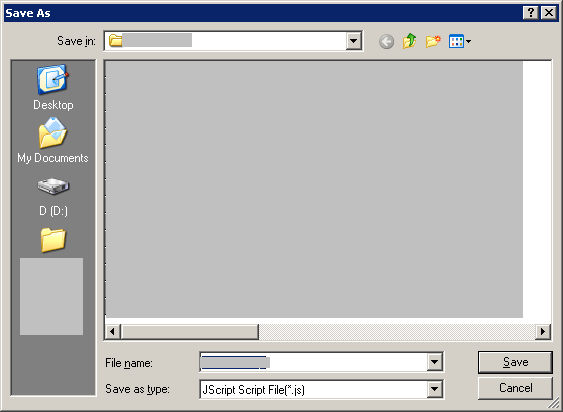
is there a way to customize the below dialog boxes of WinXP?
- add more folders in the left side
- specify default folders for specific extensions
etc
043417.png

thanks

mouser

  • First Author
  • Administrator
  • Joined in 2005
  • *****
  • Posts: 40,931
    • Gathering Badge
    • Plugin Coding Medal
    • Participated in NANY Challenge Seventeen Times
    • Cody Award
    • Coding Snacks
    • Volunteers/Staff
Re: customize save-as dialog boxes
« Reply #1 on: October 08, 2010, 09:38 PM »
See here:
http://www.donationcoder.com/Reviews/Archive/DialogExtenders/index.html

or: http://www.donationcoder.com/forum/index.php?action=search2;search=filebox+extender

Shades

  • Member
  • Joined in 2006
  • **
  • Posts: 2,954
Re: customize save-as dialog boxes
« Reply #2 on: October 08, 2010, 10:56 PM »
If you are feeling up to it you can edit the registry, see this link.

The above link will lead you to a MSDN page where the section 'Places' (slightly below the middle) will be very interesting regarding the specification of preferred folders, their order and amount. Practically all what you asked for in your post.

Mind you, not all dialog boxes are created equal, so mileage can/will vary. 
The easy path is usually downhill...

tomos

  • Charter Member
  • Joined in 2006
  • ***
  • Posts: 11,970
    • Gathering Badge
    • Participated in NANY Challenge Once
Re: customize save-as dialog boxes
« Reply #3 on: October 08, 2010, 10:58 PM »
If you are feeling up to it you can edit the registry, see this link.

The above link will lead you to a MSDN page where the section 'Places' (slightly below the middle) will be very interesting regarding the specification of preferred folders, their order and amount. Practically all what you asked for in your post.

Mind you, not all dialog boxes are created equal, so mileage can/will vary. 

oooh, didnt know that.


In one of the many related threads here, someone (Darwin?) said that the only app that can change the folders on the left-hand-side is Object Dock (plus) - but dont buy it on that recommendation.

I always wanted that ability but didnt consider it worth 20$ so might have a look at Shades's recommendation

I use Filebox Extender (on XP) and am happy with it.
But I dont think it can "specify default folders for specific extensions"
Tom

Shades

  • Member
  • Joined in 2006
  • **
  • Posts: 2,954
Re: customize save-as dialog boxes
« Reply #4 on: October 09, 2010, 12:54 AM »
Actually, an idea just popped into my head. LifeHacker promotes their in-house developed Belvedere. that is a piece of software which can store files based on extension. Maybe that could be of help as well.
The easy path is usually downhill...

Shades

  • Member
  • Joined in 2006
  • **
  • Posts: 2,954
Re: customize save-as dialog boxes
« Reply #5 on: October 09, 2010, 01:54 AM »
If you are feeling up to it you can edit the registry, see this link.

The above link will lead you to a MSDN page where the section 'Places' (slightly below the middle) will be very interesting regarding the specification of preferred folders, their order and amount. Practically all what you asked for in your post.

Mind you, not all dialog boxes are created equal, so mileage can/will vary. 

oooh, didnt know that.


In one of the many related threads here, someone (Darwin?) said that the only app that can change the folders on the left-hand-side is Object Dock (plus) - but dont buy it on that recommendation.

I always wanted that ability but didnt consider it worth 20$ so might have a look at Shades's recommendation

I use Filebox Extender (on XP) and am happy with it.
But I dont think it can "specify default folders for specific extensions"

You can, I use the method myself and it works well. However realize that these links will be 'hard-coded', so use with care if you still want 'places' that are configured by the application in question.
The easy path is usually downhill...

Original address: https://www.donationcoder.com/forum/index.php?topic=24209.0