DonationCoder.com forum
 
Read-only archive. This is a static copy of the DonationCoder.com forum. Reading and searching work as before; logging in, posting and private messages do not.
Archive of 2026-10-21 · About this archive · Main site

Last post Author Topic: if proxy connection works - who is blocking me: my ISP or the server?  (Read 47,420 times)

Stoic Joker

  • Honorary Member
  • Joined in 2008
  • **
  • Posts: 6,652
    • Cody Award
    • Participated in NANY Challenge Five Times
Re: if proxy connection works - who is blocking me: my ISP or the server?
« Reply #25 on: October 08, 2010, 12:49 PM »
I find that ISP DNS services are VERY often poor.

That's why I gave in and run my own DNS server now.  Haven't had a DNS problem since running it - apart from forgetting that the machine it's hosted on was turned off once or twice.

Same here :)

@nudone
From the tracert you posted, it almost seems like your IP is blocked at the remote end.  Since you're getting resolved IP addresses right up until the last hop that kind of implies the DNS servers are working.

Correct, a tracert "fails" at the last place a packet succeeded (that's how you know what's broken) - This is not a DNS issue - It's an address block(s) X got blocked by router config boo-boo Y issue most likely ... Some type of IDS hiccup I'd wager.

timns

  • Veni, vidi, debuggi
  • Supporting Member
  • Joined in 2007
  • **
  • Posts: 1,211
    • Participated in NANY Challenge Four Times
Re: if proxy connection works - who is blocking me: my ISP or the server?
« Reply #26 on: October 08, 2010, 04:06 PM »
Hi folks, I just found this thread courtesy of nudone.

Thank you for all your efforts at looking into this. I'm glad Nick picked up on it - I'd hate to think that my other 2 readers are missing out on the comic strip as well  :P

web_stalker

  • Participant
  • Joined in 2006
  • *
  • Posts: 11
Re: if proxy connection works - who is blocking me: my ISP or the server?
« Reply #27 on: October 09, 2010, 12:36 PM »
I had similar problem i.e., some websites will not open without proxy server and other sites will open normally. After much troubleshooting and looking through and trying various suggestions, I at last changed MTU setting in my ADSL modem from 1500 (default) to 1400 and now all websites which would not previously open, opened normally. Hope that helps.

nudone

  • Cody's Creator
  • Columnist
  • Joined in 2005
  • ***
  • Posts: 4,119
    • Cody Award
Re: if proxy connection works - who is blocking me: my ISP or the server?
« Reply #28 on: October 09, 2010, 03:14 PM »
I'll try those changes in the router when I get chance in a couple of days. In the meantime, timns has opened a ticket with the admin of the server that's the problem. So that may will lead somewhere yet.

timns

  • Veni, vidi, debuggi
  • Supporting Member
  • Joined in 2007
  • **
  • Posts: 1,211
    • Participated in NANY Challenge Four Times
Re: if proxy connection works - who is blocking me: my ISP or the server?
« Reply #29 on: October 09, 2010, 04:24 PM »
and oh boy, were they hopeless when I did a 'live chat support' session.

I pasted a failed tracert to them, and the guy goes "those 3 stars at the end of the tracert mean you've reached your destination"  :-\

Stoic Joker

  • Honorary Member
  • Joined in 2008
  • **
  • Posts: 6,652
    • Cody Award
    • Participated in NANY Challenge Five Times
Re: if proxy connection works - who is blocking me: my ISP or the server?
« Reply #30 on: October 09, 2010, 05:13 PM »
and oh boy, were they hopeless when I did a 'live chat support' session.

I pasted a failed tracert to them, and the guy goes "those 3 stars at the end of the tracert mean you've reached your destination"  :-\

:o ...Okay, that's horrifying. Where do they find these people, Burger King?

The three "stars" followed by "Request timed out." mean (that hops) target is down, or not responding...however ICMP could be blocked. (In which case) You can have a perfectly functional target that blocks ICMP traffic that causes a trace to *** RTO all the way till it gives up at (default) hop 30. But that doesn't mean anything unless you know if the target will respond to a ping and/or is configured to do so.

timns

  • Veni, vidi, debuggi
  • Supporting Member
  • Joined in 2007
  • **
  • Posts: 1,211
    • Participated in NANY Challenge Four Times
Re: if proxy connection works - who is blocking me: my ISP or the server?
« Reply #31 on: October 09, 2010, 05:22 PM »
I know, it makes you want to weep. I have a ticket so let's see if they have some real tech staff that they simply keep away from the first line support.

Yes, the site is pingable. Well, from here at any rate.

Would someone be able to do some tracerting to the site again next week perhaps please?

« Last Edit: October 09, 2010, 05:29 PM by timns »

nudone

  • Cody's Creator
  • Columnist
  • Joined in 2005
  • ***
  • Posts: 4,119
    • Cody Award
Re: if proxy connection works - who is blocking me: my ISP or the server?
« Reply #32 on: October 09, 2010, 05:36 PM »
Renegade was very helpful doing lots of tracerts. Hopefully he'll be so kind to do them again in a few days.

Stoic Joker

  • Honorary Member
  • Joined in 2008
  • **
  • Posts: 6,652
    • Cody Award
    • Participated in NANY Challenge Five Times
Re: if proxy connection works - who is blocking me: my ISP or the server?
« Reply #33 on: October 09, 2010, 05:54 PM »
I'll forget by (an hour from now...) next week. But the site loads for me now. Here's how it got there:

C:\Users\Stoic Joker>tracert www.head-in-the-clouds.com

Tracing route to www.head-in-the-clouds.com [98.131.45.219]
over a maximum of 30 hops:

  1    <1 ms    <1 ms    <1 ms  192.168.0.1
  2    44 ms    44 ms    44 ms  fl-71-2-51-1.sta.embarqhsd.net [71.2.51.1]
  3    45 ms    44 ms    44 ms  205.245.63.13
  4    44 ms    45 ms    44 ms  host53.embarqservices.net [205.245.9.53]
  5    69 ms    69 ms    68 ms  te-7-2.car2.Orlando1.Level3.net [4.79.118.177]
  6    68 ms    69 ms    68 ms  ae-2-9.bar2.Orlando1.Level3.net [4.69.133.70]
  7    69 ms    69 ms    68 ms  ae-0-11.bar1.Orlando1.Level3.net [4.69.137.145]
  8    74 ms    71 ms    71 ms  ae-8-8.ebr1.Atlanta2.Level3.net [4.69.137.150]
  9    76 ms    71 ms    72 ms  ae-72-70.ebr2.Atlanta2.Level3.net [4.69.138.19]
10    90 ms    90 ms  147 ms  ae-1-7.bar2.Cincinnati1.Level3.net [4.69.136.217]
11    90 ms    90 ms    89 ms  ae-0-11.bar1.Cincinnati1.Level3.net [4.69.136.209]
12    92 ms    93 ms    93 ms  BLUEMILE-IN.bar1.Cincinnati1.Level3.net [4.59.40.2]
13    92 ms    92 ms    92 ms  76.10.192.226
14    93 ms    92 ms    93 ms  76.10.207.14.customer.bluemilenetworks.com [76.10.207.14]
15    92 ms    93 ms    92 ms  oh-mls1-609.te-9-2.opentransfer.com [98.130.213.18]
16    93 ms    93 ms    95 ms  rev.opentransfer.com.219.45.131.98.in-addr.arpa [98.131.45.219]

Trace complete.

timns

  • Veni, vidi, debuggi
  • Supporting Member
  • Joined in 2007
  • **
  • Posts: 1,211
    • Participated in NANY Challenge Four Times
Re: if proxy connection works - who is blocking me: my ISP or the server?
« Reply #34 on: October 09, 2010, 08:31 PM »
Oh, it must have "magically gone right all by itself"

Renegade

  • Tell me something you don't know...
  • Charter Member
  • Joined in 2005
  • ***
  • Posts: 13,291
    • Participated in NANY Challenge Three Times
    • Furry Fandom Badge - Furry Fandom
    • Linux User
Re: if proxy connection works - who is blocking me: my ISP or the server?
« Reply #35 on: October 09, 2010, 11:37 PM »
Renegade was very helpful doing lots of tracerts. Hopefully he'll be so kind to do them again in a few days.

You don't need me to do it. All you need is a looking glass. There are lots of them out there. I was using the Level 3 Looking Glass.

Here's a list of them.

Just find a trace route in one of them and enter the address along with something like "All North America" or a specific city. It takes a while though. Expect it to take 45 minutes or more. Just leave your browser open.

Looking glasses are essential for a lot of things, and it's good to keep them in mind as they are such valuable tools. If you're not familiar with them, try some out and bookmark a few.
Slow Down Music - Where I commit thought crimes...

Freedom is the right to be wrong, not the right to do wrong. - John Diefenbaker

timns

  • Veni, vidi, debuggi
  • Supporting Member
  • Joined in 2007
  • **
  • Posts: 1,211
    • Participated in NANY Challenge Four Times
Re: if proxy connection works - who is blocking me: my ISP or the server?
« Reply #36 on: October 11, 2010, 04:00 PM »
I just got this reply from the admins on my host:

Quote
I want to let you know that our system administrators reviewed your traceroute logs and explained that they are absolutely normal, there is nothing strange. They explained that for other networks (ourside of our office) it is normal to have time outs after our MLSes, right after this line:
OH-MLS1-609.Te-9-2.opentransfer.com (98.130.213.18) [AS32392 {Ecommerce}]
That's why please re-check this issue from your side once again, make sure that there are no problems in your network, contact your ISP to investigate it from their side as well.

Carol Haynes

  • Waffles for England (patent pending)
  • Global Moderator
  • Joined in 2005
  • *****
  • Posts: 8,073
    • Cody Award
    • Furry Fandom Badge - Furry Fandom
Re: if proxy connection works - who is blocking me: my ISP or the server?
« Reply #37 on: October 11, 2010, 04:59 PM »
What you have to realise is that all support centres assume that if there is a problem it must be on your computer/network.

They are absolutely perfect and couldn't possibly have a fault.

I have had the same problem with BT in the past in the UK - my IP dies or get allocated a dead IP but it isn't their fault. Strange though that when I disconnect and reconnect it all works fine with an IP on a different server!

If it is a DNS fault there is nothing you can do about it except use a different DNS at least temporarily - try Google DNS or OpenDNS and see if that resolves the problem.

Set up TCP/IP on your connection to use the chosen DNS then open a command window and try the following:

ipconfig /flushdns
ipconfig /release
ipconfig /renew
ipconfig /all

check that your active connection has the correct DNS servers - can you connect now?

nudone

  • Cody's Creator
  • Columnist
  • Joined in 2005
  • ***
  • Posts: 4,119
    • Cody Award
Re: if proxy connection works - who is blocking me: my ISP or the server?
« Reply #38 on: October 11, 2010, 06:32 PM »
Doesn't work for me, Carol. As mentioned before, using Google DNS or Open DNS settings didn't make any difference (my default dns is google's). I've just had another go after trying the above ipconfig commands again - problem remains.

I'll see what my ISP has to say, TalkTalk. I imagine that it will be a waste of time doing so.

Carol Haynes

  • Waffles for England (patent pending)
  • Global Moderator
  • Joined in 2005
  • *****
  • Posts: 8,073
    • Cody Award
    • Furry Fandom Badge - Furry Fandom
Re: if proxy connection works - who is blocking me: my ISP or the server?
« Reply #39 on: October 11, 2010, 10:44 PM »
Can you configure the DNS in the router?

4wd

  • Pedantic Old Bastard
  • Supporting Member
  • Joined in 2006
  • **
  • Posts: 5,652
    • Coding Snacks
Re: if proxy connection works - who is blocking me: my ISP or the server?
« Reply #40 on: October 12, 2010, 01:26 AM »
Quote
I want to let you know that our system administrators reviewed your traceroute logs and explained that they are absolutely normal, there is nothing strange. They explained that for other networks (ourside of our office) it is normal to have time outs after our MLSes, right after this line:
OH-MLS1-609.Te-9-2.opentransfer.com (98.130.213.18) [AS32392 {Ecommerce}]
That's why please re-check this issue from your side once again, make sure that there are no problems in your network, contact your ISP to investigate it from their side as well.

It always makes me glad that they refer to themselves as 'administrators', (which has connotations more towards management), if they were technicians I'd be ashamed - plus they wouldn't last 10 minutes in a real job.

Honestly, does that really explain why it works from Australia?

EDIT: Then again, every dog and his man seems to think they're a technician these days: eg. Hair Technician.

Sorry if you refer to yourself as a System Administrator.  :P
"I will not follow where the path may lead, but I will go where there is no path, and I will leave a trail." - Muriel Strode, 1903
« Last Edit: October 12, 2010, 01:30 AM by 4wd »

Renegade

  • Tell me something you don't know...
  • Charter Member
  • Joined in 2005
  • ***
  • Posts: 13,291
    • Participated in NANY Challenge Three Times
    • Furry Fandom Badge - Furry Fandom
    • Linux User
Re: if proxy connection works - who is blocking me: my ISP or the server?
« Reply #41 on: October 12, 2010, 03:26 AM »
Sigh...

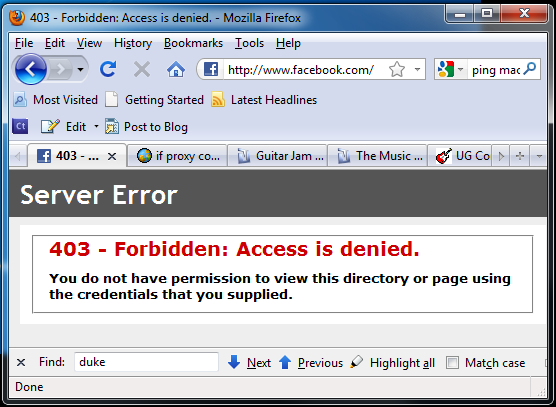
More-Facebook-BS.png

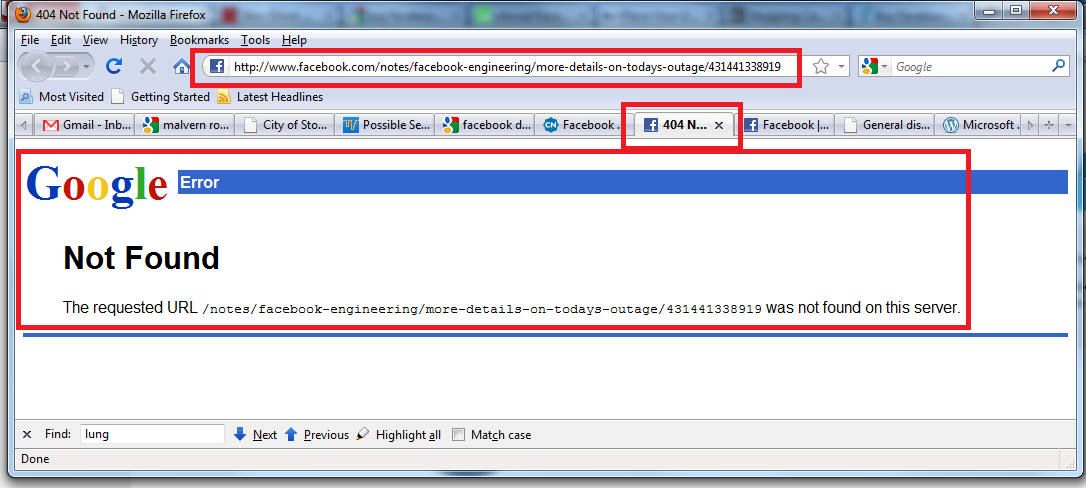
Facebook-is-Google.png

I just don't know HOW this stuff gets so screwed up!

If anyone has any clues, please speak up.
Slow Down Music - Where I commit thought crimes...

Freedom is the right to be wrong, not the right to do wrong. - John Diefenbaker

Renegade

  • Tell me something you don't know...
  • Charter Member
  • Joined in 2005
  • ***
  • Posts: 13,291
    • Participated in NANY Challenge Three Times
    • Furry Fandom Badge - Furry Fandom
    • Linux User
Re: if proxy connection works - who is blocking me: my ISP or the server?
« Reply #42 on: October 12, 2010, 04:27 AM »
My wife just got the same 403 there, and I'm getting the normal Facebook. She hit CTRL + F5 and it's back to normal. Facebook is just bizarre.
Slow Down Music - Where I commit thought crimes...

Freedom is the right to be wrong, not the right to do wrong. - John Diefenbaker

nudone

  • Cody's Creator
  • Columnist
  • Joined in 2005
  • ***
  • Posts: 4,119
    • Cody Award
Re: if proxy connection works - who is blocking me: my ISP or the server?
« Reply #43 on: October 12, 2010, 07:03 AM »
Can you configure the DNS in the router?

Yes, that's using the router dns settings. I haven't changed anything on any of the computers connected to the router, i.e. the computers don't have any specific dns settings.

I suppose I really will have to try another router. I was just trying to avoid that because of all the faffing about that'll be involved.

Carol Haynes

  • Waffles for England (patent pending)
  • Global Moderator
  • Joined in 2005
  • *****
  • Posts: 8,073
    • Cody Award
    • Furry Fandom Badge - Furry Fandom
Re: if proxy connection works - who is blocking me: my ISP or the server?
« Reply #44 on: October 12, 2010, 08:10 AM »
I suppose you checked the router firewall logs?

Have you tried factory resetting the router and setting it up from scratch?

nudone

  • Cody's Creator
  • Columnist
  • Joined in 2005
  • ***
  • Posts: 4,119
    • Cody Award
Re: if proxy connection works - who is blocking me: my ISP or the server?
« Reply #45 on: October 12, 2010, 09:02 AM »
Router log doesn't show anything other than Admin logins, so nothing helpful there. I've tried changing the MTU to 1500 and 1400, no improvement there either.

I'm going to try swapping over the router later today. That way I can eliminate the current router completely and I don't need to factory reset it. If the other router allows the connection to work, then I'll reset the dodgy router.
« Last Edit: October 12, 2010, 02:22 PM by nudone »

Stoic Joker

  • Honorary Member
  • Joined in 2008
  • **
  • Posts: 6,652
    • Cody Award
    • Participated in NANY Challenge Five Times
Re: if proxy connection works - who is blocking me: my ISP or the server?
« Reply #46 on: October 12, 2010, 12:38 PM »
It always makes me glad that they refer to themselves as 'administrators', (which has connotations more towards management), if they were technicians I'd be ashamed - plus they wouldn't last 10 minutes in a real job.

Speaking as one whose job title actually is Network Administrator, I'd just like to say that I've always found the connotations a bit troubling myself. ;)

Side note if this was a DNS issue you'd either have no target, or the wrong target. Unless it was the hosting companies internal DNS that was borking the Host Header resolution (I have seen that happen). However, given that the site loads with either the FQDN or the IP address it can't be an HH issue.

Try pinging the site (www.head-in-the-clouds.com) ... Now reguardless of if/how it answers if the IP resolve to 98.131.45.219, stop looking at DNS because its job is done. :)

That last hop is across their internal network (whois on IP shows it's a single contiguous block owned by E-Commerce Hosting). This thing has borked routing table written all over it.

Renegade

  • Tell me something you don't know...
  • Charter Member
  • Joined in 2005
  • ***
  • Posts: 13,291
    • Participated in NANY Challenge Three Times
    • Furry Fandom Badge - Furry Fandom
    • Linux User
Re: if proxy connection works - who is blocking me: my ISP or the server?
« Reply #47 on: October 12, 2010, 01:18 PM »
That last hop is across their internal network (whois on IP shows it's a single contiguous block owned by E-Commerce Hosting). This thing has borked routing table written all over it.

So, in layman's speak, is that, "the hosting company is dropping the ball, so get a new one"?
Slow Down Music - Where I commit thought crimes...

Freedom is the right to be wrong, not the right to do wrong. - John Diefenbaker

nudone

  • Cody's Creator
  • Columnist
  • Joined in 2005
  • ***
  • Posts: 4,119
    • Cody Award
Re: if proxy connection works - who is blocking me: my ISP or the server?
« Reply #48 on: October 12, 2010, 02:25 PM »
Try pinging the site (www.head-in-the-clouds.com) ... Now reguardless of if/how it answers if the IP resolve to 98.131.45.219, stop looking at DNS because its job is done. :)

hmm, never thought of that. yes. when i ping the domain it does resolve to that IP. so, i guess, we rule out DNS it seems.
« Last Edit: October 12, 2010, 05:28 PM by nudone »

timns

  • Veni, vidi, debuggi
  • Supporting Member
  • Joined in 2007
  • **
  • Posts: 1,211
    • Participated in NANY Challenge Four Times
Re: if proxy connection works - who is blocking me: my ISP or the server?
« Reply #49 on: October 12, 2010, 05:30 PM »
I just set up an account with 'Pingdom' and I believe they load my homepage every minute from a random server. Here are the first few results:

Date/Time Status Response Time Error Location
12/10/10 10:29 UP 784 ms OK New York, NY
12/10/10 10:28 UP 1,101 ms OK Chicago, IL
12/10/10 10:27 UP 1,527 ms OK Copenhagen, Denmark
12/10/10 10:26 UP 1,382 ms OK Tampa, Florida
12/10/10 10:25 UP 1,633 ms OK Seattle, WA
12/10/10 10:24 UP 760 ms OK Washington, DC
12/10/10 10:23 UP 1,426 ms OK Madrid, Spain
12/10/10 10:22 UP 1,102 ms OK Las Vegas, NV
12/10/10 10:21 UP 839 ms OK Denver, CO
12/10/10 10:20 UP 1,092 ms OK San Francisco, CA

Original address: https://www.donationcoder.com/forum/index.php?topic=24204.0