Hi!
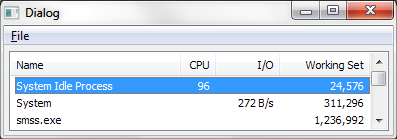
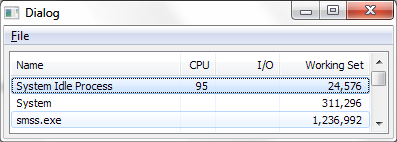
I've just downloaded the software and I've loved it so far. I'd like to give a little suggestion regarding the list view, and that is to make it an Explorer-style list view that is in Windows 7 -- the type that highlights in light blue, and selects in a little darker blue. The code for it is very simple; it's a one-line call to this function:
<code>
SetWindowTheme(hWndListView, "Explorer", NULL);
</code>
This would make the integration tighter with Windows and make the program even more visually appealing.
Thanks for the great program!
I've just downloaded the software and I've loved it so far.
I'd like to give a little suggestion regarding the list view, and that is to make it an Explorer-style list view that is in Windows 7 -- the type that highlights in light blue, and selects in a little darker blue. The code for it is very simple; it's a one-line call to this function:<code>
SetWindowTheme(hWndListView, "Explorer", NULL);
</code>
This would make the integration tighter with Windows and make the program even more visually appealing.
Thanks for the great program!