DonationCoder.com forum
 
Read-only archive. This is a static copy of the DonationCoder.com forum. Reading and searching work as before; logging in, posting and private messages do not.
Archive of 2026-10-21 · About this archive · Main site

Author Topic: Autohotkey added to geshi syntax highlighting feature on forum  (Read 22,727 times)

mouser

  • First Author
  • Administrator
  • Joined in 2005
  • *****
  • Posts: 40,931
    • Gathering Badge
    • Plugin Coding Medal
    • Participated in NANY Challenge Seventeen Times
    • Cody Award
    • Coding Snacks
    • Volunteers/Staff
Autohotkey has been added to the list of languages the forum knows how to color syntax highlight in posts.

To highlight code for a language, select the text and then choose the language from the "Code Highlighting" drop down combo box, on the Post form.

ps. thanks to dc member ewemoa for getting me to update to latest version of geshi that supports ahk; huge thanks to the geshi open source project.

skwire

  • I eat Coding Snacks for breakfast...
  • Global Moderator
  • Joined in 2005
  • *****
  • Posts: 5,297
    • Participated in NANY Challenge Seventeen Times
    • Coding Snacks
    • Superboy Coder
    • Cody Award
    • Volunteers/Staff
    • Gathering Badge
Re: Autohotkey added to geshi syntax highlighting feature on forum
« Reply #1 on: June 02, 2010, 12:30 AM »
Nice.

ewemoa

  • Honorary Member
  • Joined in 2008
  • **
  • Posts: 2,922
    • Plugin Coding Medal
    • Participated in NANY Challenge Three Times
Re: Autohotkey added to geshi syntax highlighting feature on forum
« Reply #2 on: June 02, 2010, 12:46 AM »
Thank you, mouser, for the update and your continued efforts  :Thmbsup:

cranioscopical

  • Friend of the Site
  • Supporting Member
  • Joined in 2006
  • **
  • Posts: 4,776
    • Cody Award
    • Official Forum Clown
    • rotten turkey sandwich - Rotten Turkey Sandwich
Re: Autohotkey added to geshi syntax highlighting feature on forum
« Reply #3 on: June 02, 2010, 01:11 AM »
Thanks for taking the trouble to implement that!
Chris

lanux128

  • Global Moderator
  • Joined in 2005
  • *****
  • Posts: 6,277
    • Coding Snacks
    • Volunteers/Staff
    • Gathering Badge
    • Participated in NANY Challenge Once
    • Linux User
Re: Autohotkey added to geshi syntax highlighting feature on forum
« Reply #4 on: June 02, 2010, 01:55 AM »
Thank you to both, mouser and ewemoa for their efforts.. :Thmbsup:

mouser

  • First Author
  • Administrator
  • Joined in 2005
  • *****
  • Posts: 40,931
    • Gathering Badge
    • Plugin Coding Medal
    • Participated in NANY Challenge Seventeen Times
    • Cody Award
    • Coding Snacks
    • Volunteers/Staff
Re: Autohotkey added to geshi syntax highlighting feature on forum
« Reply #5 on: June 02, 2010, 02:00 AM »
all thanks should go to geshi -- i didn't do much more than download the latest zip file :)

mouser

  • First Author
  • Administrator
  • Joined in 2005
  • *****
  • Posts: 40,931
    • Gathering Badge
    • Plugin Coding Medal
    • Participated in NANY Challenge Seventeen Times
    • Cody Award
    • Coding Snacks
    • Volunteers/Staff
Re: Autohotkey added to geshi syntax highlighting feature on forum
« Reply #6 on: June 02, 2010, 02:15 AM »
following ewemoa's suggestion i made a meager $10 donation to geshi's sourceforge donation account on behalf of dc members.

ewemoa

  • Honorary Member
  • Joined in 2008
  • **
  • Posts: 2,922
    • Plugin Coding Medal
    • Participated in NANY Challenge Three Times
Re: Autohotkey added to geshi syntax highlighting feature on forum
« Reply #7 on: June 02, 2010, 02:35 AM »
Thanks :Thmbsup:

skwire

  • I eat Coding Snacks for breakfast...
  • Global Moderator
  • Joined in 2005
  • *****
  • Posts: 5,297
    • Participated in NANY Challenge Seventeen Times
    • Coding Snacks
    • Superboy Coder
    • Cody Award
    • Volunteers/Staff
    • Gathering Badge
Re: Autohotkey added to geshi syntax highlighting feature on forum
« Reply #8 on: June 02, 2010, 02:48 AM »
Is there any way we can adjust the colours used for that AHK highlighter?  I much prefer the colours used for the AutoIt highlighter.

ewemoa

  • Honorary Member
  • Joined in 2008
  • **
  • Posts: 2,922
    • Plugin Coding Medal
    • Participated in NANY Challenge Three Times
Re: Autohotkey added to geshi syntax highlighting feature on forum
« Reply #9 on: June 02, 2010, 05:15 AM »
I'm comparing GeSHi's autoit.php with autohotkey.php:

autoit.php
Code: (php)
        'KEYWORDS' => array(
            1 => 'color: #0000FF; font-weight: bold;',
            2 => 'color: #800000; font-weight: bold;',
            3 => 'color: #000080; font-style: italic; font-weight: bold;',
            4 => 'color: #0080FF; font-style: italic; font-weight: bold;',
            5 => 'color: #F000FF; font-style: italic;',
            6 => 'color: #A00FF0; font-style: italic;'
            ),
        'COMMENTS' => array(
            'MULTI' => 'font-style: italic; color: #669900;',
            0 => 'font-style: italic; color: #009933;',
            1 => 'font-style: italic; color: #9977BB;',
            ),
        'ESCAPE_CHAR' => array(
            0 => ''
            ),
        'BRACKETS' => array(
            0 => 'color: #FF0000; font-weight: bold;'
            ),
        'STRINGS' => array(
            0 => 'font-weight: bold; color: #9977BB;'
            ),
        'NUMBERS' => array(
            0 => 'color: #AC00A9; font-style: italic; font-weight: bold;'
            ),
        'METHODS' => array(
            1 => 'color: #0000FF; font-style: italic; font-weight: bold;'
            ),
        'SYMBOLS' => array(
            0 => 'color: #FF0000; font-weight: bold;'
            ),
        'REGEXPS' => array(
            0 => 'font-weight: bold; color: #AA0000;'
            ),

autohotkey.php
Code: (php)
        'KEYWORDS' => array(
            1 => 'color: #AAAAFF; font-weight: bold;',       // reserved #blue
            2 => 'color: #88FF88;',                         // BIV yellow
            3 => 'color: #FF00FF; font-style: italic;',       // commands purple
            4 => 'color: #888844; font-weight: bold;',       // functions #0080FF
            5 => 'color: #000000; font-style: italic;',    // directives #black
            6 => 'color: #FF0000; font-style: italic;',      // hotkeys #red
            7 => 'color: #000000; font-style: italic;',    // gui commands #black
            8 => 'color: #000000; font-style: italic;'      // gui controls
            ),
        'COMMENTS' => array(
            'MULTI' => 'font-style: italic; color: #669900;',
            1 => 'font-style: italic; color: #009933;'
            ),
        'ESCAPE_CHAR' => array(
            0 => ''
            ),
        'BRACKETS' => array(
            0 => 'color: #00FF00; font-weight: bold;'
            ),
        'STRINGS' => array(
            0 => 'font-weight: bold; color: #008080;'
            ),
        'NUMBERS' => array(
            0 => 'color: #0000dd;'
            ),
        'METHODS' => array(
            1 => 'color: #0000FF; font-style: italic; font-weight: italic;'
            ),
        'SYMBOLS' => array(
            0 => 'color: #000000; font-weight: italic;'
            ),
        'REGEXPS' => array(
            0 => 'font-weight: italic; color: #A00A0;',
            1 => 'color: #CC0000; font-style: italic;',
            2 => 'color: #DD0000; font-style: italic;',
            3 => 'color: #88FF88;'
            ),

Perhaps the following would work as a change:

Code: (php)
        'KEYWORDS' => array(
            1 => 'color: #0000FF; font-weight: bold;', // reserved
            2 => 'color: #800000; font-weight: bold;', // BIV
            3 => 'color: #000080; font-style: italic; font-weight: bold;', // commands
            4 => 'color: #0080FF; font-style: italic; font-weight: bold;', // functions
            5 => 'color: #F000FF; font-style: italic;', // directives
            6 => 'color: #FF0000; font-style: italic;', // hotkeys #red
            7 => 'color: #000000; font-style: italic;', // gui commands #black
            8 => 'color: #000000; font-style: italic;'  // gui controls
            ),
        'COMMENTS' => array(
            'MULTI' => 'font-style: italic; color: #669900;',
            1 => 'font-style: italic; color: #009933;'
            ),
        'ESCAPE_CHAR' => array(
            0 => ''
            ),
        'BRACKETS' => array(
            0 => 'color: #FF0000; font-weight: bold;'
            ),
        'STRINGS' => array(
            0 => 'font-weight: bold; color: #9977BB;'
            ),
        'NUMBERS' => array(
            0 => 'color: #AC00A9; font-style: italic; font-weight: bold;'
            ),
        'METHODS' => array(
            1 => 'color: #0000FF; font-style: italic; font-weight: bold;'
            ),
        'SYMBOLS' => array(
            0 => 'color: #FF0000; font-weight: italic;'
            ),
        'REGEXPS' => array(
            0 => 'font-weight: italic; color: #A00A0;',
            1 => 'color: #CC0000; font-style: italic;',
            2 => 'color: #DD0000; font-style: italic;',
            3 => 'color: #88FF88;'
            ),

It looks like autohotkey.php groups 'while', 'if', 'else', and 'return' separately from commands though they are listed as commands in the AHK docs.

Also, autohotkey.php doesn't appear to mention 'static', 'global', 'local', or 'ByRef'.

Perhaps it's worth checking out the content of Extras\Editors\Syntax\...
« Last Edit: June 02, 2010, 05:19 AM by ewemoa »

mouser

  • First Author
  • Administrator
  • Joined in 2005
  • *****
  • Posts: 40,931
    • Gathering Badge
    • Plugin Coding Medal
    • Participated in NANY Challenge Seventeen Times
    • Cody Award
    • Coding Snacks
    • Volunteers/Staff
Re: Autohotkey added to geshi syntax highlighting feature on forum
« Reply #10 on: June 02, 2010, 11:57 PM »
i've uploaded ewemoa's modification -- the colors look a lot better now.

ewemoa

  • Honorary Member
  • Joined in 2008
  • **
  • Posts: 2,922
    • Plugin Coding Medal
    • Participated in NANY Challenge Three Times
Re: Autohotkey added to geshi syntax highlighting feature on forum
« Reply #11 on: June 03, 2010, 12:09 AM »
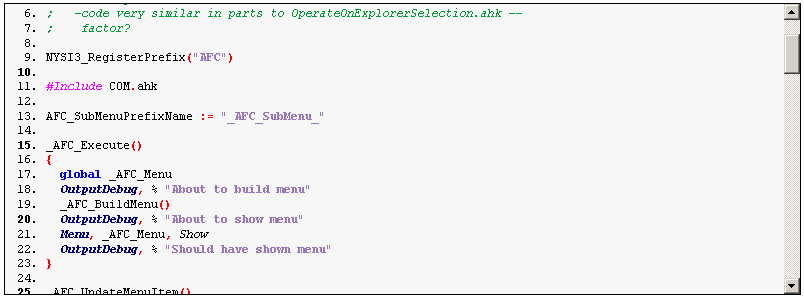
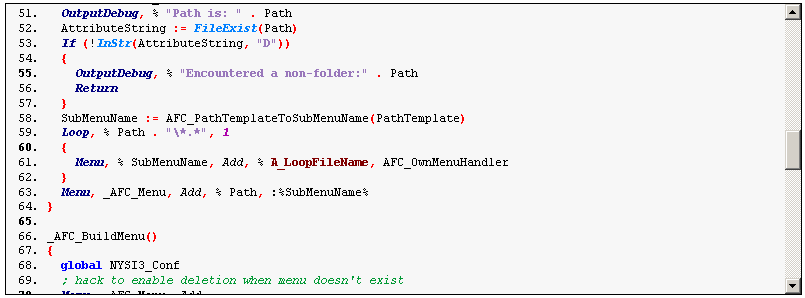
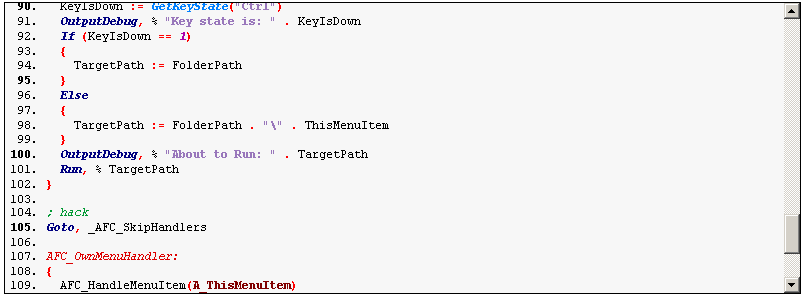
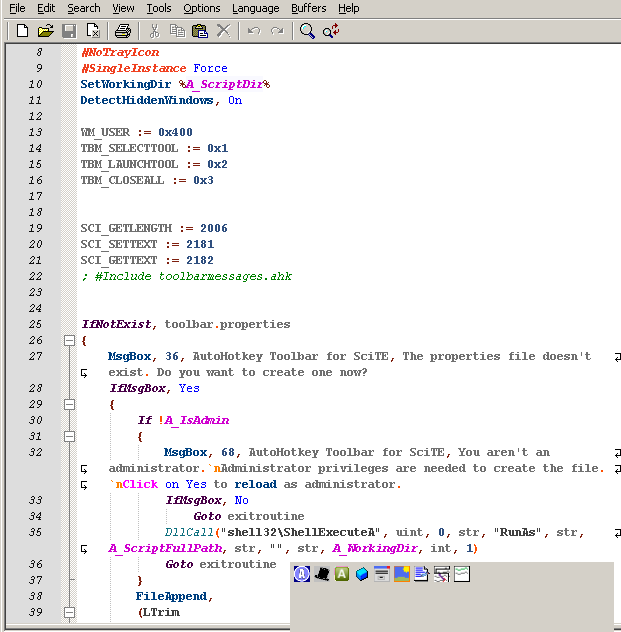
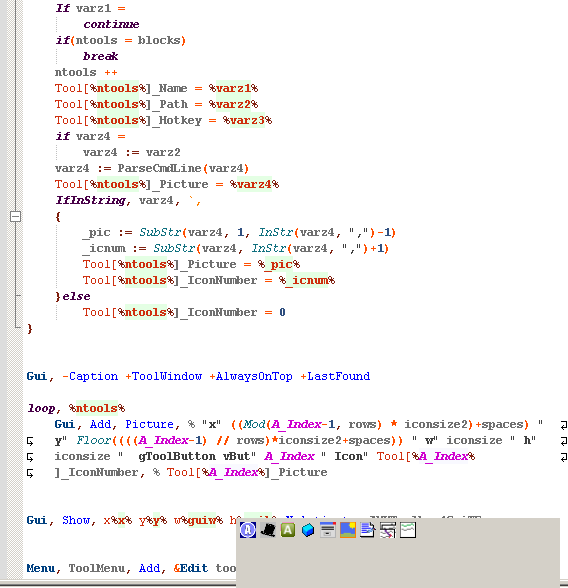
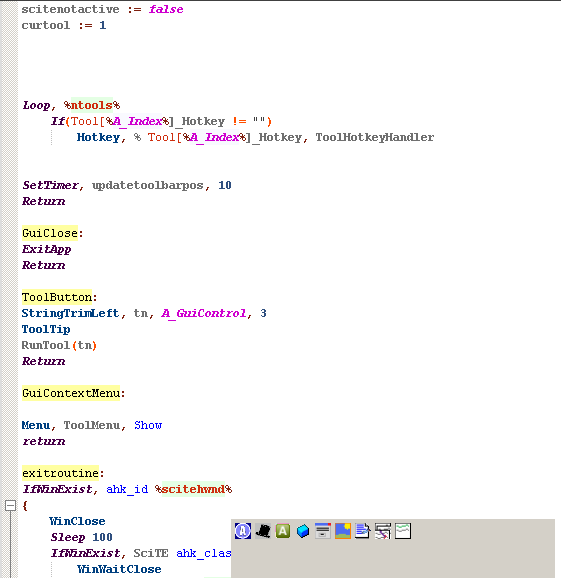
Here are some sample shots:

geshi-ahk-changes-1.png

geshi-ahk-changes-2.png

geshi-ahk-changes-3.png

Note: colors were not the only things changed -- some additions (e.g. global, local, etc were missing) and deletions (e.g. there was both a While and a while, so I removed the latter -- and similar things) were made too.  Perhaps discussion with the author of autohotkey.php might be worthwhile...
skwire

  • I eat Coding Snacks for breakfast...
  • Global Moderator
  • Joined in 2005
  • *****
  • Posts: 5,297
    • Participated in NANY Challenge Seventeen Times
    • Coding Snacks
    • Superboy Coder
    • Cody Award
    • Volunteers/Staff
    • Gathering Badge
Re: Autohotkey added to geshi syntax highlighting feature on forum
« Reply #12 on: June 03, 2010, 05:15 AM »
Agreed, that's a helluva lot better.  Thanks, ewemoa & mouser.
nudone

  • Cody's Creator
  • Columnist
  • Joined in 2005
  • ***
  • Posts: 4,119
    • Cody Award
Re: Autohotkey added to geshi syntax highlighting feature on forum
« Reply #13 on: June 03, 2010, 06:48 AM »
lovely. any idea if i can port this to notepad++ without lots of editing?

ewemoa

  • Honorary Member
  • Joined in 2008
  • **
  • Posts: 2,922
    • Plugin Coding Medal
    • Participated in NANY Challenge Three Times
Re: Autohotkey added to geshi syntax highlighting feature on forum
« Reply #14 on: June 03, 2010, 09:33 AM »
Sorry, no idea.

nudone

  • Cody's Creator
  • Columnist
  • Joined in 2005
  • ***
  • Posts: 4,119
    • Cody Award
Re: Autohotkey added to geshi syntax highlighting feature on forum
« Reply #15 on: June 03, 2010, 09:56 AM »
Sorry, no idea.
okay, thanks. i'll see if i can figure it out.

lanux128

  • Global Moderator
  • Joined in 2005
  • *****
  • Posts: 6,277
    • Coding Snacks
    • Volunteers/Staff
    • Gathering Badge
    • Participated in NANY Challenge Once
    • Linux User
Re: Autohotkey added to geshi syntax highlighting feature on forum
« Reply #16 on: June 03, 2010, 10:55 AM »
maybe this could help with AHK syntax highlighting in Notepad++.

• http://www.autohotkey.com/forum/viewtopic.php?t=58792

ewemoa

  • Honorary Member
  • Joined in 2008
  • **
  • Posts: 2,922
    • Plugin Coding Medal
    • Participated in NANY Challenge Three Times
Re: Autohotkey added to geshi syntax highlighting feature on forum
« Reply #17 on: June 03, 2010, 11:13 AM »
Interesting find, lanux128  :up:

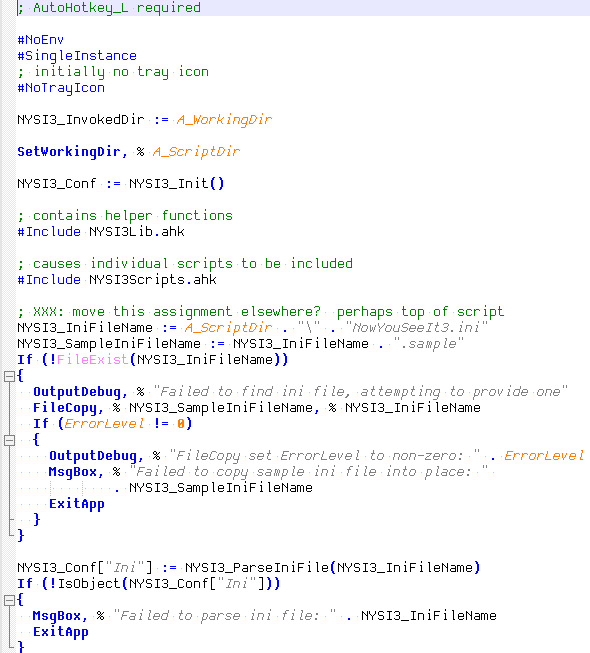
I tried it out:

ahk-externel-lexer-sample.png

nudone

  • Cody's Creator
  • Columnist
  • Joined in 2005
  • ***
  • Posts: 4,119
    • Cody Award
Re: Autohotkey added to geshi syntax highlighting feature on forum
« Reply #18 on: June 03, 2010, 11:54 AM »
i've got some kind of autohotkey syntax highlighting currently working in Notepad++ but it doesn't look like the image above. it must have been from a different ahk forum thread, so i'll try the one you've mentioned, lanux128.

i'm almost happy with the one i'm using but it doesn't appear to know when to colour match curly braces { }.

lanux128

  • Global Moderator
  • Joined in 2005
  • *****
  • Posts: 6,277
    • Coding Snacks
    • Volunteers/Staff
    • Gathering Badge
    • Participated in NANY Challenge Once
    • Linux User
Re: Autohotkey added to geshi syntax highlighting feature on forum
« Reply #19 on: June 03, 2010, 11:58 AM »
thanks, ewemoa. do you use Notepad++ as well? for editors with well formed syntax highlighters, one could try SciTE4AutoHotkey, PSPad or Notepad2 but NPP is slowly getting there.. :)


@nudone: this is a newer version, tweaked by the uploader from that thread because as he put it, "I am a notepad++ user and was totally disappointed with the userDefined.xml lexer because it has certain limitations that the user cant overcome, and on top of that adding a language is a pain."  you should try it.. :)

nudone

  • Cody's Creator
  • Columnist
  • Joined in 2005
  • ***
  • Posts: 4,119
    • Cody Award
Re: Autohotkey added to geshi syntax highlighting feature on forum
« Reply #20 on: June 03, 2010, 12:44 PM »
found the one i'm using: http://www.autohotkey.com/forum/topic53288.html

www.autohotkey.com__NppSynHL.png

not tried anything else yet.

ewemoa

  • Honorary Member
  • Joined in 2008
  • **
  • Posts: 2,922
    • Plugin Coding Medal
    • Participated in NANY Challenge Three Times
Re: Autohotkey added to geshi syntax highlighting feature on forum
« Reply #21 on: June 03, 2010, 09:17 PM »
thanks, ewemoa. do you use Notepad++ as well?
What comes to mind at the moment, concerning my Notepad++ usage is:

  • Replacing across multiple files via regular expressions
  • Quick view of a file

further off-topic details
For the former, it's been pretty good with occasional crashing -- unfortunately, I haven't managed to figure out conditions for reproducing this reliably.  It'd be nice for it to do previewing with interactive replacement -- may be it does, and I haven't figured this out.

For the quick-file-viewing, it happens to be fast enough for quick start up here, so it's what I have as a default viewer when using Coffee.

Although a number of other editors with syntax highlighting start up comparably fast (if not faster, e.g. SciTE.exe), I don't think I've tried one that offers both of the above features.

It certainly would be nicer if Notepad++ offered out-of-the-box support for AutoHotkey!

For longer sessions I tend to use Emacs or Code::Blocks -- and if I happen to be using something like Cygwin or MSYS, I tend to use whatever comes up via vi.

Quote
for editors with well formed syntax highlighters, one could try SciTE4AutoHotkey
Thanks for the SciTE4AutoHotkey link!  When I looked this time, I spotted the portable version, so may be I will give it a try.  Somehow I had the impression that there wasn't a portable version so I had not tried it before.  Reminds me of the potential value of continuing to check for some things -- things change, and things can be missed ;)

I have tried PSPad and Notepad2 as well.  The former I had various difficulties with so when Notepad++ appeared on the radar...The latter I didn't end up using enough to give a fair assessment.

Update: Saw the following text regarding the non-zip download for SciTE4AutoHotkey:

Quote
Despite being an installer, the installation can be portable (uncheck the default editor box).

Sounds nice  :up:
« Last Edit: June 03, 2010, 10:55 PM by ewemoa »

ewemoa

  • Honorary Member
  • Joined in 2008
  • **
  • Posts: 2,922
    • Plugin Coding Medal
    • Participated in NANY Challenge Three Times
Re: Autohotkey added to geshi syntax highlighting feature on forum
« Reply #22 on: June 03, 2010, 10:29 PM »
Thanks for the SciTE4AutoHotkey link!  When I looked this time, I spotted the portable version, so may be I will give it a try.
I have tried it now.  It looks quite interesting.

Unfortunately...
I haven't come up with a good way for the SciTE4AutoHotkey directory to not have it live inside the directory containing AutoHotkey.exe.  Editing of .properties files seems to be one approach though the toolbar ones (.ini-file like) don't reference ahk.properties (non-ini file which is where AutoHotkeyDir is defined).  I'm not sure whether these changes will survive upgrades...

It also seems that I'd need 2 installations -- one for AHK and one for AHK_L :(

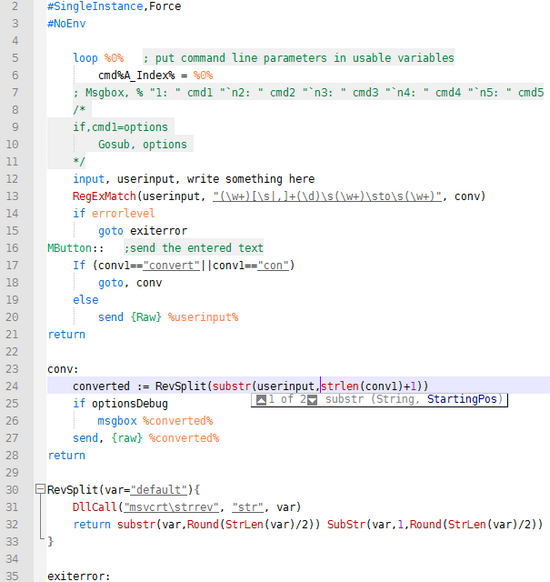
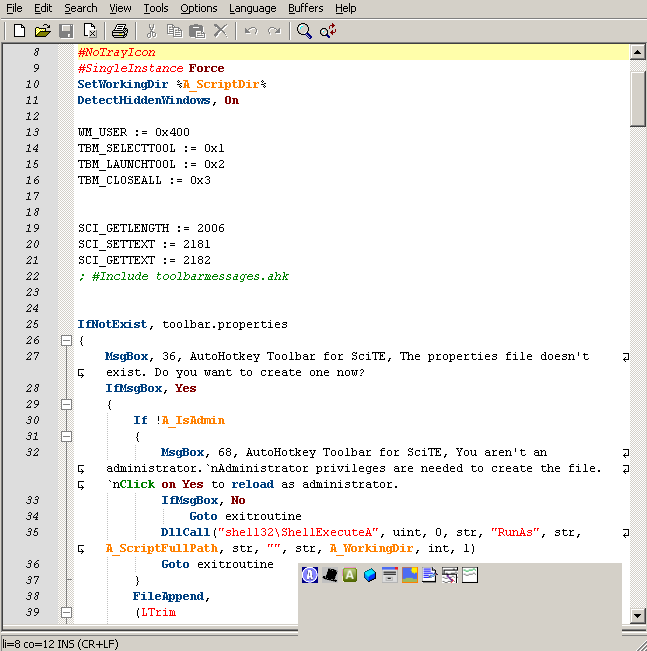
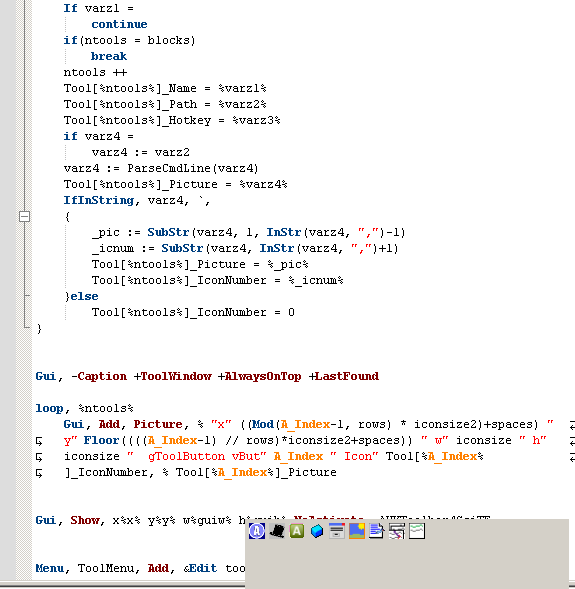
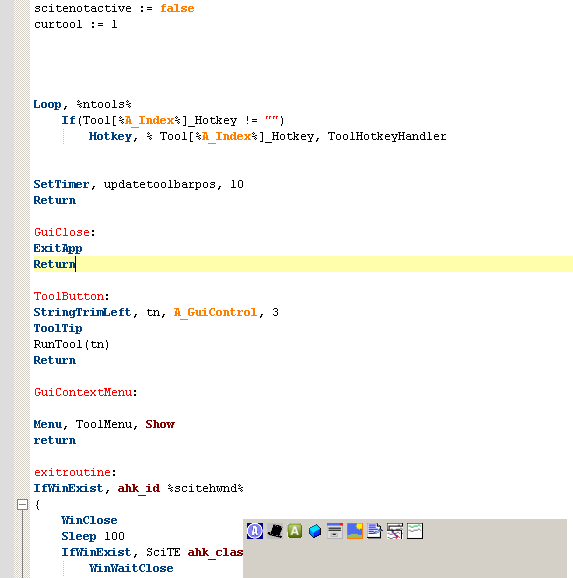
Update: Sorry, forgot to post some shots of the highlighting (below is what I got by default):

scite4ahk-sample-1.png

scite4ahk-sample-2.png

scite4ahk-sample-3.png

Now for some with the included psp style:

scite4ahk-sample-4.png

scite4ahk-sample-5.png

scite4ahk-sample-6.png
« Last Edit: June 03, 2010, 11:27 PM by ewemoa »

Original address: https://www.donationcoder.com/forum/index.php?topic=22928.0