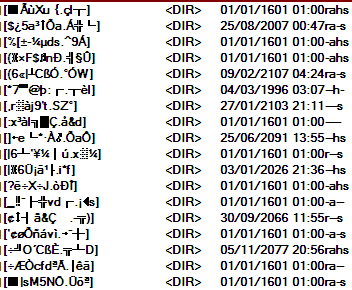
I have some files and directories/folders with badly corrupted names on my USB HD. None of my three file managers can delete them. Please can you recommend a tool that will?
Thanks...
Thanks...

 Topic: Recommend deleter for files/directories with corrupted names? (Read 6,747 times)


 - carpe noctem
 chkdsk did the job - eventually. Basic "chkdsk" works, but as soon as I added a switch, "/f", it complained that I didn't have rights and it needed to be elevated. I'm using Vista Home Premium from a user account with UAC On... So I logged off, logged back on as administrator, tried again - only to find the same thing.
  I can't remember exactly what I did then, but I copied chkdsk.exe to the root of the USB drive, fiddled about with its Properties to make it "Run as admin," and somewhere along the way it ran "chkdsk /f". There's a thread similar to this elsewhere on DC, where Carol Haynes notes (from memory) that "chkdsk /x" would be more appropriate in these cases. In fact my "chkdsk /f" instantly turned itself into "/x" because it said the drive had to be dismounted. At last it ran, I accepted the defaults about changing to a file etc., and was able to delete the mess. Windows didn't try very hard to make it easy, though.
 - carpe noctem
Tip for running console apps admin: open the start menu, type "cmd" into the search bar. Hit ctrl+shift+enter, instead of just enter, to launch cmd.exe elevated. From then on, any apps you start from the console will run elevated. FARR can do the same, btw
 Don't double-click the file, right-click it and choose from the context menu. When you're in a near-panic it's easy to overlook the obvious.
Anyway, I guess you're using FAT filesystem on the USB drive, since it got that corrupted? If you mainly use the drive on a single machine, consider converting to NTFS.
Original address: https://www.donationcoder.com/forum/index.php?topic=22926.0