


Hi all,
BatchBlitz is a digital photo categorizer, filter and batch editor (freeware).
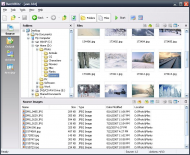
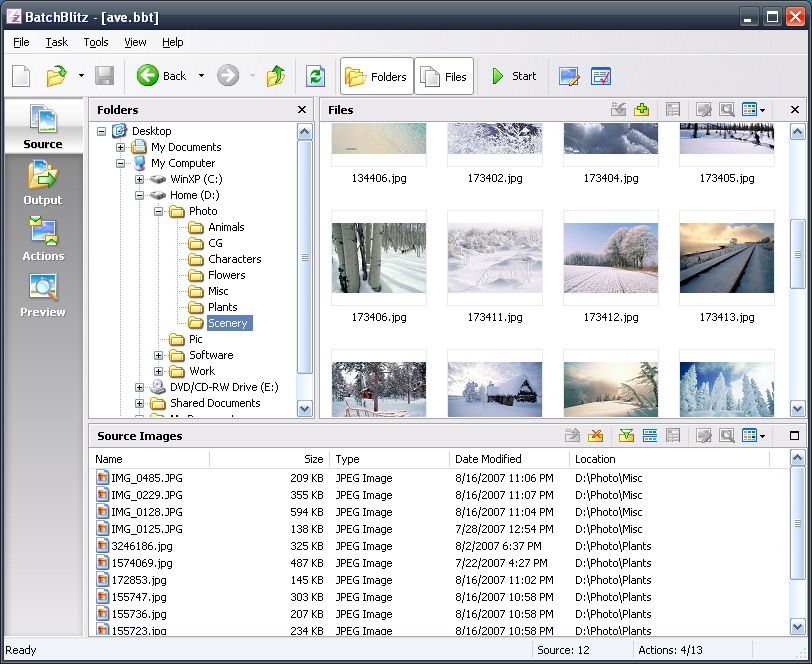
In BatchBlitz, you first select some source photos to be processed, specify where to output the processed files, define one or more actions to be taken, then simply click Start.
Main window:
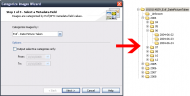
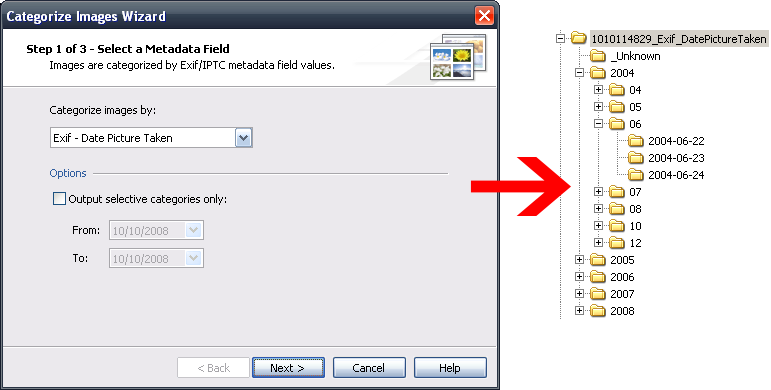
Categorize Photos....
BatchBlitz lets you categorize photos by Exif or IPTC metadata. E.g. you can put your photos into different folders according to the camera make, or the date photos are taken.
Filter Photo Files....
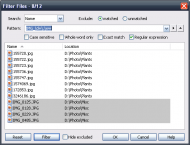
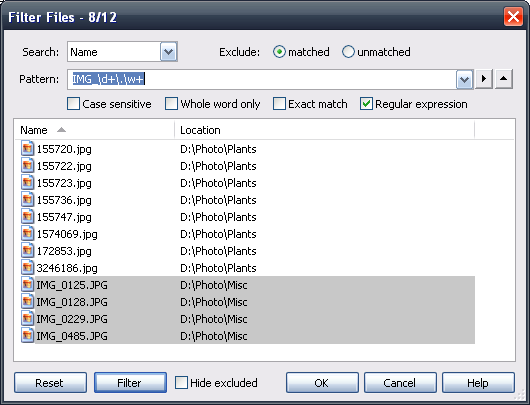
BatchBlitz allows you to filter out (or exclude) certain photos before actions are taken on them.
You can filter photos using regular expression:
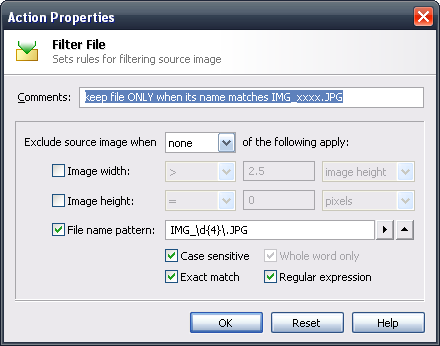
Or, you can define some filtering rules, e.g. exclude photo only if width > height.
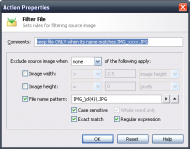
Batch Edit Photos....
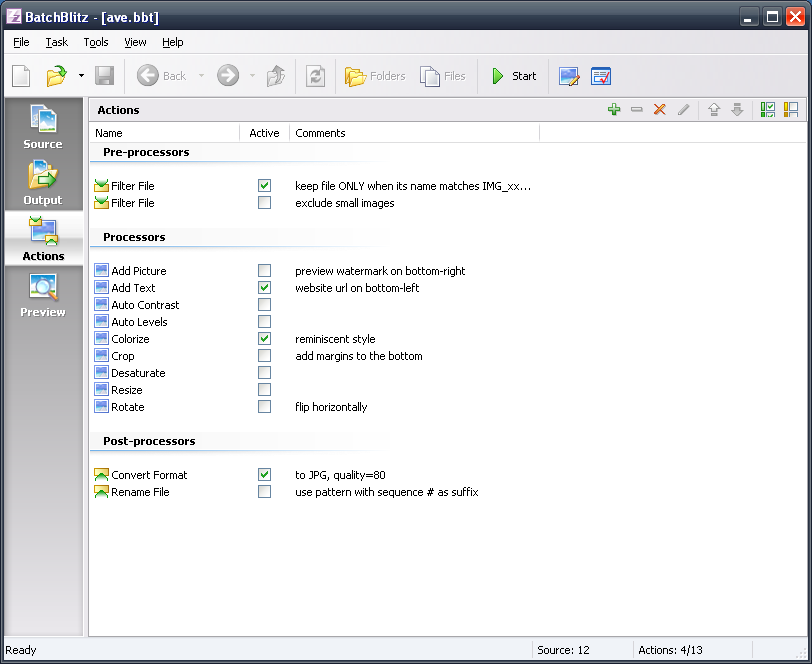
To batch edit photos, you define one or more actions to be taken. These actions can be activated/deactivated, reordered by drag-and-drop, as well as added or deleted...
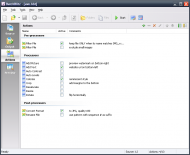
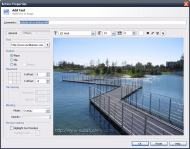
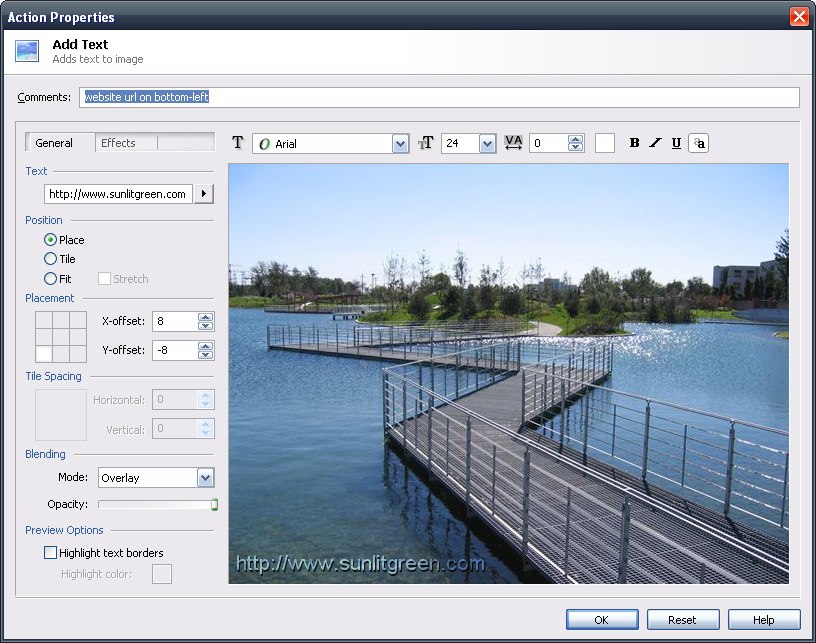
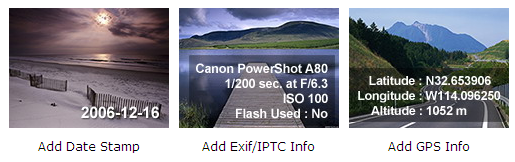
Actions are highly customizable. E.g. using "Add Text" action, you can even add Exif info onto your photos.
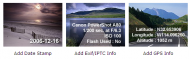
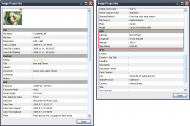
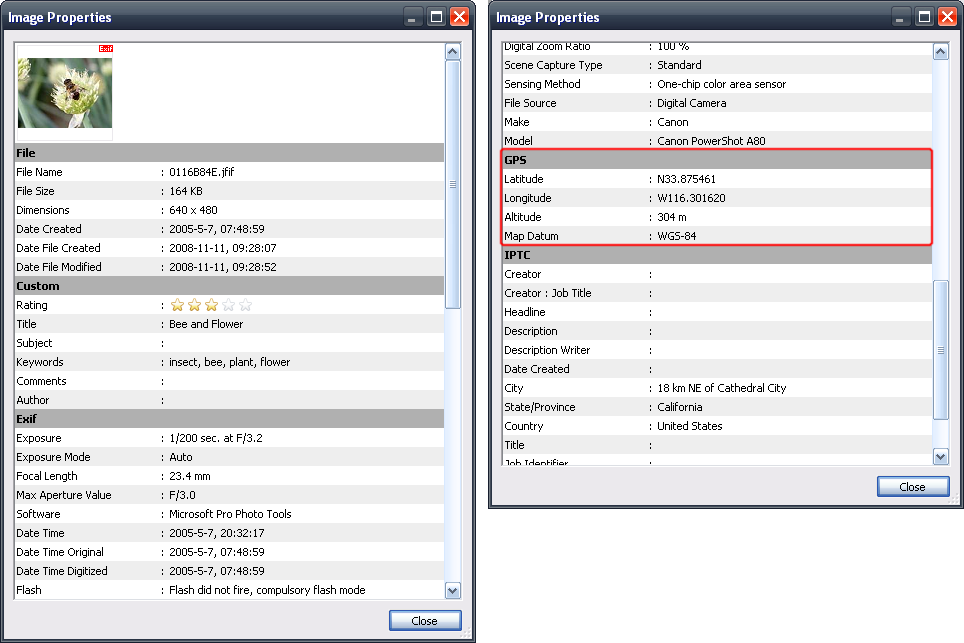
You can view these Exif/IPTC values in the Image Properties dialog:
BatchBlitz product info:
http://www.sunlitgreen.com/batchblitz.html
Website homepage:
http://www.sunlitgreen.com/
Any comments will be very much appreciated. Thanks in advance!
Regards,
Sunlit Green
BatchBlitz is a digital photo categorizer, filter and batch editor (freeware).
In BatchBlitz, you first select some source photos to be processed, specify where to output the processed files, define one or more actions to be taken, then simply click Start.
Main window:
Categorize Photos....
BatchBlitz lets you categorize photos by Exif or IPTC metadata. E.g. you can put your photos into different folders according to the camera make, or the date photos are taken.
Filter Photo Files....
BatchBlitz allows you to filter out (or exclude) certain photos before actions are taken on them.
You can filter photos using regular expression:
Or, you can define some filtering rules, e.g. exclude photo only if width > height.
Batch Edit Photos....
To batch edit photos, you define one or more actions to be taken. These actions can be activated/deactivated, reordered by drag-and-drop, as well as added or deleted...
Actions are highly customizable. E.g. using "Add Text" action, you can even add Exif info onto your photos.
You can view these Exif/IPTC values in the Image Properties dialog:
BatchBlitz product info:
http://www.sunlitgreen.com/batchblitz.html
Website homepage:
http://www.sunlitgreen.com/
Any comments will be very much appreciated. Thanks in advance!
Regards,
Sunlit Green








