DonationCoder.com forum
 
Read-only archive. This is a static copy of the DonationCoder.com forum. Reading and searching work as before; logging in, posting and private messages do not.
Archive of 2026-10-21 · About this archive · Main site

Author Topic: Problem with NETWORK ADAPTER  (Read 8,326 times)

dj_robbie

  • Participant
  • Joined in 2010
  • *
  • Posts: 1
Problem with NETWORK ADAPTER
« on: February 28, 2010, 03:49 PM »
ASUSTeK Computer Inc. UL30A)

Model Atheros AR8132 PCI-E Fast Ethernet Controller (NDIS 6.20)
Type WIRED
Speed 54 Mbps
Model Atheros AR9285 Wireless Network Adapter
Status Connected
Type WIRELESS LAN
Speed 54 Mbps

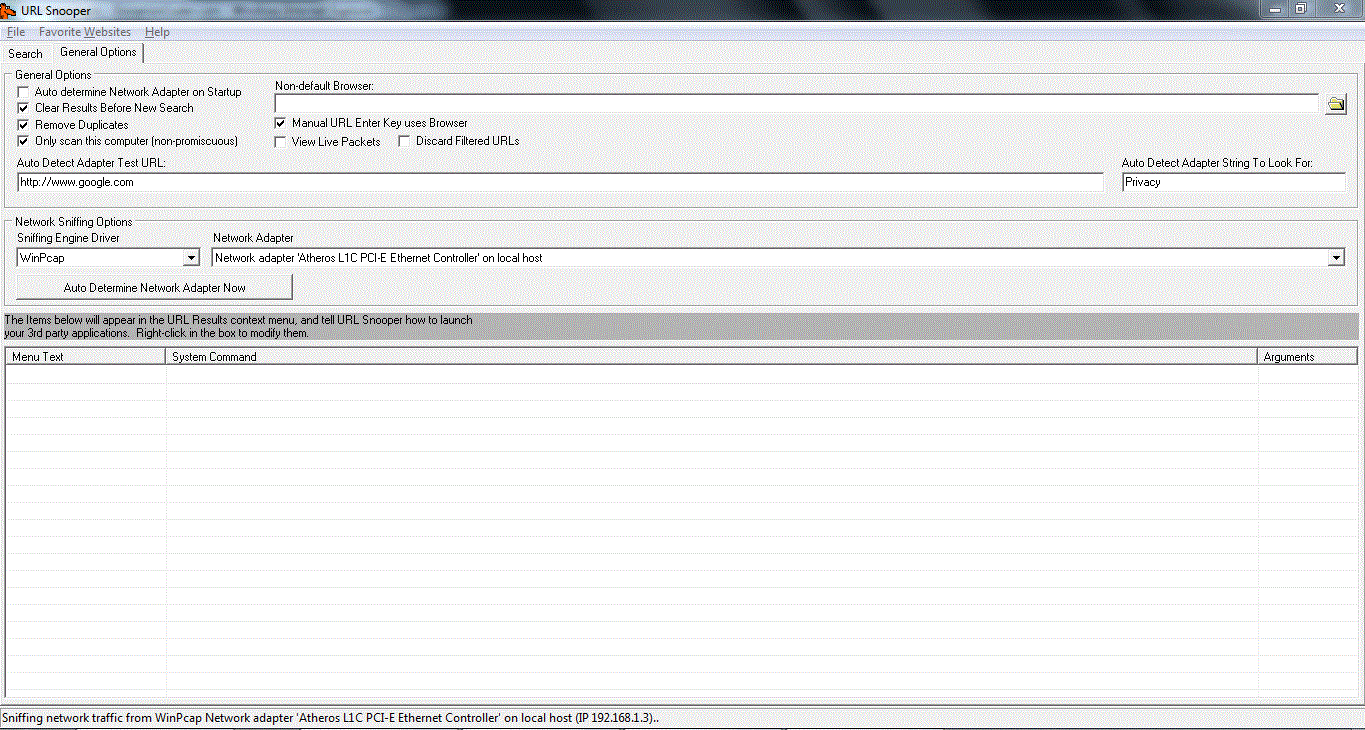
URL SNOOPER wont detect it and even if i CHOOSE it manually in the advanced menu, it doesnt SNIFF any URLS. I can not choose the WIRELESS, only the WIRED it seems. Havent tried that with wired, since i use the wireless.

[attach]
mouser

  • First Author
  • Administrator
  • Joined in 2005
  • *****
  • Posts: 40,931
    • Gathering Badge
    • Plugin Coding Medal
    • Participated in NANY Challenge Seventeen Times
    • Cody Award
    • Coding Snacks
    • Volunteers/Staff
Re: Problem with NETWORK ADAPTER
« Reply #1 on: February 28, 2010, 03:58 PM »
if it's not showing the wireless adapter in the "Network Adapter" list, there may not be anything that can be done; one thing you could try is unchecking the box to "only scan this computer" and see if that has any effect.

MilkyTech

  • Participant
  • Joined in 2010
  • *
  • Posts: 1
Re: Problem with NETWORK ADAPTER
« Reply #2 on: May 03, 2010, 09:06 PM »
I have same problem.  i am using a Linksys USB wireless adapter and YES it shows up under Network Adapters in Device Manager

Original address: https://www.donationcoder.com/forum/index.php?topic=21922.0