


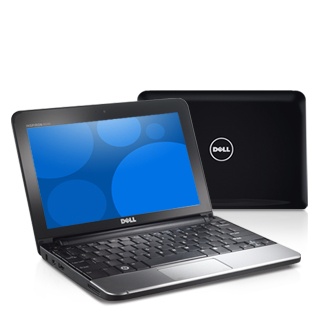
I got a shiny new Dell Inspiron Mini 10 for Christmas from my girlfriend.
[attachthumb=#2]
I knew it would be a time-sink the first day I opened the box, so I have waited until today to do so.
[attachthumb=#1]
So today's task is to determine the best way to configure my new toy. So far I have just begun brainstorming about what software will go on it as "Levels 1-3".
Level 1 is the stuff used to keep the machine backuped up and sandboxed.
Level 1
Level 1a is online backup and recovery.
Level 1a
I haven't made any decisions on what software I plan to use here.
Level 2
Software I have licenses for...
Level 3 is the utility level where I map drives by various means -- SMB, SFTP, SSH, online storage, etc.
Level 3
I am very interested to learn what ideas for changes or tweaks on levels 1-3 you have.
[attachthumb=#2]
I knew it would be a time-sink the first day I opened the box, so I have waited until today to do so.
[attachthumb=#1]
- Intel®Atom®Processor Z530 (1.6GHz/533MHz FSB/512K Cache)
- 1GB RAM (fixed size on CPU/Memory daughter board)
- 10.1" Widescreen Display (1024x600)
- 160GB, 2.5inch, 5400RPM SATA Hard Drive
- 56WHr Lithium-Ion Battery (6-cell) (optional upgrade that can have up to 8-hours w/o WiFi or much HDD I/O)
- Dell Wireless 1520 802.11n Half Mini-Card
- Windows® 7 Starter for Small Notebook PCs, 32bit, English
So today's task is to determine the best way to configure my new toy. So far I have just begun brainstorming about what software will go on it as "Levels 1-3".
Level 1 is the stuff used to keep the machine backuped up and sandboxed.
Level 1
- Acronis True Image Home 2010 Standard Edition (Most likely unless you folks think Acronis Backup and Recovery 10 Advanced Workstation client would be a better choice. I own licenses for both versions.)
- I am thinking about adding Sandboxie based on what I have seen here yesterday after searching the forums.
- Backup4all
- Genie Backup Manager Pro
- And probably some others I have forgotten.
- FirstDefense-ISR as I have a purchased version of the origional professional workstation version that supports "Freeze". Not sure if I can run this when Acronis recovery is installed.
- RollBack Rx is also an option because I purchased a license as an upgrade when FD-ISR was discontinued in is origional form.
- Returnil Virtual System 2010 Home Free because it's free and I haven't taken a look at it in a long time.
Level 1a is online backup and recovery.
Level 1a
- SpiderOak.com for online backup and secure file sync that is cross-platform.
I haven't made any decisions on what software I plan to use here.
Level 2
Software I have licenses for...
- Norton Internet Security 2010 - My girlfriend uses this as she is familiar with it and it has gotten good reviews from the trade press. She has a 3-license pack. I have used it recently to try, but the realtime stuff (as I fully expected) slows my other laptop to a crawl. I may install this suite and turn off all the realtime features and only use the stuff I need on-demand.
- On a whim I purchased a 3-pack of VIPRE Antivirus because it was dirt cheap and it claims to be fast. I have yet to try it and might try this to see how fast it really is.
- The computer comes from Dell with an 15-month license to McAfee software, but I despise McAfee and won't use it.
Level 3 is the utility level where I map drives by various means -- SMB, SFTP, SSH, online storage, etc.
Level 3
- Jungle Disk for Amazon S3.
- Livedrive for online storage via Windows Mapped Drive as well as FTP.
- ExpanDrive for Windows for simple SFTP drive-letter access.
- WinMount - Mount rar, zip, DVD, CD, HDD images quickly.
- Virtual Disk - Organize files on a virtual drive.
- PerfectDisk for real-time disk defragmentation.
I am very interested to learn what ideas for changes or tweaks on levels 1-3 you have.



 - carpe noctem