


NANY 2010 Entry Information
| Application Name |  TrayUpTime TrayUpTime |
| Version | 1.0.3 |
| Short Description | Small utility to place an icon in the system tray which shows the system up time as a tooltip when you hover over it with the mouse. |
| Supported OSes | Win2K and up should work |
| Download Link | TrayUpTime-1.0.3.zip (5.1 KB) TrayUpTime-1.0.3-src.zip (8.8 KB) |
| Version History |
|
| Screencast |
Description
This is a tiny utility that puts an icon in the system tray that shows you how long your system has been running when you hover your mouse over it.
Screencast
Usage
Installation
Unzip the executable to where you want it.
Using the Application
Run the executable. Hover the mouse over the system tray icon (a small clock with a green arrow pointing up) to show a tooltip with the system up time. Right-click the system tray icon to open a menu that lets you quit the application.
Uninstallation
Delete the executable. It does not store any information in the registry or create any files.


 .
.


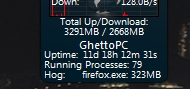


 .. I am thoroughly amazed!
 .
.