DonationCoder.com forum
 
Read-only archive. This is a static copy of the DonationCoder.com forum. Reading and searching work as before; logging in, posting and private messages do not.
Archive of 2026-10-21 · About this archive · Main site

Last post Author Topic: How would you improve a standard PC keyboard?  (Read 57,060 times)

app103

  • That scary taskbar girl
  • Global Moderator
  • Joined in 2006
  • *****
  • Posts: 5,888
    • Participated in NANY Challenge Six Times
    • Coding Snacks
    • Gathering Badge
    • Cody Award
    • Volunteers/Staff
Re: How would you improve a standard PC keyboard?
« Reply #50 on: December 10, 2009, 06:37 PM »
Hmmmmmmm, for super touch-type know-all-the-shortcut-keys people probably the best thing would be a very light-weight headset with laser tracking.  On rare occasions when you want to use the mouse, the tracking would move the mouse pointer to the point you are looking at.  You could wiggle your ears or blnk hard to double-click.

With the electronics so cheap nowadays there may even be something out there.  I know combat pilots have had this laser eye-sight tracking stuff for quite awhile.


This kind of stuff already exists for the disabled, but it is really expensive.

http://www.enablemart.com/Catalog/Head-Eye-Controlled-Input

There is foot controlled input devices, too, and they seem to be much cheaper:

http://www.enablemart.com/Catalog/Foot-Switches/Footime-Foot-Mouse

MilesAhead

  • Supporting Member
  • Joined in 2009
  • **
  • Posts: 7,736
    • Coding Snacks
Re: How would you improve a standard PC keyboard?
« Reply #51 on: December 10, 2009, 07:39 PM »
Or you could do voice activated.  I'm just afraid what would happen if I sneeze.

JavaJones

  • Review 2.0 Designer
  • Charter Member
  • Joined in 2005
  • ***
  • Posts: 2,739
    • Participated in NANY Challenge Once
Re: How would you improve a standard PC keyboard?
« Reply #52 on: December 10, 2009, 10:49 PM »
I actually worked at a company that had one of those foot-activated mice. It was... weird. Hard to get used to. But certainly very novel. :D

- Oshyan

40hz

  • Supporting Member
  • Joined in 2007
  • **
  • Posts: 11,861
Re: How would you improve a standard PC keyboard?
« Reply #53 on: December 11, 2009, 01:01 AM »
Or you could do voice activated.  I'm just afraid what would happen if I sneeze.


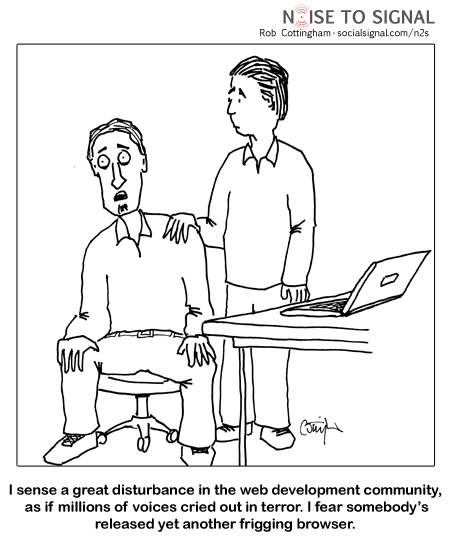
Last time I sneezed while using Dragon Naturally Speaking, it generated completed code for a new web browser. ;)

[attach]
« Last Edit: December 11, 2009, 01:05 AM by 40hz »

CleverCat

  • Cat's Are Fun!
  • Supporting Member
  • Joined in 2006
  • **
  • Posts: 1,164
Re: How would you improve a standard PC keyboard?
« Reply #54 on: December 11, 2009, 06:13 AM »
;D

It should type ATCHOO!
If you need help - JUST ASK!

MilesAhead

  • Supporting Member
  • Joined in 2009
  • **
  • Posts: 7,736
    • Coding Snacks
Re: How would you improve a standard PC keyboard?
« Reply #55 on: December 12, 2009, 12:23 AM »
Not a good idea to be running a virtual reality session as the machine may spray you with water vapor.

Hello71

  • Participant
  • Joined in 2009
  • *
  • Posts: 4
Re: How would you improve a standard PC keyboard?
« Reply #56 on: December 19, 2009, 03:16 AM »
I want an ANY KEY!

kakarukeys

  • Save time play more
  • Supporting Member
  • Joined in 2009
  • **
  • Posts: 25
    • Participated in NANY Challenge Once
Re: How would you improve a standard PC keyboard?
« Reply #57 on: December 19, 2009, 03:57 AM »
I suppose taking away the useless Scroll Lock key and Windows menu key?
life is short, play hard

4wd

  • Pedantic Old Bastard
  • Supporting Member
  • Joined in 2006
  • **
  • Posts: 5,652
    • Coding Snacks
Re: How would you improve a standard PC keyboard?
« Reply #58 on: December 19, 2009, 04:21 AM »
I suppose taking away the useless Scroll Lock key and Windows menu key?

The Scroll Lock key is not useless for those of us who play Joint Operations, (or any of the Novalogic games).  Toggling it is the equivalent of holding down the forward motion key, (known as AutoRun :) ), and it's function can't be remapped, (although I suppose the useless CapsLock could be remapped to Scroll Lock - dammit, why didn't I think of that before!  Then I wouldn't have had to reach across the keyboard to use it...).
"I will not follow where the path may lead, but I will go where there is no path, and I will leave a trail." - Muriel Strode, 1903

Original address: https://www.donationcoder.com/forum/index.php?topic=20554.0