


Hey guys,
This is my first post on this site. I just wanted to let you guys know I was searching all over the internet the last few days downloading just about every windows automatic wallpaper changer program there is. What I wanted it to do though was to be able to change the background at specified times. I just thought it would be neat to wake up in the morning checking emails, and have a nice morning picture on the background and mid day, night etc. Well I stumbled onto this forum 5 or 6 hours ago and finally found the program I needed with Temporality Screens. This program does exactly what ive been searching for. I thought id share how I have my backgrounds set up for right now incase you guys ever wanted to make use of this nice program.
One bit of helpful information for you is that if you want it to run in the background all the time, the way I did it was to set my photos up by the Hourly file that is included with the .zip file of the program. You basically rename your .JPGs as hour + the millitary time that the time change represents (eg. "hour1.jpg" would represent 1am and "hour18.jpg" would represent 6pm). So you could have 24 photos and your background would change every hour. Of course you can duplicate the files and rename them to keep the file for a longer period of time. This really is a great little program that really can allow you a more interactive feeling for windows, especially when you get creative with the vista and windows 7 'gadgets' and sidebar widgets to add to your desktop.
Im going to make a few themes for my computer, with landscapes, animals, cityscapes, cars, etc... pretty endless options.
Here is an example of how I have mine set up.
At 4 am the background changes to this:<br>
 <br><br>
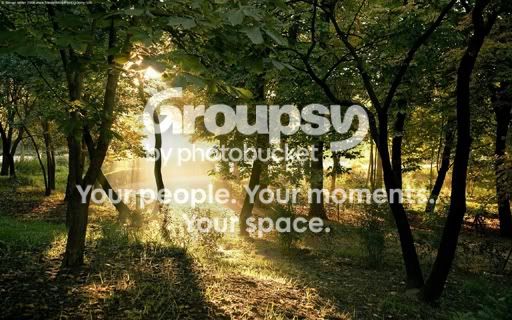
At 6am:<br>
 <br><br>
At 7am:<br>
 <br><br>
At 9am:<br>
 <br><br>
At 2pm:<br>
 <br><br>
At 7pm:<br>
 <br><br>
At 9pm:<br>
 <br><br>
At 12midnight:<br>
 <br><br>
Anyway, Just thought I would help you guys revisit this program thats a few years old now, but still a great find!<br><br>
The program can be downloaded at this link: <br>
Temporality Screens Download <br><br>
--Matt
This is my first post on this site. I just wanted to let you guys know I was searching all over the internet the last few days downloading just about every windows automatic wallpaper changer program there is. What I wanted it to do though was to be able to change the background at specified times. I just thought it would be neat to wake up in the morning checking emails, and have a nice morning picture on the background and mid day, night etc. Well I stumbled onto this forum 5 or 6 hours ago and finally found the program I needed with Temporality Screens. This program does exactly what ive been searching for. I thought id share how I have my backgrounds set up for right now incase you guys ever wanted to make use of this nice program.
One bit of helpful information for you is that if you want it to run in the background all the time, the way I did it was to set my photos up by the Hourly file that is included with the .zip file of the program. You basically rename your .JPGs as hour + the millitary time that the time change represents (eg. "hour1.jpg" would represent 1am and "hour18.jpg" would represent 6pm). So you could have 24 photos and your background would change every hour. Of course you can duplicate the files and rename them to keep the file for a longer period of time. This really is a great little program that really can allow you a more interactive feeling for windows, especially when you get creative with the vista and windows 7 'gadgets' and sidebar widgets to add to your desktop.
Im going to make a few themes for my computer, with landscapes, animals, cityscapes, cars, etc... pretty endless options.
Here is an example of how I have mine set up.
At 4 am the background changes to this:<br>
<br><br>At 6am:<br>
<br><br>At 7am:<br>
<br><br>At 9am:<br>
<br><br>At 2pm:<br>
<br><br>At 7pm:<br>
<br><br>At 9pm:<br>
<br><br>At 12midnight:<br>
<br><br>Anyway, Just thought I would help you guys revisit this program thats a few years old now, but still a great find!<br><br>
The program can be downloaded at this link: <br>
Temporality Screens Download <br><br>
--Matt


