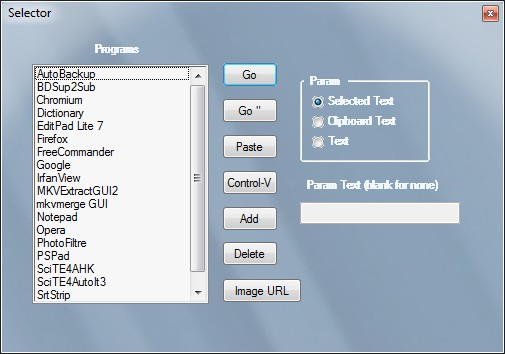
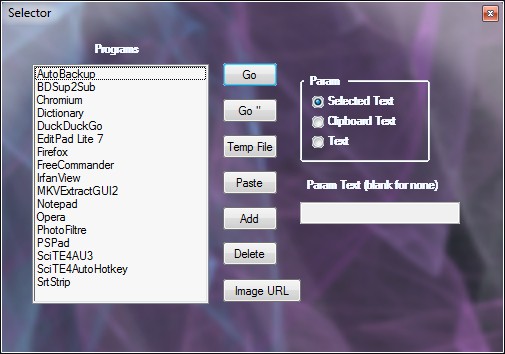
Selector 3.2.0.0 Added a new Button. Control-V. Similar to Paste Button but uses Clipboard to send to apps directly. This allows you to use it for things like opening a search engine and filling in the search terms. Looking up a word in an online dictionary. Open an editor and paste the text in directly instead of passing a tmp file on the command line.
Using this method you can do a dictionary lookup or search out of any application. Not just browsers. For it to work it's important that the Short Name in the ListBox is contained in the Window Title when the app opens. Otherwise it won't know what window to paste into.
Here's the help text for the button:
Control-V Button launches selected program and waits for it to open.
It then copies the text to clipboard and sends to the app via Control-v.
For it to work, the Window Title of the app should contain the Short Name
from the ListBox. Example would be Notepad. If the Short Name in the ListBox
is MyFavoriteEditor it will not work. The Short Name should be Notepad.
Note that there is a time-out waiting for the launched window to become
active. If the launched app is a browser or url that goes to Google
and the browser hangs waiting for DNS respone, the function will just
return. The time-out I use is 8 seconds.
edit: I updated the Control-V Button help entry with an example for adding Google searches using selected text. To look up a selected word in an online dictionary just create a shortcut to the online dictionary. The main thing is that when the browser or application opens, the Short Name as it is in the ListBox is contained in the window title. As example a Short Name of Dictionary should work with TheFreeDictionary.com. Easiest way to fix one that doesn't work is to delete it, go to the original shortcut and rename it, then drag it onto the ListBox.
edit2: also I updated the About Dialog. I didn't bump up the version number. It adds a line that F1 Help is available while the PopUp Window is open. If you have something capable of displaying TreePad .hjt files the TreePad help file is shown. Otherwise the Readme file is displayed using the default text editor. It has all the info just not as easy to navigate.
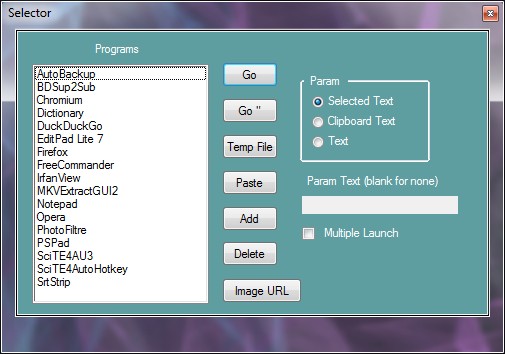
Here's a new screen shot:
[attach]


 Topic: Selector 3.4.3.0 (Read 69,808 times)