Read-only archive. This is a static copy of the DonationCoder.com forum. Reading and searching work as before; logging in, posting and private messages do not.
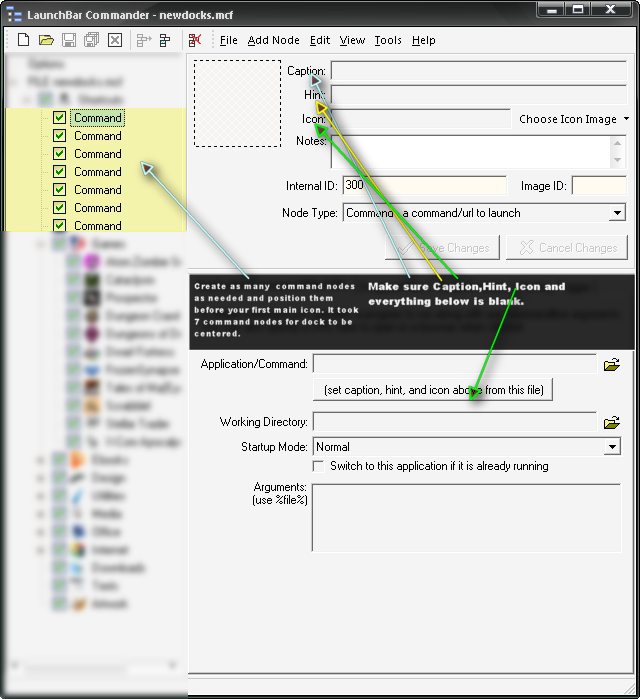
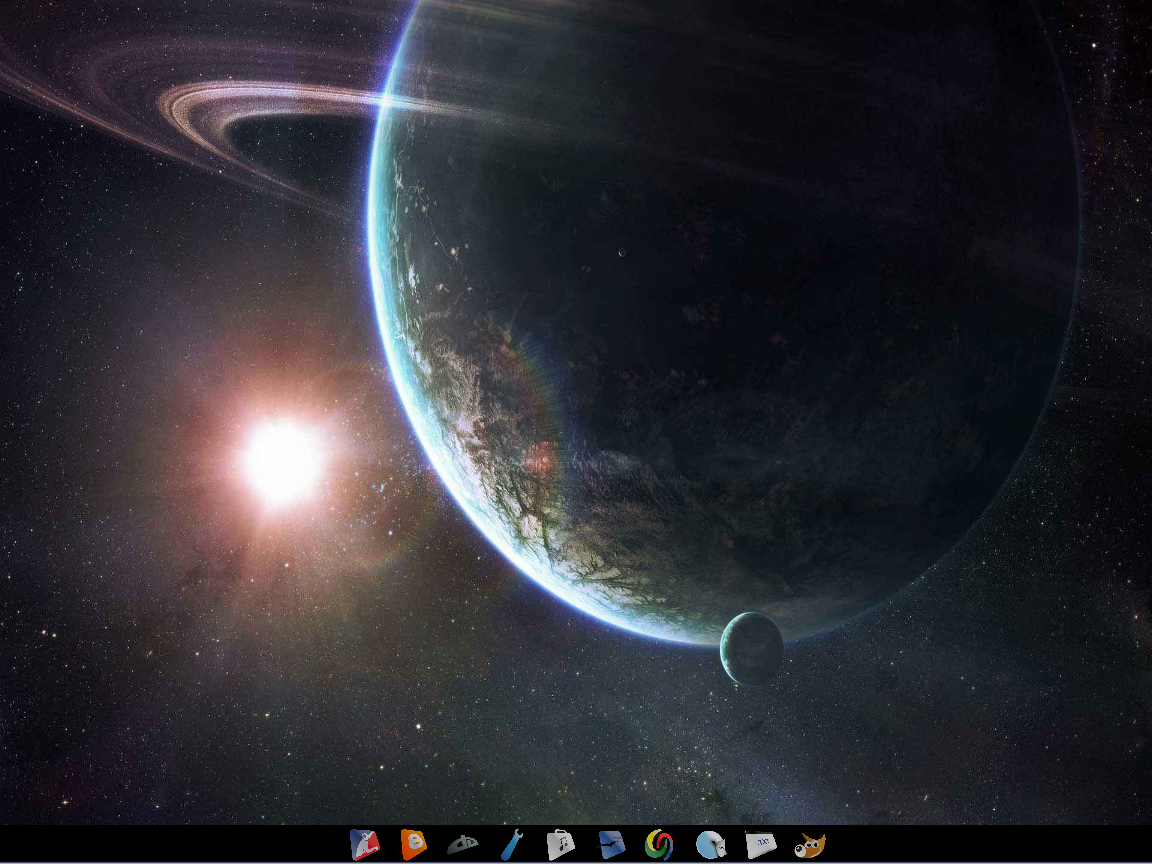
Thought I would share this. I have found a way to get a centered dock [attachthumb=#1] I have LBC docked to the bottom of my screen and I have my task bar set to auto hide. The way I was able to center the icons on my dock was by adding blank command nodes before my first icon. I keep adding extra blank command nodes until my dock icons are centered. One problem some might have is the fact if you hover over those areas where the blank command node is it will highlight the area breaking the illusion that it is centered. [attachthumb=#2] a screenshot of how I have the blank command nodes setup.
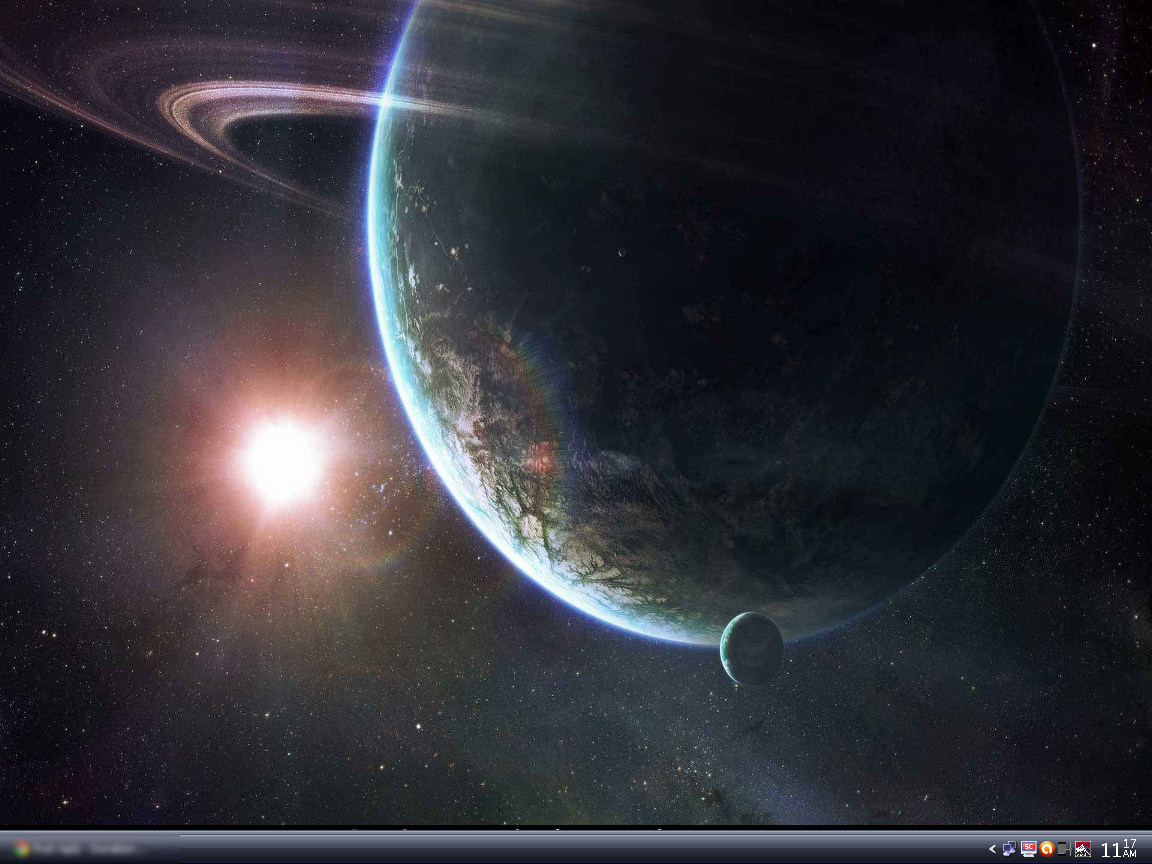
and two shots of my desktop one with my task bar active and one when its not. LBC and windows task bar seem to have problems with each other every now and then, resulting in the task bar not auto hiding. in this case you just right click the task bar and go to properties. Usually just doing that fixes it and I cancel out of the properties menu. [attachthumb=#3] I've integrated my start menu within my clock area thanks to a small app called LClock [attachthumb=#4] and my desktop without the task bar active
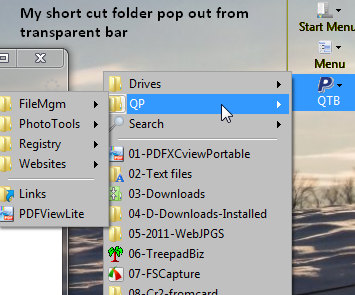
I had an existing folder with shortcuts to most used items and subfolders within that folder. Put this folder into the Launchbar and it immediately pops out with immediate acess to the subfolders PERFECT! No delay or waiting for the subfolders to display contents.
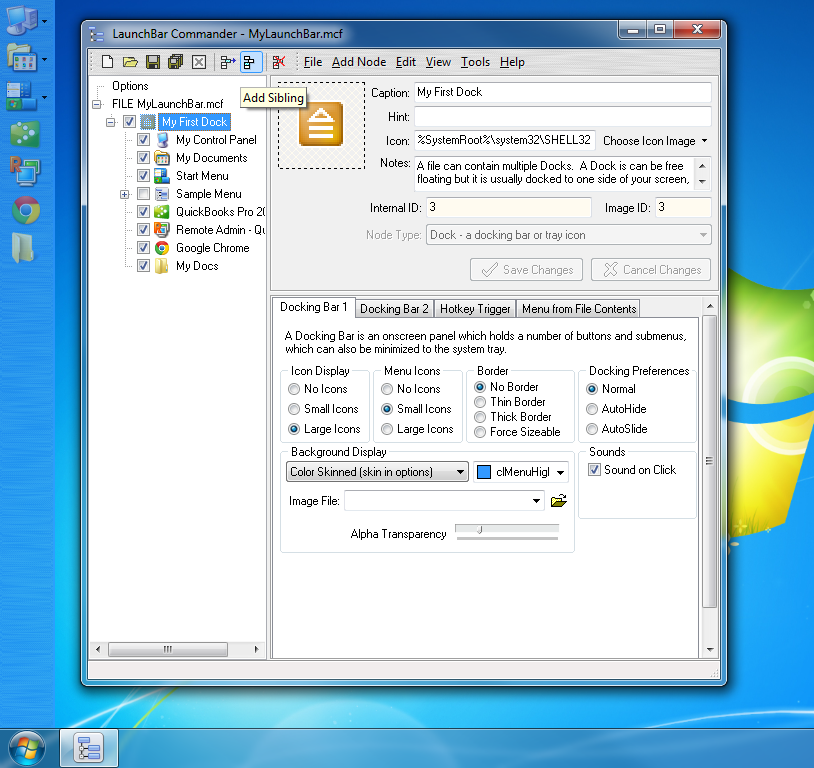
I wanted to show a screenshot of my subtle non-distracting launchbar on windows 7, because the display options for it require a bit of tweaking, but for those people like me who want their launchbar to be minimally distracting but still stay on the screen, have a look:
Note how I left the theme (in main Options tab, not shown) at Aluminium, BUT had to go into the dock and turn off the border, and change to "Color Skinned" with blue color. I also set it to have some transparency which makes it duller than it otherwise would be and makes it fade more into background.
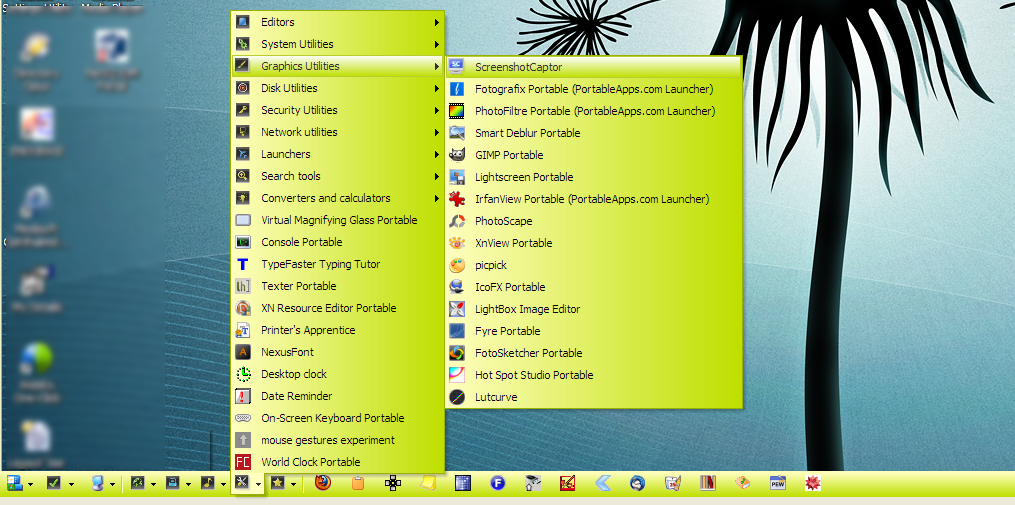
Nothing terribly clever going on here. The machine my portable HD spends most of its life attached to has its taskbar autohiding at the left edge (I like the extra space you get in the notification area in XP) and the LBC menu autohides at the bottom. I have many menus -- and submenus -- containing portable apps, the default control panel and start menu shortcuts bracket a menu that autostarts a dozen other programs [note to self: ask Mouser about maybe putting a configurable and interruptable delay on such things so I don't have to worry about hitting it by accident] and the "most used" list get icons on the main bar.
I used to have LBC always visible, full height, reserving space at the side of my screen.
Now I have my dock set to auto-slide out of the way, and non-full height, which i was initially skeptical about, but now love. Highly recommended.
Note that I have enabled the option to add extra space at start and end of dock, which is what those blank areas are at the top and bottom of the dock.
Someone, I forget who, send me their LaunchBar config, and it was a really nice text-only dock that was short and docked at the top of the screen. Basically it was like a menubar filled with custom menu items. Very nice.
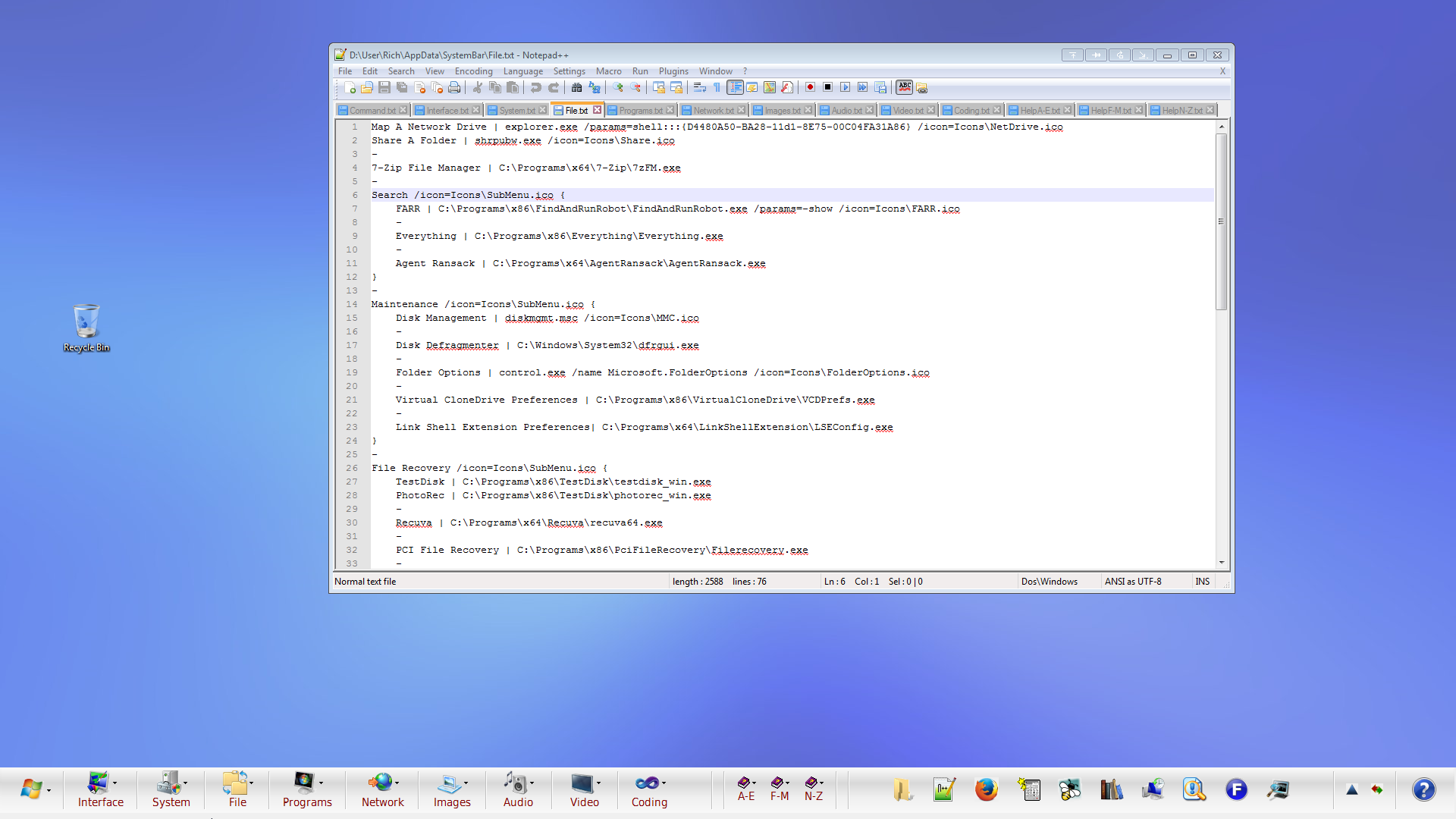
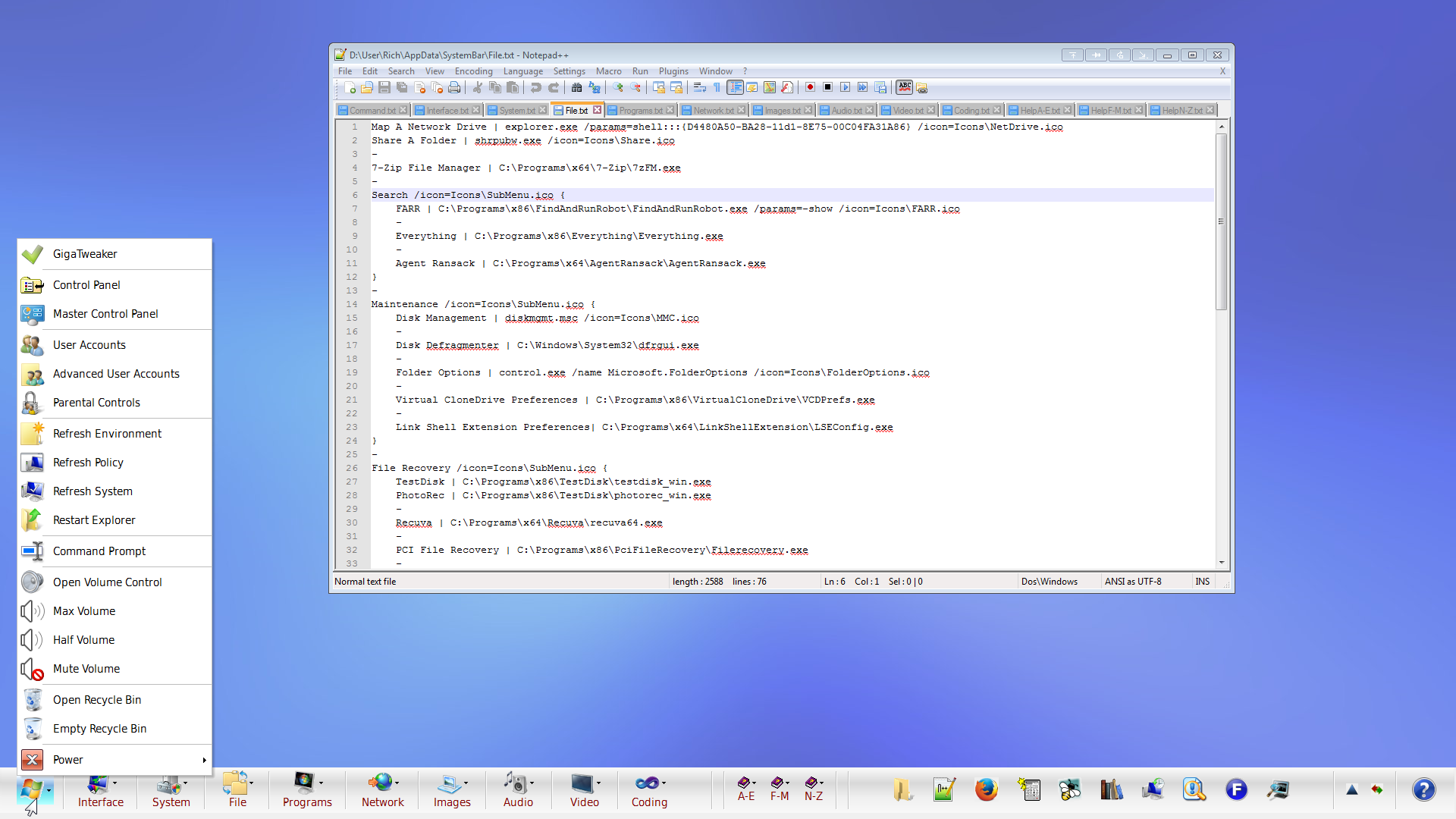
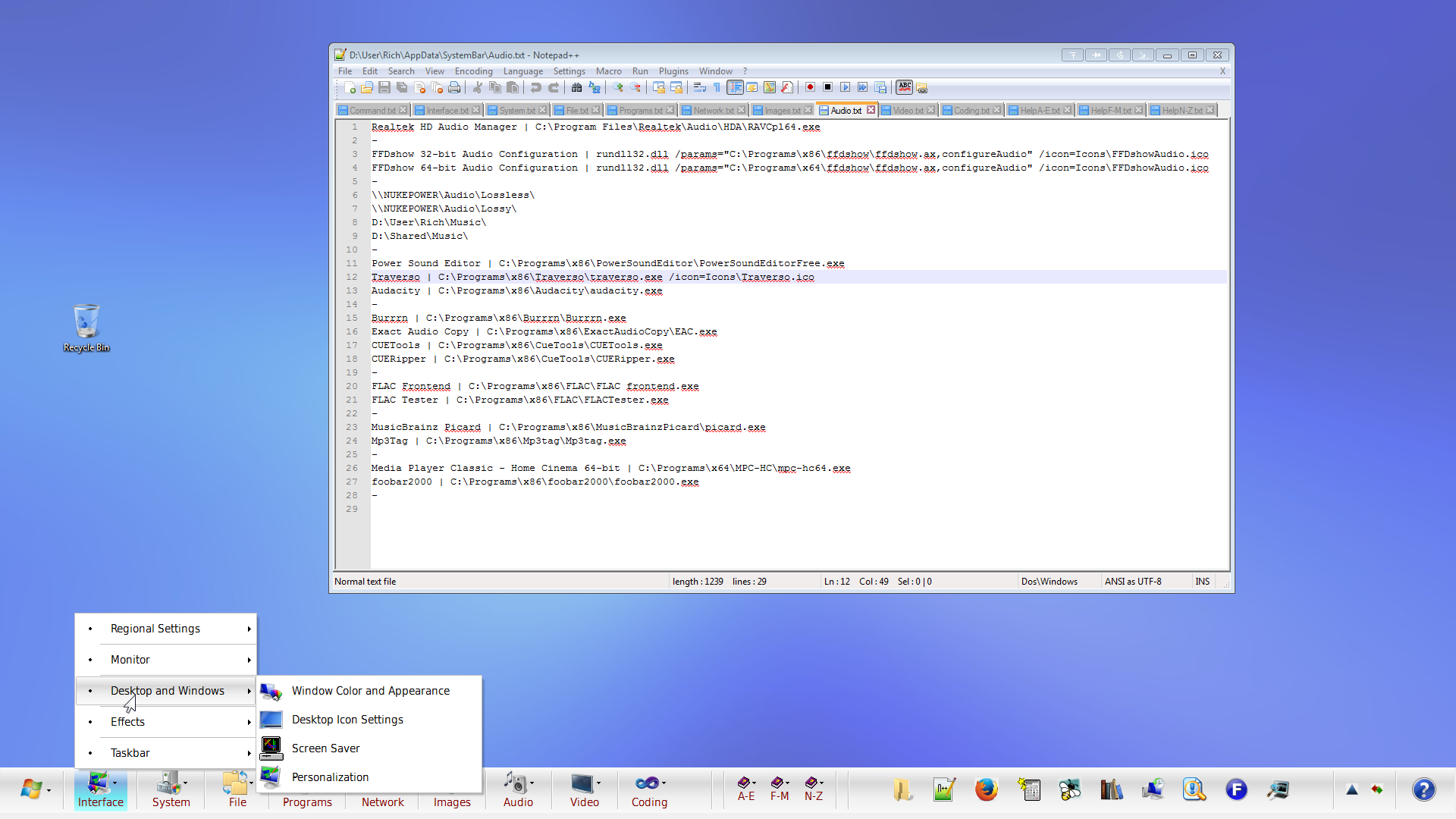
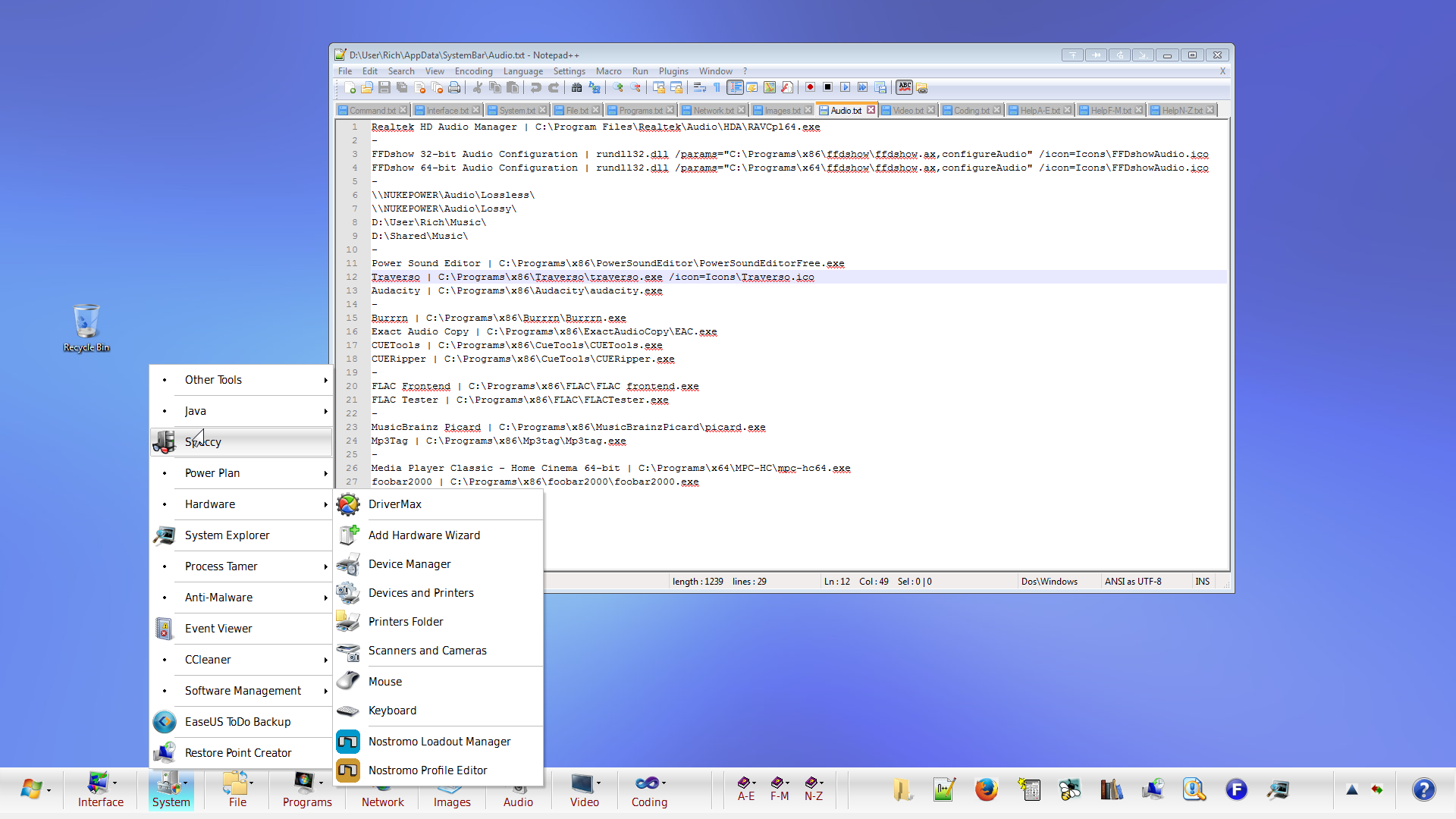
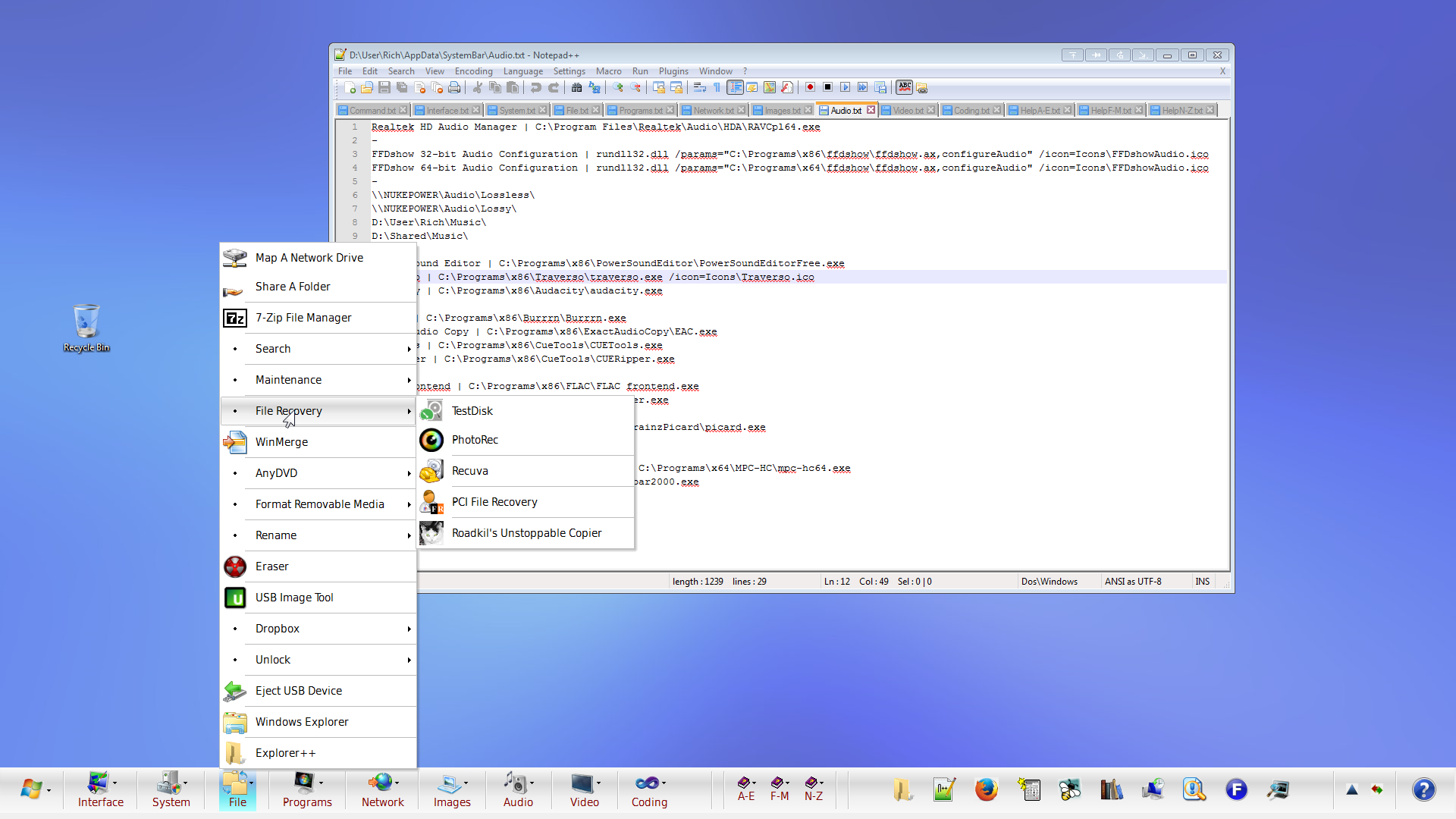
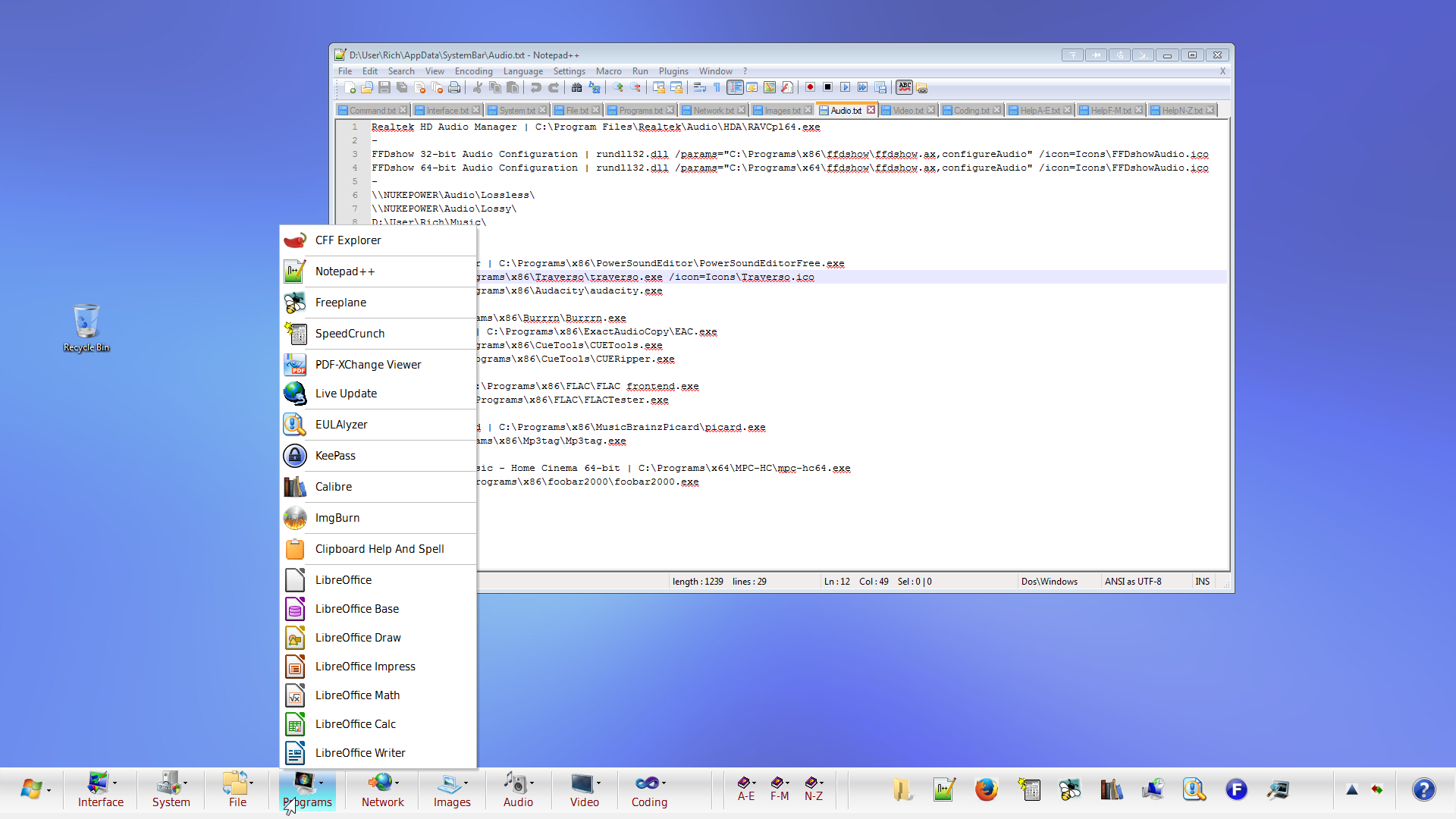
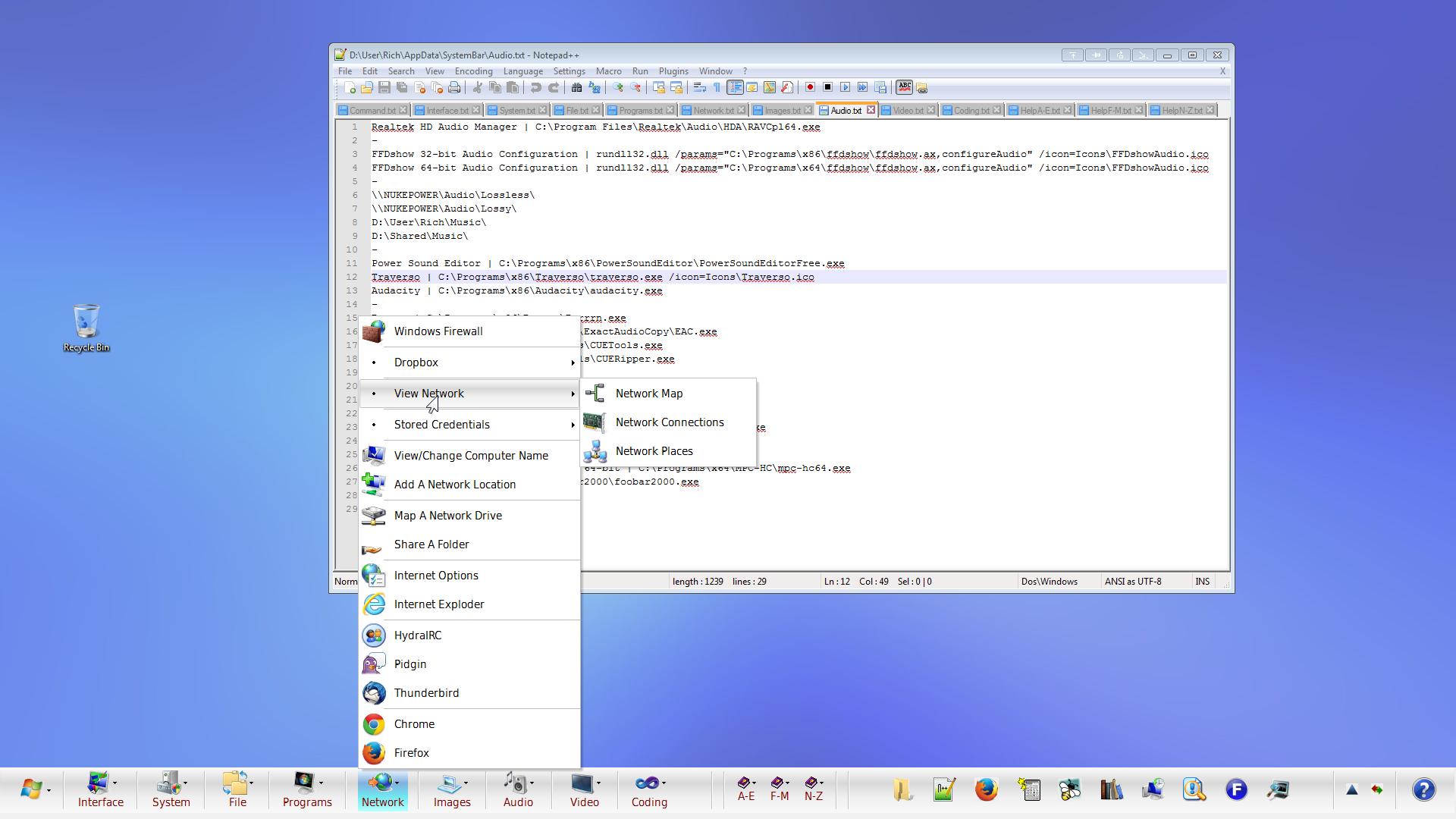
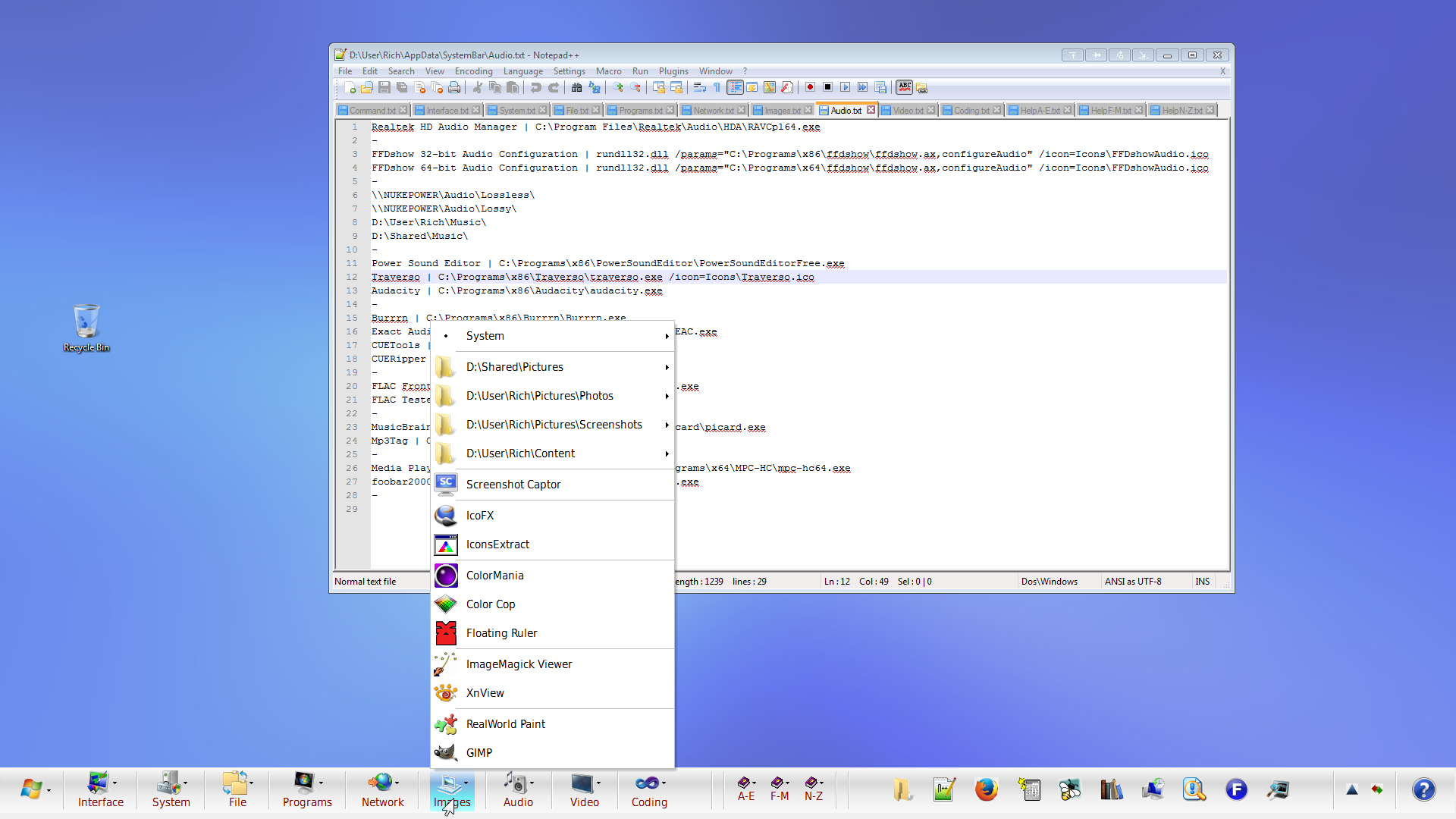
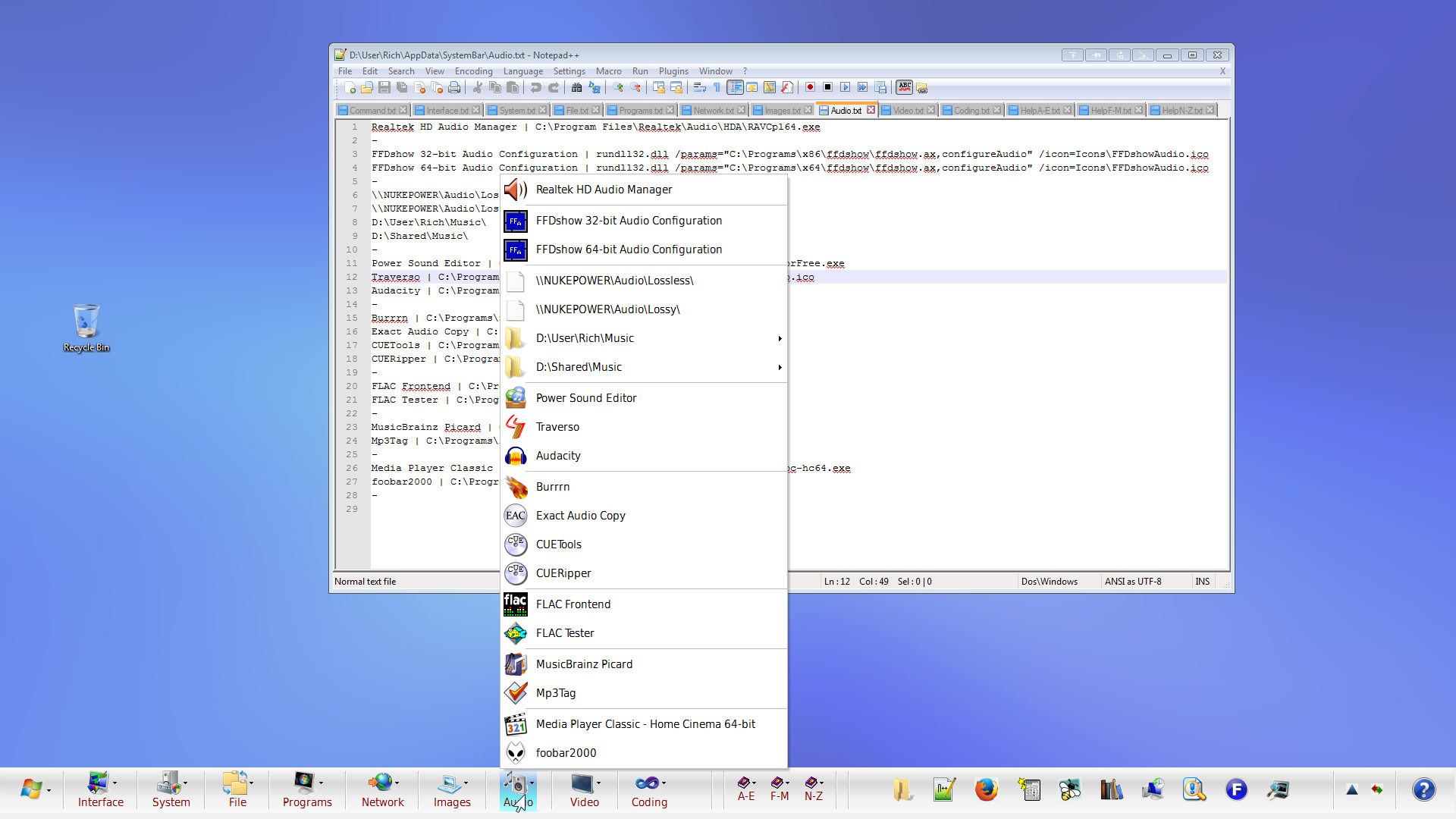
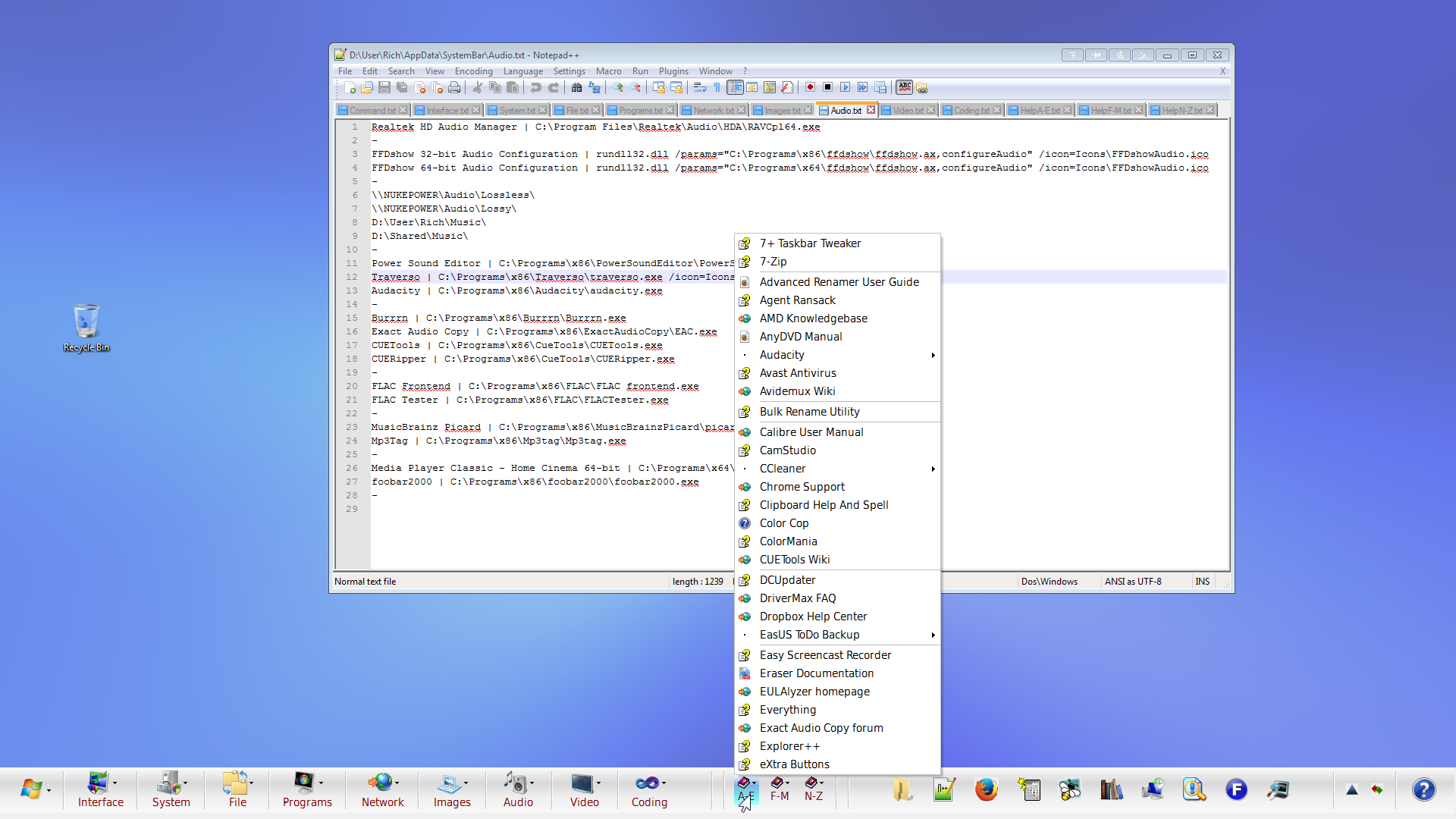
I promised mouser I would get some screenshots uploaded so it's time to make good on my threat promise. I've basically made LBC the lynchpin of an entire UI makeover for Windows 7 I've been working on for several months now. It's hard to see what's going on from the screenshots so I actually threw together a video describing it in more detail and showing how some of the bits on the bar were created / are used.
As with nearly everything I abused my tools until they gave me the results I wanted. Also, I left the screenshots at full resolution (1920x1080) so if you want a good look you'll probably have to download them.
[attachthumb=]
I learned to say the pledge of allegiance Before they beat me bloody down at the station They haven't got a word out of me since I got a billion years probation - The MC5
Follow the path of the unsafe, independent thinker. Expose your ideas to the danger of controversy. Speak your mind and fear less the label of ''crackpot'' than the stigma of conformity. - Thomas J. Watson, Sr
It's not rocket surgery. - Me
I recommend reading through my Bio before responding to any of my posts. It could save both of us a lot of time and frustration.
These 2 videos should give you a better idea of that launchbar's internal workings and how it's integrated into Windows. I've intentionally made them unlisted and disabled embedding. I'm perfectly happy with anybody who sees them here watching but they'll be coming down once I get something more professional up on AfterDawn's YouTube channel. Even if for some reason you find them interesting enough to tell your friends (or perhaps your enemies) please hold off until the new videos are done.
In case you haven't been exposed to my particular brand of long windedness I'll warn you now that they total about 21 minutes between them. They're actually a single video I split at about the halfway point to avoid dealing with Google's verification process for uploading anything longer than 15 minutes.
I learned to say the pledge of allegiance Before they beat me bloody down at the station They haven't got a word out of me since I got a billion years probation - The MC5
Follow the path of the unsafe, independent thinker. Expose your ideas to the danger of controversy. Speak your mind and fear less the label of ''crackpot'' than the stigma of conformity. - Thomas J. Watson, Sr
It's not rocket surgery. - Me
I recommend reading through my Bio before responding to any of my posts. It could save both of us a lot of time and frustration.
The screenshots look beautiful, thank you for sharing
+1 started the first video as well (@ 3min now). Getting some interesting incedental recommendations (Giga Tweaker; Total Taskbar Controller). Looking forward to seeing/hearing the launchbar related setup info.
I'm glad to hear others are getting some use out of my months of research. And I intend to do some specific videos and probably articles as well talking about the various tools I've found and adopted or seriously considered. I think of it as the upgrade Windows never gets in place of the shiny coat of paint that passes for an upgrade at Microsoft.
I learned to say the pledge of allegiance Before they beat me bloody down at the station They haven't got a word out of me since I got a billion years probation - The MC5
Follow the path of the unsafe, independent thinker. Expose your ideas to the danger of controversy. Speak your mind and fear less the label of ''crackpot'' than the stigma of conformity. - Thomas J. Watson, Sr
It's not rocket surgery. - Me
I recommend reading through my Bio before responding to any of my posts. It could save both of us a lot of time and frustration.
Yes, good videos and great 'launchbar' Vurbal - if you got a clock on it you would hardly need the taskbar at all.
I'm wondering how much of that work you've done is generic - I mean applicable to all Windows 7 systems. And of course, being the lazy beggar I am, I'm wondering if you'd consider making any of that available. I guess it would be a fair bit of work to strip out the stuff that is individual to your setup....
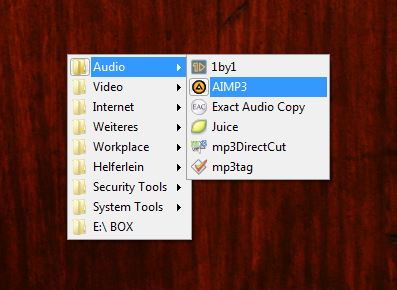
Instead of using LBC as a dock I closed it to the tray and open the menu with a shortcut if needed. Thanks to a user-specified key (with the shortcut) on my mouse I have all my software accessible under the cursor in no time.