DonationCoder.com forum
 
Read-only archive. This is a static copy of the DonationCoder.com forum. Reading and searching work as before; logging in, posting and private messages do not.
Archive of 2026-10-21 · About this archive · Main site

Author Topic: An unusual "Recent Items" context menu option  (Read 7,049 times)

wreckedcarzz

  • Still lurking. Still an anthro.
  • Charter Member
  • Joined in 2005
  • ***
  • Posts: 1,629
    • Participated in NANY Challenge Twice
    • Coding Snacks
    • Furry Fandom Badge - Furry Fandom
    • Linux User
An unusual "Recent Items" context menu option
« on: June 09, 2009, 10:08 PM »
Alright, I've been racking my brain for a week or so trying to figure out what- or more specifically WHY- I have this context menu item in my "Recent Items" list.
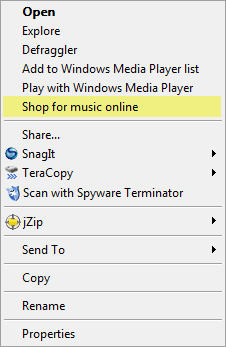
RecentItems.png

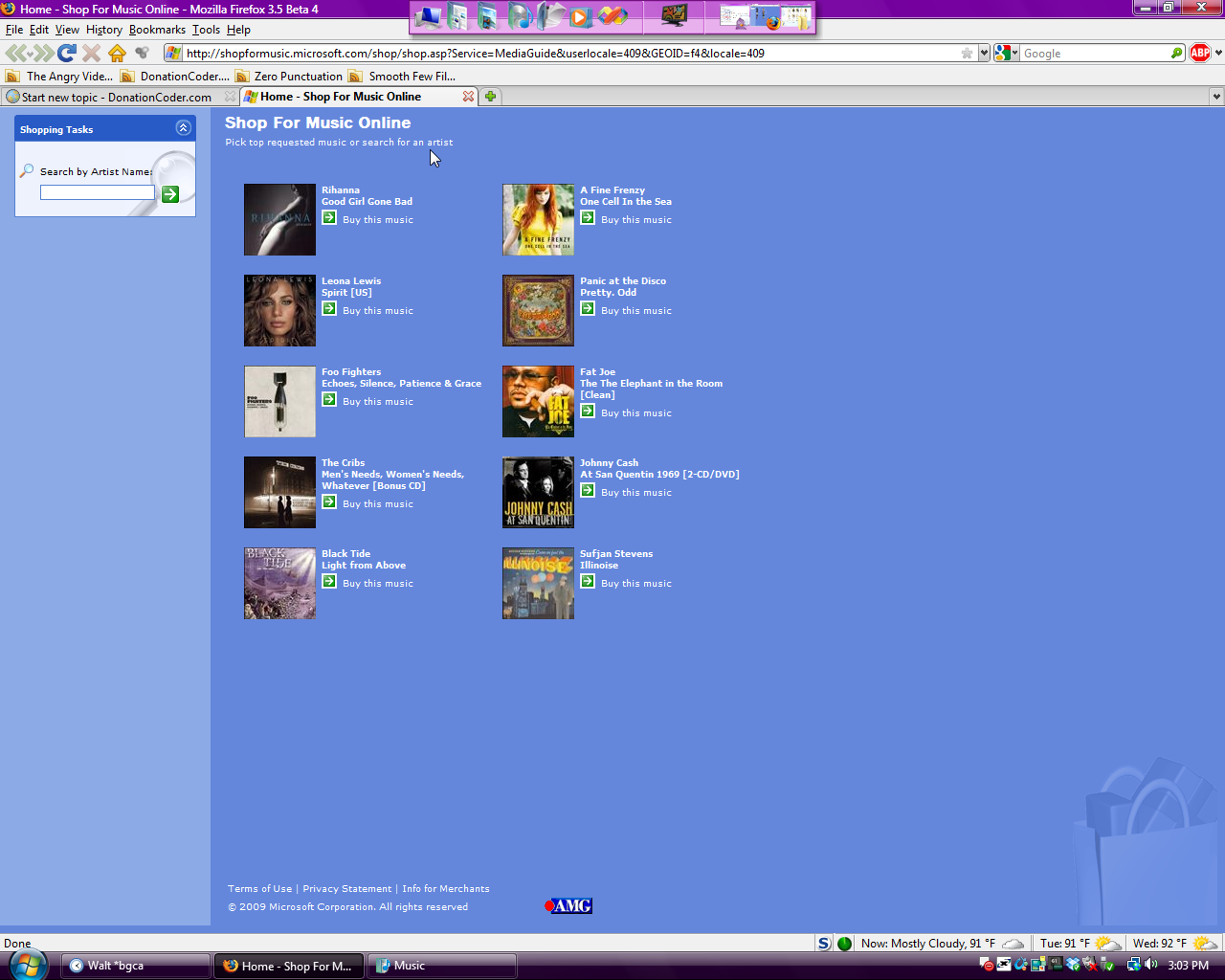
"Shop for music online" is the entry in question. It *only* appears in the Recent Items right-click context menu or when I right click on a folder in Music, nowhere else. I didn't notice it at any specific time (unsure if a certain software caused it) so I'm not sure what created it. My dad's Vista machine (also Home Premium SP1) does NOT have the entry. Both machines have WMP11 and iTunes 8.1, and upon clicking the option I am directed to a Microsoft page to buy music, looking somewhat like a primitive Windows XP-themed music store
MusicStore.png

So I guess my question(s) is... does anyone else have it, and how can I remove it? And why is it here if it looks like it was designed for XP (wouldn't it be more logical to detect the OS and switch to a Vista-themed site instead)?

EDIT: Also, there are NO music or video files in Recent Items, only some images. Regardless, the entry appears even on a fresh boot or after a CCleaner run, when the list is empty.
« Last Edit: June 09, 2009, 10:10 PM by wreckedcarzz »

MilesAhead

  • Supporting Member
  • Joined in 2009
  • **
  • Posts: 7,736
    • Coding Snacks
Re: An unusual "Recent Items" context menu option
« Reply #1 on: June 09, 2009, 10:52 PM »
Try a safe registry search app for the phrase.  Perhaps Registrar Lite.

4wd

  • Pedantic Old Bastard
  • Supporting Member
  • Joined in 2006
  • **
  • Posts: 5,652
    • Coding Snacks
Re: An unusual "Recent Items" context menu option
« Reply #2 on: June 10, 2009, 12:33 AM »
Alright, I've been racking my brain for a week or so trying to figure out what- or more specifically WHY- I have this context menu item in my "Recent Items" list.

Why rack your brain?

First hit in a search engine: "Shop for Music" in context menu

And the last comment on that page points you to NirSoft ShExView to remove it.

Another link with more info: Microsoft music store to open next year

As a guess, I would say you have an option enabled in WMP that your dad does not.

Quote
And why is it here if it looks like it was designed for XP (wouldn't it be more logical to detect the OS and switch to a Vista-themed site instead)?

Because it was designed for XP and there is some controversy over it's inclusion, (as with WMP, IE, etc, etc).

BTW, I've never seen it because I've never had WMP, in any form, installed.
"I will not follow where the path may lead, but I will go where there is no path, and I will leave a trail." - Muriel Strode, 1903
« Last Edit: June 10, 2009, 12:39 AM by 4wd »

wreckedcarzz

  • Still lurking. Still an anthro.
  • Charter Member
  • Joined in 2005
  • ***
  • Posts: 1,629
    • Participated in NANY Challenge Twice
    • Coding Snacks
    • Furry Fandom Badge - Furry Fandom
    • Linux User
Re: An unusual "Recent Items" context menu option
« Reply #3 on: June 10, 2009, 01:16 AM »
@MilesAhead:

Didn't think of a registry scan.. plus it is in multiple locations so that might cause issues.

@4wd:
Google would have been the logical way to go, but for some reason it slipped my mind and I came right to DC :-[

Actually, from your first link, a comment says that the option "only shows on folders set as "Music details"" - right clicking Recent Items and choosing Properties -> Customize shows that it is, in fact, set to "Music Details"; changing it back to "All Items" fixed it. :huh:

Thanks :Thmbsup:

Original address: https://www.donationcoder.com/forum/index.php?topic=18684.0