DonationCoder.com forum
 
Read-only archive. This is a static copy of the DonationCoder.com forum. Reading and searching work as before; logging in, posting and private messages do not.
Archive of 2026-10-21 · About this archive · Main site

Author Topic: can not capture the cursor  (Read 6,439 times)

justforregister

  • Participant
  • Joined in 2009
  • *
  • Posts: 4
can not capture the cursor
« on: June 01, 2009, 10:02 AM »
hi,
the cursor can not be captured even i updated to latest version.
my environment: windows xp sp3,
Any clue buddy?
Thanks
Best regards,
John

mouser

  • First Author
  • Administrator
  • Joined in 2005
  • *****
  • Posts: 40,931
    • Gathering Badge
    • Plugin Coding Medal
    • Participated in NANY Challenge Seventeen Times
    • Cody Award
    • Coding Snacks
    • Volunteers/Staff
Re: can not capture the cursor
« Reply #1 on: June 01, 2009, 10:05 AM »
what capture mode are you using?

justforregister

  • Participant
  • Joined in 2009
  • *
  • Posts: 4
Re: can not capture the cursor
« Reply #2 on: June 01, 2009, 12:06 PM »
Hi Mouser,
thanks for reply.
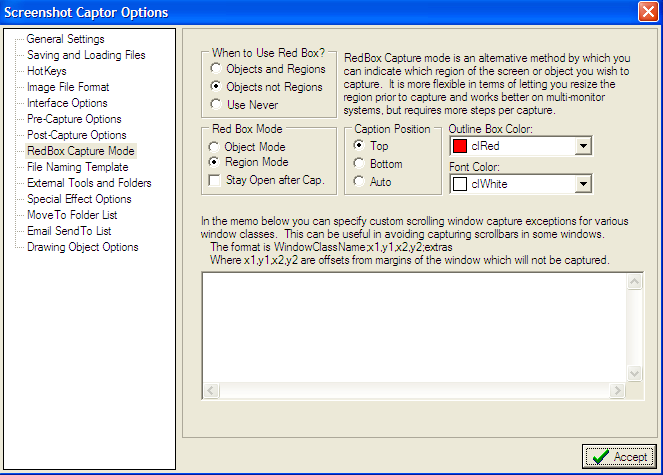
what is capture mode? Does it mean "Redbox capture mode"
i try with "grab selected region" and "Scrolling window" . the cursor is not captured.
Best regards,
John
« Last Edit: June 01, 2009, 01:45 PM by justforregister »

mouser

  • First Author
  • Administrator
  • Joined in 2005
  • *****
  • Posts: 40,931
    • Gathering Badge
    • Plugin Coding Medal
    • Participated in NANY Challenge Seventeen Times
    • Cody Award
    • Coding Snacks
    • Volunteers/Staff
Re: can not capture the cursor
« Reply #3 on: June 01, 2009, 01:06 PM »
i shouldnt have said mode, i meant what kind of capture are you trying to do where cursor doesnt appear?
does it appear if you capture screen? does it appear if you capture region?
which type of capture is it failing for you?

justforregister

  • Participant
  • Joined in 2009
  • *
  • Posts: 4
Re: can not capture the cursor
« Reply #4 on: June 01, 2009, 01:43 PM »
Hi Mouser,

  • Grab entire workspace:cursor captured
  • Grab current screen:cursor captured
  • Grab Active window:cursor captured
  • Grab selected region:cursor not captured. after I click shfit+PrtScr, the cursor will disappear in the screen
  • Grab windows object or Scrolling window:cursor not captured
Best regards,
John

Original address: https://www.donationcoder.com/forum/index.php?topic=18553.0