Read-only archive. This is a static copy of the DonationCoder.com forum. Reading and searching work as before; logging in, posting and private messages do not.
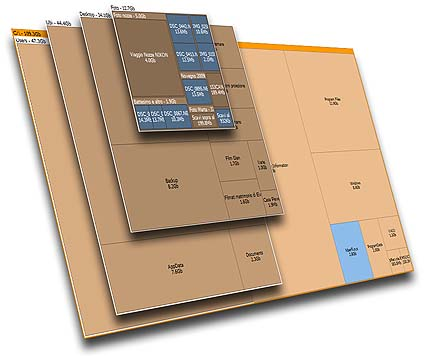
I just found out a few days ago a really nice software, somewhat comparable to spacemonger or windirstat. It's free and can be found on : http://www.uderzo.it/main_products/space_sniffer/index.html
I like it a lot. I have tried to convince the developer to join us here. Maybe this will happen...
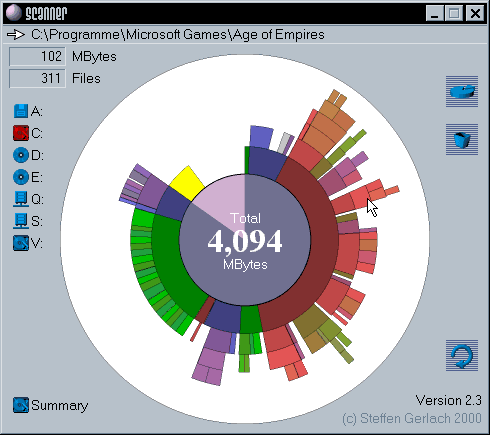
I've always liked "scanner" by Steffen Gerlach. Its biggest problem is that it's impossible to find when you have to, for example, set up a new system. Try searching google for "scanner." Good luck. Anyway, it uses a pie chart and it's a single, portable file. Hold your mouse over any particular box and it will tell you what it is and how big, click anywhere and that becomes the new center.
I recently subscribed to DonationCoder (last week) and wish to introduce myself. My name is Umberto Uderzo, I live and work in north Italy as a computer consultant and freelance programmer. Maybe you had occasion to give a look at my freeware SpaceSniffer, hope it can be considered a welcomed "new entry".
Thank you to MerleOne, that pointed me to this great site.
you've coded a nice and neat little treemap piece of software I have been waiting for since Spacemonger stopped beeing freeware and became too complicated. It is far more useful than Windirstat since it shows block frames and text. Colors are tasteful and nicely shaded. Almost nothing to improve, except maybe the possibility to:
define in the settings the block resolution (and not only by buttons)
Really tasty program, also faster at scanning than WinDirStat (for some reason I can't figure out how to stop WDS from using multiple scanning threads, which is about the lamest idea ever when not split across physical drives). The visual effect when populating is great, I really like the highlight-and-fade thing (exect on mouse hovering, but of course that's at thing you can disable).
Noutters, i'll put the "initial detail level in config" in my to do list. Speaking about the color encoding by file type, well... I really fear that with this feature SpaceSniffer would become a kind of carnival and would produce more unreadable maps. That's the reason that lead me to avoid too many colors. Anyway, I'm thinking about something (cool I hope) to better understand displayed files.
Hi Umberto, that is a very neat app and it impressed the hell out of me and my colleagues.
May I suggest something? The display shows at a glance where space is being consumed. Could the graphical output be converted to a list/report? So for instance if I see an element (folder) that has 2.5GB of files/sub folders and I need alert a number of people about the size of the folder, I'd need to present a list of the files/folders in an easy to read format.
I'm currently working on an export module that lets the user produce text files from a filtered SpaceSniffer view. The export module should be flexible enough to let you export a simple path+file list, a tree-structured layout, even a batch file containing commands for each file (example: delete).
@PhilB66: I have the latest version of Steffen Gerlach's Scanner (v2.10) and I see a registry entry at HKEY_CURRENT_USER\Software\Steffen Gerlach\Scanner, but HKEY_CLASSES_ROOT\FSOnlineScanner throws me for a loop. Not that it's of any great significance, but could somebody confirm this registry entry for Scanner. Curiosity killed the cat, as they say.