DonationCoder.com forum
 
Read-only archive. This is a static copy of the DonationCoder.com forum. Reading and searching work as before; logging in, posting and private messages do not.
Archive of 2026-10-21 · About this archive · Main site

Author Topic: Bug? - Blank GUI  (Read 10,721 times)

kfitting

  • Charter Member
  • Joined in 2005
  • ***
  • Posts: 593
Bug? - Blank GUI
« on: December 11, 2005, 10:12 PM »
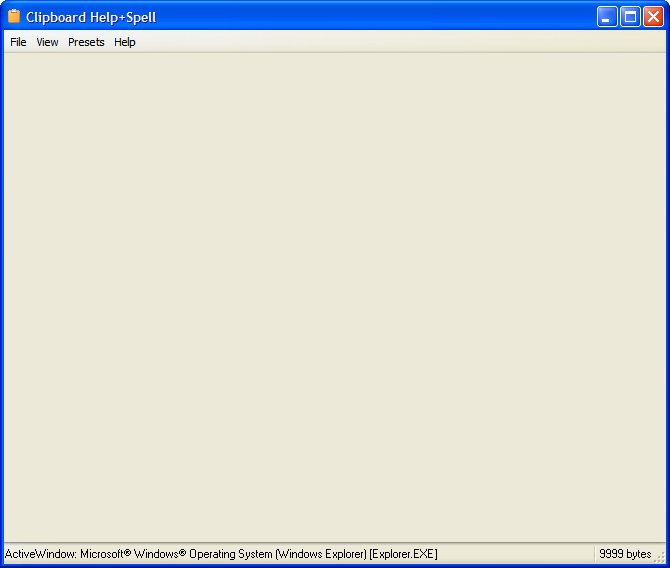
I copied the CHS exe's over the old version and now when I double click on the tray icon I get a blank gui... just the menu bar shows.  Not sure if this is something I did or if it's a bug, though. 

Kevin

mouser

  • First Author
  • Administrator
  • Joined in 2005
  • *****
  • Posts: 40,931
    • Gathering Badge
    • Plugin Coding Medal
    • Participated in NANY Challenge Seventeen Times
    • Cody Award
    • Coding Snacks
    • Volunteers/Staff
Re: Bug? - Blank GUI
« Reply #1 on: December 12, 2005, 12:06 AM »
you should be able to just copy over the exe, and yeah a blank gui would be a bad thing :(
did it give its normal balloon messages in tray saying its starting up and ready?
maybe exit and restart and make sure you wait some seconds before double clicking.

kfitting

  • Charter Member
  • Joined in 2005
  • ***
  • Posts: 593
Re: Bug? - Blank GUI
« Reply #2 on: December 12, 2005, 12:20 AM »
I reactivated balloon tips and they showed up fine, but still a no-go on the GUI.  I don't get any error indications.  When you copy the files from the new version over the old, should you copy over all files?  I just did the ones in the main directory not the subfolders (figured that would just lose my settings/database).

Kevin

mouser

  • First Author
  • Administrator
  • Joined in 2005
  • *****
  • Posts: 40,931
    • Gathering Badge
    • Plugin Coding Medal
    • Participated in NANY Challenge Seventeen Times
    • Cody Award
    • Coding Snacks
    • Volunteers/Staff
Re: Bug? - Blank GUI
« Reply #3 on: December 12, 2005, 12:23 AM »
hmm i wonder if i should pull this version until i get more reports..
you really should not need to do anything but copy over the exe.
let me test a new install.

can you make me a screenshot?

mouser

  • First Author
  • Administrator
  • Joined in 2005
  • *****
  • Posts: 40,931
    • Gathering Badge
    • Plugin Coding Medal
    • Participated in NANY Challenge Seventeen Times
    • Cody Award
    • Coding Snacks
    • Volunteers/Staff
Re: Bug? - Blank GUI
« Reply #4 on: December 12, 2005, 12:25 AM »
the only thing i can think of is
look at status bar.. does it say it is "cleaning/compacting" the data?

kfitting

  • Charter Member
  • Joined in 2005
  • ***
  • Posts: 593
Re: Bug? - Blank GUI
« Reply #5 on: December 12, 2005, 02:04 AM »
No, it tells me what the active window is...  I'll try rebooting.

Kevin

Rebooting changed nothing.  The menus do seem to work.
« Last Edit: December 12, 2005, 02:16 AM by kfitting »

mouser

  • First Author
  • Administrator
  • Joined in 2005
  • *****
  • Posts: 40,931
    • Gathering Badge
    • Plugin Coding Medal
    • Participated in NANY Challenge Seventeen Times
    • Cody Award
    • Coding Snacks
    • Volunteers/Staff
Re: Bug? - Blank GUI
« Reply #6 on: December 12, 2005, 04:08 AM »
ok i bet i know what's wrong, but not why it's occured for you
i'll bet somehow it's "docking view" has gotten messed up and it's just that all the docked windows are "closed"
maybe the docking preset files got messed up, or something like that.

The same thing would happen if you somehow dragged all your docking windows off the main form and then closed them.

Try choosing another docking preset from the "Presets" menu.  You should see views for "Standard" and others to choose from, if not then your installation is missing these and that would explain the problem, and you should reinstall.

kfitting

  • Charter Member
  • Joined in 2005
  • ***
  • Posts: 593
Re: Bug? - Blank GUI
« Reply #7 on: December 13, 2005, 01:15 AM »
Nice diagnosis... chose a preset and it works fine.  Thanks!

Kevin

Original address: https://www.donationcoder.com/forum/index.php?topic=1782.0