
Those who use cleanmem like it.
The rest of the story is already posted.
The rest of the story is already posted.


 Topic: Rambooster. Junk? (Read 58,298 times)


Those who use cleanmem like it.And there's people who believe in the tooth fairy as well
The rest of the story is already posted.

 - carpe noctem
... Remarks: You can also use the SetProcessWorkingSetSize function to do what EmptyWorkingSet does if you pass it -1 for the minimum and maximum sizes.
- carpe noctemYeah, fodder, and XP does it's job so well...I have 8GB of RAM in my workstation right now and run without pagefile, so I can't do any "testing" - what would you want me to post, anyway?
I don't know why you don't even try it.
If you haven't.
With your knowledge you could post some real figures.
- carpe noctemsounds like bull (or incorrect testing) to me - I haven't done very intensive RE of the APIs ... stuff could work slightly differently - I very much doubt that there's any substantial difference ... I might just end up doing some more intensive RE of the issue, since I like getting to the bottom of things.
Ram being occupied without use is a waste also.A lot of people don't understand what goes into Windows (and other modern OS) memory management, though - all they see is a "free memory" figure, which they then obsess over. To be fair, it is a rather advanced subject, and the standard Windows task manager doesn't help the situation (calling commit-charge "PF usage" on XP, leading people to think they always have a lot of stuff paged out to disk, for instance).
Which is the point of all this about CleanMem, I believe.
So it doesn't look like you are in a position to talk of 'bull' -- since Shane is so far the only one who specifically talks about comparing the effect of the two functions on the page file. It is always possible for a programmer to err, yet you acknowledge the functions are not operationally identical, a key point. So if Shane erred it would have to be demonstrated and would likely have been simply his own technical difficulty (e.g. "incorrect testing") nothing deceptive or shamistic. And so far we are not in any position to say he erred.I'm not saying Shane is deceptive or shamistic, and perhaps bull was too harsh a word to use. I still do find it unlikely that the two calls should have a different effect, though, since they both call the same low-level API. I acknowledge there's a risk I could be wrong, but I doubt it
Possible advantages -- unused RAM is not wasted -- since it is *immediately* available for usage. Where XP seems to trip up is that at the moment that you hit enter .. XP says .. oops, I need some RAM pronto .. do this, do that, do the other .. and your keystrokes are waiting. You go out for morning herb tea or Teccino or coffee. Perhaps with this background work the new action springs into play immediately, or quicker. More a timing and prep-chef type of thing.The only time you will see noticable waiting time from a memory request is in the case where stuff has to be written out to the paging file. Yes, when memory is freed from one process it has to be zeroed out before being handed over to another process (security reasons), but I'd like to see a computer capable of running NT where you're able to measure the effect of this.
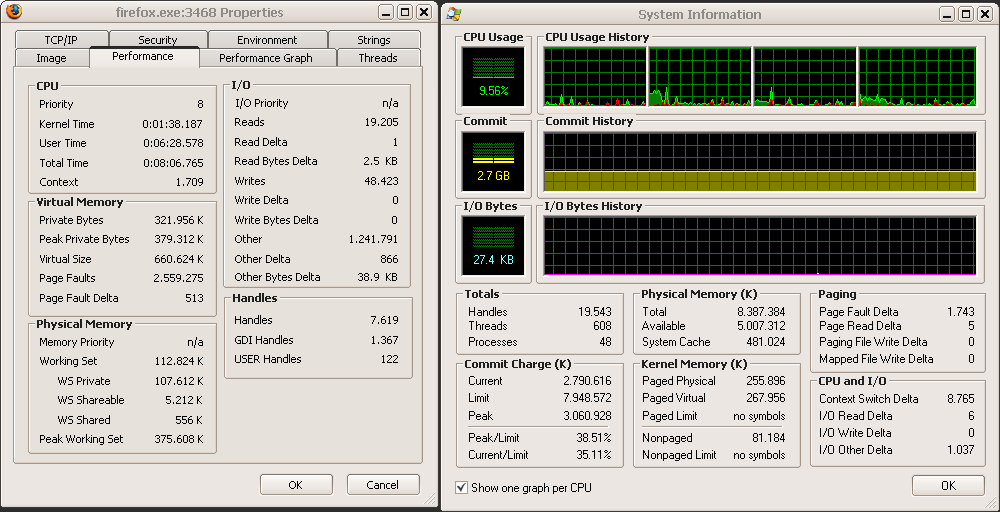
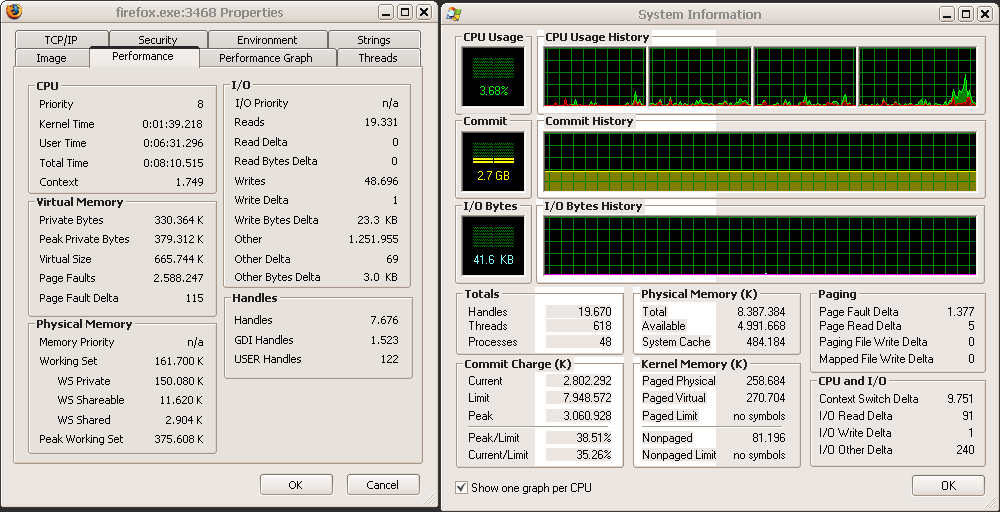
- carpe noctem . I should ask Shane to give a balloon notification option at least when the scheduler runs. . The three screenshots are before trim, right after trim, and after looking through the 6 active tabs again (no scrolling, no loading of new pages, no pressing anything except activation each of the three tabs).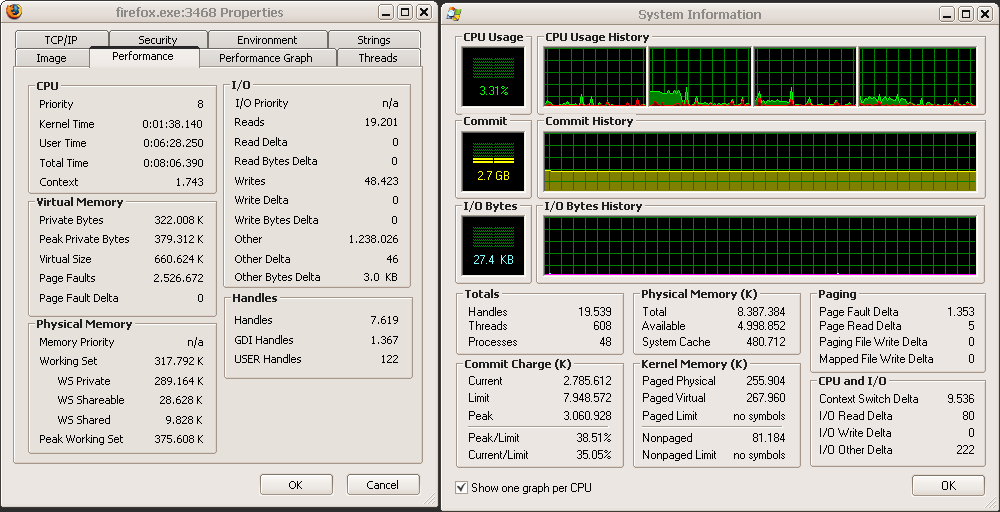
 - carpe noctem
 - carpe noctem
For the rest of your post... the maximum memory saving you got was 100kb? Waaauw. Even if you had 20 processes that were trimmed like that, you'd save a whopping 2MB of memory.Which is quite a bit on my current 1MB system (twice the total memory !) and will be quite a bit on any XP sytem, where the max usable for programs is about 3.5 MB. Why you think 2MB is twiddles is a real puzzle, I think you have too much emotionally invested in your view.
Add to that that you risk paging out a crapload to the pagefile (SLOW!),
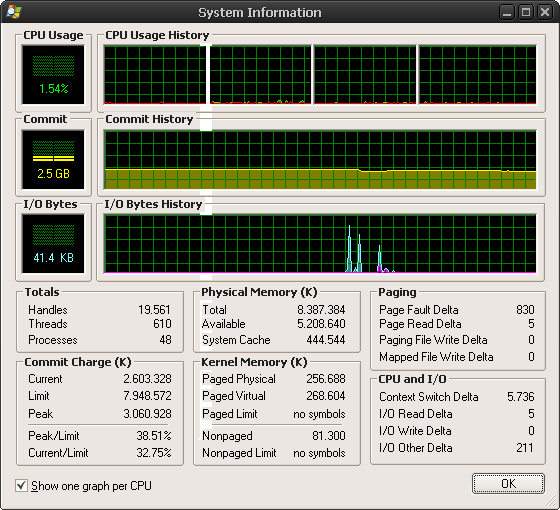
For fun, I closed FF, saving tabs, then re-launched it, and waited for the youtube video I had open to buffer fully. The result is the following screenshot... ~210MB saved. Have I made my point yet?


1. EmptyWorkingSet Function isn't SetProcessWorkingSetSize Function!Show me proof?
2. "Empty.exe" (Microsoft tool) isn't "Clearmem.exe" (MS tool also)! Their actions are not the same!I don't know those two tools, but if one works by "allocate insane amounts of memory" (lame) and the other does SetProcessWorkingSetSize(p,-1,-1) on all processes (better, but misguided) - sure.
P.S.: Worse than real Windows Myths are... the Myths created by "experts" guys with the Windows Anti-Myths...Myths are bad, no matter who propagates them. I digged into the issue and have shown my findings... if you'd rather believe fairytales, your problem.
Which is quite a bit on my current 1MB system (twice the total memory !) and will be quite a bit on any XP sytem, where the max usable for programs is about 3.5 MB. Why you think 2MB is twiddles is a real puzzle, I think you have too much emotionally invested in your view.So, you're comparing the results of running a memory trimmer on a regular x86 box to memory constraints on a smartphone? Come on, be serious.
- carpe noctemQuote from: f0dder
For the rest of your post... the maximum memory saving you got was 100kb? Waaauw. Even if you had 20 processes that were trimmed like that, you'd save a whopping 2MB of memory.
Steven-
Which is quite a bit on my current 1MB system (twice the total memory !)
As for the rest of that paragraph, huh? If you get into a situation where you need a hardboot, something is wrong.Yes, XP memory management is wrong, it is grossly deficient when you are running a dozen or two programs and it has 1 GB to work with, the OS using about 1/2. That is what is wrong. Especially if some programs are like Eudora and Firefox.
Yes, XP memory management is grossly deficient when you are running a dozen or two programs and it has a 1 GB to work with. That is what is wrong.I used to run 32bit XP with a gig of memory, page file disabled, and no problems whatsoever. Including several weeks of uptime (this was before I had a linux server to do various tasks), and running both games and heavy stuff like visual studio.
This occurs on any system. You probably avoid it by watchiong memory and closing programs and such. I've seen it on puter after puter. XP will choke very easily, forcing a hard boot.
- carpe noctemSounds like your system is seriously messed upActually it is quite good, significantly better with CleanMem, most significantly better after a reboot, especially one where I restart (clear) the Firefox tabs ... Every system is different. I'm sure others could tell you how .. under heavy usage .. their system slows and, if not addressed preemptively, tends, after a few hours or a day or more, towards a click and stop and lockup. The fact that you had a particular installation or two with heavy usage and specific software means next to nothing. I have another system at work with 2 Gigabyte and a faster processor and without Eudora and with less loaded and it is generally much lighter and faster. Absolutely no need for CleanMem there. I have another XP system that is older and less memory and was more of a problem. There are always a huge number of variables.
Original address: https://www.donationcoder.com/forum/index.php?topic=17528.0