DonationCoder.com forum
 
Read-only archive. This is a static copy of the DonationCoder.com forum. Reading and searching work as before; logging in, posting and private messages do not.
Archive of 2026-10-21 · About this archive · Main site

Author Topic: [SOFTWARE]: Multiple Monitor Support Question  (Read 8,203 times)

Josh

  • Charter Honorary Member
  • Joined in 2005
  • ***
  • Posts: 3,411
    • Gathering Badge
    • Official Forum Clown
    • Coding Snacks
    • Plugin Coding Medal
    • Volunteers/Staff
    • Military Service Badge - US Army
    • Furry Fandom Badge - Furry Fandom
    • Linux User
[SOFTWARE]: Multiple Monitor Support Question
« on: March 19, 2009, 10:01 PM »
I am looking for an application which allows, via hotkey, the ability to send the active window to the other monitor in a dual monitor setup. Preferrably freeware, but commercial software will not be turned down.

I have tried ultramon, but it gives me issues on vista with windows being forced "on top" with no apparent way to disable it. I have found myself having to uninstall this application for that very reason so I am looking for alternatives.

Any thoughts?
Strength in Knowledge

cranioscopical

  • Friend of the Site
  • Supporting Member
  • Joined in 2006
  • **
  • Posts: 4,776
    • Cody Award
    • Official Forum Clown
    • rotten turkey sandwich - Rotten Turkey Sandwich
Re: [SOFTWARE]: Multiple Monitor Support Question
« Reply #1 on: March 19, 2009, 10:35 PM »
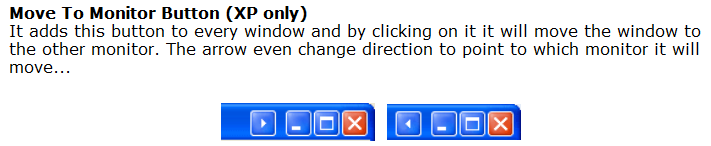
Try Multimon
[attach]
Chris

Josh

  • Charter Honorary Member
  • Joined in 2005
  • ***
  • Posts: 3,411
    • Gathering Badge
    • Official Forum Clown
    • Coding Snacks
    • Plugin Coding Medal
    • Volunteers/Staff
    • Military Service Badge - US Army
    • Furry Fandom Badge - Furry Fandom
    • Linux User
Re: [SOFTWARE]: Multiple Monitor Support Question
« Reply #2 on: March 20, 2009, 12:00 AM »
I was more hoping for a hotkey solution as I hate using the mouse. I use the mouse as little as possible. I will try this, none-the-less. Thanks :)
Strength in Knowledge

cranioscopical

  • Friend of the Site
  • Supporting Member
  • Joined in 2006
  • **
  • Posts: 4,776
    • Cody Award
    • Official Forum Clown
    • rotten turkey sandwich - Rotten Turkey Sandwich
Re: [SOFTWARE]: Multiple Monitor Support Question
« Reply #3 on: March 20, 2009, 01:09 AM »
I was more hoping for a hotkey solution as I hate using the mouse. I use the mouse as little as possible. I will try this, none-the-less. Thanks :)

From the web page "You can now use Hot-Keys CTRL+SHIFT+arrow to move the current window left or right!"
Chris

lanux128

  • Global Moderator
  • Joined in 2005
  • *****
  • Posts: 6,277
    • Coding Snacks
    • Volunteers/Staff
    • Gathering Badge
    • Participated in NANY Challenge Once
    • Linux User
Re: [SOFTWARE]: Multiple Monitor Support Question
« Reply #4 on: March 20, 2009, 01:57 AM »
you can try Lexikos' WindowPad

Quote
;   QUICKER Monitor Switch:
;     Win+NumpadDot switches to the next monitor (1->2->3->1 etc.)
;     Win+NumpadDiv moves ALL windows to monitor 2.
;     Win+NumpadMult moves ALL windows to monitor 1.

or FreeSnap 1.5

Quote
When multiple monitors are detected, FreeSnap remaps the "Win+5" key to move the window from one monitor to the next.

PhilB66

  • Supporting Member
  • Joined in 2007
  • **
  • Posts: 1,522
Re: [SOFTWARE]: Multiple Monitor Support Question
« Reply #5 on: March 20, 2009, 02:36 AM »
Have a look at MoveToMon & MaxMove scripts.

ZBar is similar to Multimon. You could move Windows to the next screen with a keyboard shortcut.

BigJim

  • I have seen the light!
  • Supporting Member
  • Joined in 2007
  • **
  • Posts: 178
Re: [SOFTWARE]: Multiple Monitor Support Question
« Reply #6 on: March 20, 2009, 04:07 AM »
Then there's Display Fusion which will do what you want and a whole lot more!  :Thmbsup:
TruckerJim says "You can go down a hill too slow a thousand times. But too fast only once."

Original address: https://www.donationcoder.com/forum/index.php?topic=17524.0