DonationCoder.com forum
 
Read-only archive. This is a static copy of the DonationCoder.com forum. Reading and searching work as before; logging in, posting and private messages do not.
Archive of 2026-10-21 · About this archive · Main site

Author Topic: Searching through page content in Firefox Bookmarks  (Read 12,091 times)

justice

  • Solve issues simply.
  • Supporting Member
  • Joined in 2006
  • **
  • Posts: 1,898
    • Participated in NANY Challenge Four Times
    • Cody Award
    • Coding Snacks
    • DJ Badge - DJ
Searching through page content in Firefox Bookmarks
« on: February 02, 2009, 11:46 AM »
Title says it all really, I've got a few hundred bookmarks now. More often than not I want to find something on a page I bookmarked, but the bookmarking mechanism in Firefox - as opposed to Opera - only allows you to search through url and title (and tags).

What's the best way to search through actual page content? I hope someone's made an extension that indexes bookmarks page content periodically in the background that I can search through.

Cus, I'm not looking forward to copy and pasting a few hundred webpages into something like evernote and manually checking if the information is updated every sunday :P

Any ideas, tips, flames etc (except for putting a donk on it)?
« Last Edit: February 02, 2009, 11:47 AM by justice »

justice

  • Solve issues simply.
  • Supporting Member
  • Joined in 2006
  • **
  • Posts: 1,898
    • Participated in NANY Challenge Four Times
    • Cody Award
    • Coding Snacks
    • DJ Badge - DJ
Re: Searching through page content in Firefox Bookmarks
« Reply #1 on: February 02, 2009, 11:55 AM »
After thinknig about it again I guess i want the information to be accessible even when the page might disappear - so starting up Evernote. When clipping with Evernote it saves the url so I can go online and check for updated information.

sri

  • Honorary Member
  • Joined in 2006
  • **
  • Posts: 689
Re: Searching through page content in Firefox Bookmarks
« Reply #2 on: February 02, 2009, 01:34 PM »
https://www.iterasi.net/Home.aspx is made just for you justice :)

tinjaw

  • I'm so glad breakbeat techno isn't an illegal drug
  • Supporting Member
  • Joined in 2006
  • **
  • Posts: 1,927
    • Participated in NANY Challenge Twice
    • Coding Snacks
    • Military Service Badge - US Army
    • Linux User
Re: Searching through page content in Firefox Bookmarks
« Reply #3 on: February 02, 2009, 01:40 PM »
I think a good solution would be to use WebSite-Watcher. WebSite-Watcher caches the pages you are watching locally. You could then include those pages in the index of your prefered search tool.

justice

  • Solve issues simply.
  • Supporting Member
  • Joined in 2006
  • **
  • Posts: 1,898
    • Participated in NANY Challenge Four Times
    • Cody Award
    • Coding Snacks
    • DJ Badge - DJ
Re: Searching through page content in Firefox Bookmarks
« Reply #4 on: February 02, 2009, 01:55 PM »
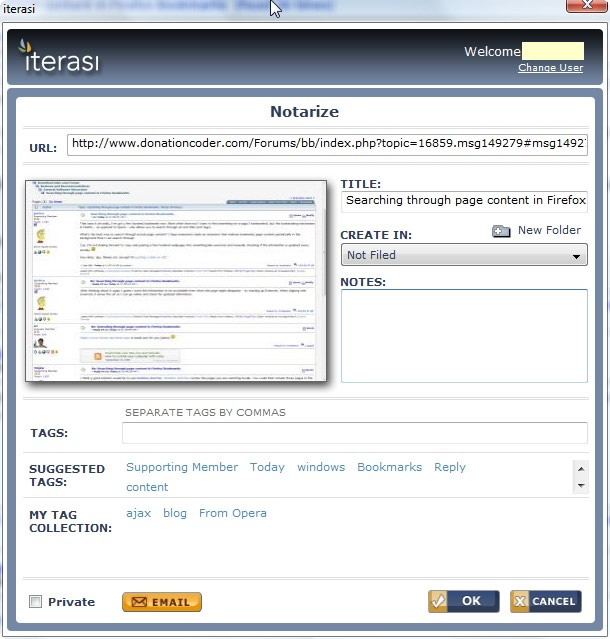
o yeah Iterasi imports firefox and delicious bookmarks  :greenclp:
tinjaw clever idea! Should look into that too.

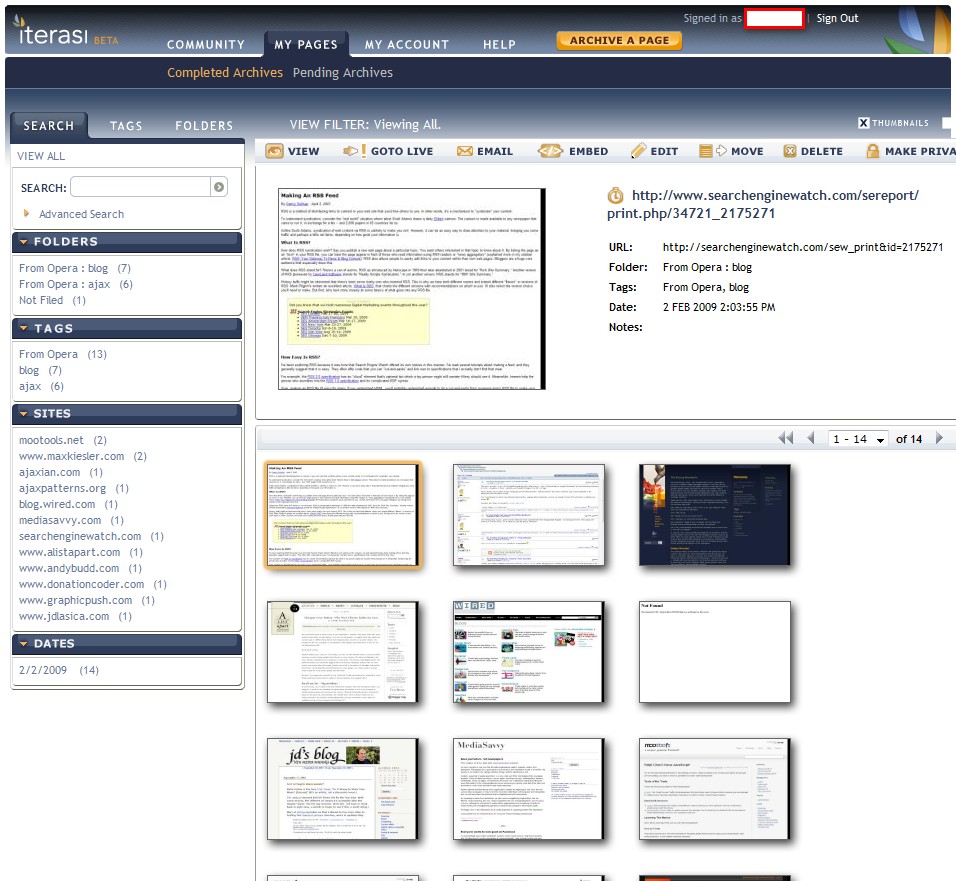
edit: wow this is the sweetest thing i've seen in a long time!
2009-02-02_140544.jpg
2009-02-02_140336.jpg
« Last Edit: February 02, 2009, 02:08 PM by justice »

justice

  • Solve issues simply.
  • Supporting Member
  • Joined in 2006
  • **
  • Posts: 1,898
    • Participated in NANY Challenge Four Times
    • Cody Award
    • Coding Snacks
    • DJ Badge - DJ
Re: Searching through page content in Firefox Bookmarks
« Reply #5 on: February 03, 2009, 11:22 AM »
Right tried this yesterday, today I changed my mind.

Issues they could improve on:
* the site is painfully slow - especially for a bookmark manager type site it should be instant - 2 to 3x faster than currently. Possibly in beta this is not an issue but for general use it is.
* new accounts are on a beta trial - so I think we'll need to pay for this in the future in which case I'm not interested.
* no way to delete account from admin pages - or any indication in help how you can delete account.
* help center is not searable and individual help pages are not bookmarkable.
* captured pages are public by default (though with checkbox toggle). I was stupid and make mine public then realised I wasn't sure what's on the 300 pages. You can only make 15 pages at a time 'private' (I was hitting 1000) and it's not possible to unsubscribe from the public directory.

What I liked:
* it's very good at searching through page content from your bookmarks.
* it indexes delicious  / magnolia accounts as well as your bookmarks - centralizing it in 1 place
* web site accessible from multiple places so no sync problems (maybe foxmarks could index contents that would rock)
* If you like tagging and folders then you can eat your heart out
* visual thumbnails option for every site
* automatic scheduling of indexing for pages so you can compare it over time

but I will just clip selected content with evernote when needed as I already have it installed and know how it works. Lesson learned - "The Grass is Always Greener on the Other Side of the Fence"
« Last Edit: February 03, 2009, 11:31 AM by justice »

OldElmerFudd

  • Bite-sized trouble
  • Charter Member
  • Joined in 2006
  • ***
  • Posts: 181
Re: Searching through page content in Firefox Bookmarks
« Reply #6 on: February 25, 2009, 01:22 AM »
I took a quick look at both of the suggestions. I have to admit I like the no-install bookmarklet version of Iterasi. The possible downside is that it's in beta, with no apparent time line or hint that it's status will change from free to commercial.
Website-Watcher is another story. It appears to be very clear about what it does (which is a lot). The Basic version looks like it does all the heavy lifting most users will need. It's about 30 Euros, and can be tried for free for 30 days.
Both programs can be integrated into FF via extension.

In the bad old days when I used to accumulate hundreds of bookmarks, either of these would have been interesting. (I still get occasional emails from AskSam because of Surf Saver) Now, I only bookmark a few sites that I want to track, rarely more than 60-75. When I get that many, I look through them and eliminate anything not visited for 2-3 months!

hth
Always code as if the guy who ends up maintaining your code is a violent psychopath and knows where you live.

Original address: https://www.donationcoder.com/forum/index.php?topic=16859.0