
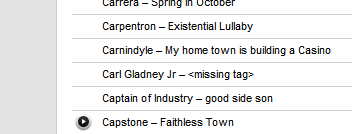
Discovered a tag related bug in last.fm reporting.
It's sending the missing tag text:
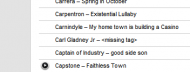
It's sending the missing tag text:


 Topic: NANY 2009 Release: Trout (audio player) (Read 1,051,251 times)







The minimize on startup is minimizing to the taskbar even if I also have "minimize to tray" selected in the options.Hmmm...I did test for this and it works for me. In the next build, I'll add a small tweak to see if it helps.
Suggestions:This was something that's been on the ToDo for a while now. I ought to get it in there. Also...I think I figured out your inverted volume control issue. I'm pretty positive it has to do with certain Visual Styles since I saw this behaviour on my wife's comupter. I never use Visual Styles but she does and certain styles seem to make it happen and others don't. Can you confirm this? I'll see if adding an option to invert the control will fix this issue.
- New Option, Resume last played track after start
- remember last played track in playlist, for easy continue.


1) I'm wondering is there an easy way to refresh the current folder -Build 84 should cover all three of these points. Please let me know.
currently the only way I see is to reload it - (F5 would be a nice option to have)
2) another very minor thing is:
with playmode set to random could I dictate the first file to play?
3) could there be a column with just file name ?

- Playlist - option to remove dead file entries (for files that no longer exist)
- Playlist - option to remove duplicate entries - Keep the first entry, remove all other matches (use path to determine this and not tags)
- Tag editor - clear the <missing> and just leave the box empty so I don't have to clear it to type in the info
Skwire, I missed the last few updates - only got to check this stuff out todayHmmmm...I think I may have misunderstood your initial request. I added an option to re-scan tags (thinking that was what you wanted). I'm guessing now that you want an option where you can set a folder or folders to re-scan for new files, right?
1) I tried F5 - no refresh happens (not an option in menu either?)
4) that it would remember position of columns on restartThis is on the ToDo...however, in AHK, it's quite a bit harder than it seems.
5) another programme I use does a lovely "sideways" (over & back) scroll if I press Control key and scroll mouse wheel - do you think would that be possible here too ?Neat idea. I'll see if I can figure out a way to add this. Thanks.
yes,Skwire, I missed the last few updates - only got to check this stuff out todayHmmmm...I think I may have misunderstood your initial request. I added an option to re-scan tags (thinking that was what you wanted). I'm guessing now that you want an option where you can set a folder or folders to re-scan for new files, right?
1) I tried F5 - no refresh happens (not an option in menu either?)


is it possible that if i exit Trout while playing mp3, the next time i start Trout it would continue from that mp3? very handy when listening to audio book.. btw Skwire, fantastic job!Thanks for the kind compliment. Your feature request has actually been sitting on the ToDo for a while now. It'll be in the next build. =]
yes,I thought that might be the case. I'm trying to wrap my head around how to implement such a function, though. I mean...you can have files from multiple folders in the list so how would I know which folder you want to rescan? All of them? Just the selected row's folder? Is there another player out there that does this in the manner that you like? I know the latest foobar will automatically watch folders you specify and add/synch the files to its database. However, it doesn't automatically add them to the playlist.
I meant an option to rescan/refresh the folder, thanks

yes,Maybe this would be easy possible if the playlist was directory based, like in Apollo. Another player which uses a directory based playlist is QuickPlayer, but so this one might be able to support such feature, it only supports a list of folder which is updated (removed and re-added) on certain events (F5, changes, startup). It doesn't support tags etc in playlist (so it doesn't have to synchronize), and it does not support 'flat' playlists, nor rearrangements of songs in playlist.
I meant an option to rescan/refresh the folder, thanks
Maybe this would be easy possible if the playlist was directory based, like in Apollo. Another player which uses a directory based playlist is QuickPlayer,From what I can tell, you're the author of QuickPlayer, eh?
d) process all affected songs, remove missing songs only, and add those not yet present in the playlist to the end of the playlist. That way all still existing files stay in position (and no synchronizing of tags is needed, you just would have to scan tags for the new entries)This is the closest to the method I had in mind.
If you implent, don't forget to add detection of removable devices and add a menu to easliy 'sync' those too.Most likely will not happen since I think we're starting to get a bit out of scope for Trout.

hmmYes, it is, mainly because Trout doesn't really work on a directory level; it cares about full paths. However, I could envision an option where you could add a folder or folders that Trout would know to sync the list from. Does that make sense?
I hadnt thought this "refresh" thing through at all
I had been thinking to reload the current folder (and subfolders, yes) but it sounds a lot more complex than I had thought ...

Original address: https://www.donationcoder.com/forum/index.php?topic=16157.0
