


NANY 2009 Entry Information
This is my first more serious coding work. I hope there will be small number of bugs 
| Application Name | Comparer |
| Version | 1.0.10.0 |
| Short Description | Comparer is files compare application which uses Total Commander's WDX plugins. |
| Supported OSes | All Windows |
| Web Page | http://www.dcmembers.com/fenix/ |
| Download Link | http://www.dcmembers.com/fenix/wp-content/uploads/sites/31/myapps/comparer.zip |
| System Requirements |
|
| Version History |
|
| Author | fenixproductions |
Description
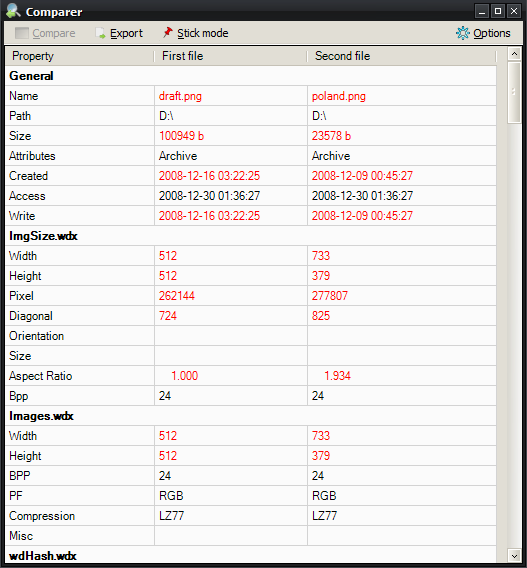
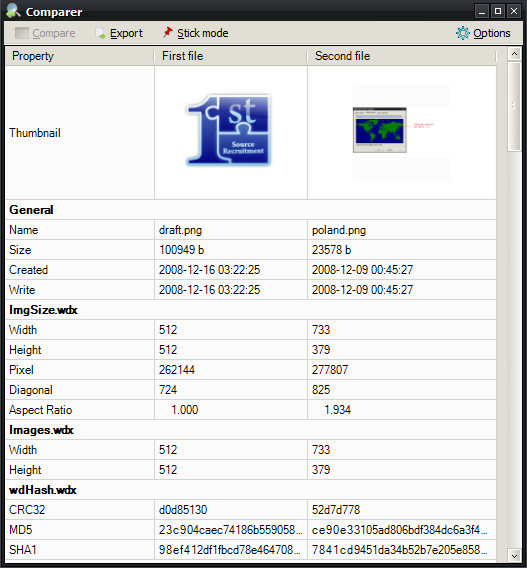
Many times when I was updating my software (or files) I needed an application for quick properties comparison. All of the existing files compare applications offer viewing files content but not some files types properties. So I wrote a tool where the main feature is Total Commander's content plugins usage. I can can easily "take two files" (or only one) and view their properties like: ID3 tags, resolutions or EXE headers. The only effort to take is to find nice plug in and add to application.
Features
- new - available in many languages (Chinese, Dutch, English, Espanol, Français, German, Norwegian, Polski, Română, Slovak);
- new - extended pack (with few plugins) is available on WWW page;
- additional image headers can be added to exported files;
- exported reports can be opened in associated applications;
- CSV export attributes (separators and text quoting) can be set;
- output files names (for Export) can be customized;
- files' details can be exported into CSV, HTML or Image files (BMP, JPG, PNG);
- external files (header.html, footer.html) can be imported into generated HTML;
- external CSS file can be used for better HTML look;
- info can be copied using Ctrl+C or Shift+C keys;
- generated info can be exported;
- thumbnails visible in simple list;
- automatic info refresh after Options change;
- configurable default plugins path with "Scan for plugins" feature;
- visible plugins fields can be specified;
- possibility to use different configuration files,
- possibility to specify external comparing applications on separate tab,
- thumbnails support for various file types (thanks to WLX plugins),
- view modes: either all details view or differences only,
- debug mode (view empty) - allows to see plugins' names for which information cannot be extracted;
- drag'n'drop support for adding new plugins - drop WDX file into proper area and you will get files extensions suggestion (if plugins supports it);
Planned Features
external comparers configuration on standalone tab (separate them from plugins);- more plugins handling;
thumbnails;- multiple files mode (more than two) with reports generator;
Screenshots
Usage
Installation
Just unpack archive anywhere but remember that it needs write rights to it's directory.
Using the Application
Files can be dragged into application's form.
Command line parameters are also implemented:
Code
comparer.exe %1Code
comparer.exe %1 %2Code
comparer.exe -L %1Code
comparer.exe -c %C %1Code
comparer.exe -c %C %1 %2Code
comparer.exe -c %C -L %1Uninstallation
Just delete it.
Known Issues
FileDesc.wdx seems to crash Comparer completely (I can't find the way to prevent that other than skipping this plugin). Please remember about it while adding WDX files manualy! Other plugins should work correctly now. If you find an error, please, report it.
All known working plugins list here.
WLX plugins are supported for thumbnails generation. Please check some of them (and report working ones) after downloading from:
http://www.totalcmd.net/directory/lister.html
http://en.totalcmd.pl/download/wlx
For more info please go to WWW page!


