DonationCoder.com forum
 
Read-only archive. This is a static copy of the DonationCoder.com forum. Reading and searching work as before; logging in, posting and private messages do not.
Archive of 2026-10-21 · About this archive · Main site

Author Topic: Button pos and floating point error  (Read 10,536 times)

xerces8

  • Participant
  • Joined in 2008
  • *
  • Posts: 5
Button pos and floating point error
« on: September 19, 2008, 02:00 PM »
Hi!

I just downloaded Screenshot Captor 2.41.01

Looks great, but some bugs sneaked in:

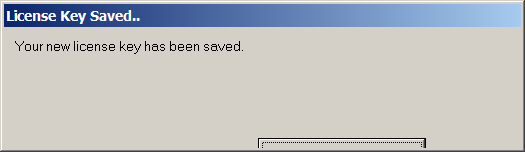
- (I started it from the extracted ZIP, without running the installer) after entering the licence code, I get this dialog: (see attached image)

- after running it from the USB stick on another PC (Windows 2000) I got this error right after start: (see second image)
After that it works just fine.

Regards,
David
f0dder

  • [Well, THAT escalated quickly!]
  • Charter Honorary Member
  • Joined in 2005
  • ***
  • Posts: 9,153
    • Participated in NANY Challenge Once
Re: Button pos and floating point error
« Reply #1 on: September 19, 2008, 02:43 PM »
xerces8: my guess is that the two PCs run different locales?

C++ Builder has this wonderful idea of using the locale's thousands-separator when saving values... which works super nicely when moving from a locale that uses '.' separator to a locale that uses ',' :-)

The first problem (button position) is probably on a machine that is configured to use 120-DPI Display size instead of the normal 96-DPI size. A lot of applications don't handle this properly.
- carpe noctem

xerces8

  • Participant
  • Joined in 2008
  • *
  • Posts: 5
Re: Button pos and floating point error
« Reply #2 on: September 19, 2008, 03:26 PM »
Yep, the first PC uses "," and the second uses "." for decimal.

Actually the most programs handle 120DPI well (otherwise I would go crazy)  ;)

f0dder

  • [Well, THAT escalated quickly!]
  • Charter Honorary Member
  • Joined in 2005
  • ***
  • Posts: 9,153
    • Participated in NANY Challenge Once
Re: Button pos and floating point error
« Reply #3 on: September 19, 2008, 03:32 PM »
A solution would be manually editing the .ini file and swapping ','<->'.' when moving between computers. Tedious, but it's going to work.
- carpe noctem

mouser

  • First Author
  • Administrator
  • Joined in 2005
  • *****
  • Posts: 40,931
    • Gathering Badge
    • Plugin Coding Medal
    • Participated in NANY Challenge Seventeen Times
    • Cody Award
    • Coding Snacks
    • Volunteers/Staff
Re: Button pos and floating point error
« Reply #4 on: September 19, 2008, 04:45 PM »
f0dder is right about the cause.
another solution is to just delete the ini settings file.

i can fix this problem in future versions -- xerces8 can you mail me your ini file so i can help test a solution? (mouser@donationcoder.com)

f0dder

  • [Well, THAT escalated quickly!]
  • Charter Honorary Member
  • Joined in 2005
  • ***
  • Posts: 9,153
    • Participated in NANY Challenge Once
Re: Button pos and floating point error
« Reply #5 on: September 19, 2008, 04:49 PM »
mouser: is it possible to hardcore to always use one local for the decimals separator in the ini files? Or perhaps move to a completely different ini-filer handler?
- carpe noctem

mouser

  • First Author
  • Administrator
  • Joined in 2005
  • *****
  • Posts: 40,931
    • Gathering Badge
    • Plugin Coding Medal
    • Participated in NANY Challenge Seventeen Times
    • Cody Award
    • Coding Snacks
    • Volunteers/Staff
Re: Button pos and floating point error
« Reply #6 on: September 19, 2008, 08:43 PM »
it is possible to force this yes. i thought i already did recently in fact in SC.  Either i didn't or xerces had an older ini file.

xerces8

  • Participant
  • Joined in 2008
  • *
  • Posts: 5
Re: Button pos and floating point error
« Reply #7 on: September 20, 2008, 04:08 PM »
No, I had a fresh installation.

Original address: https://www.donationcoder.com/forum/index.php?topic=15017.0