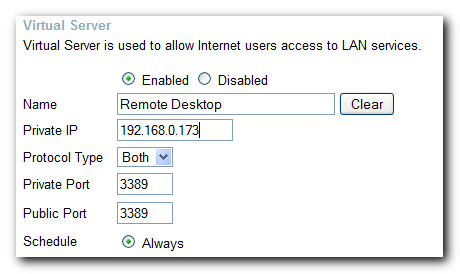
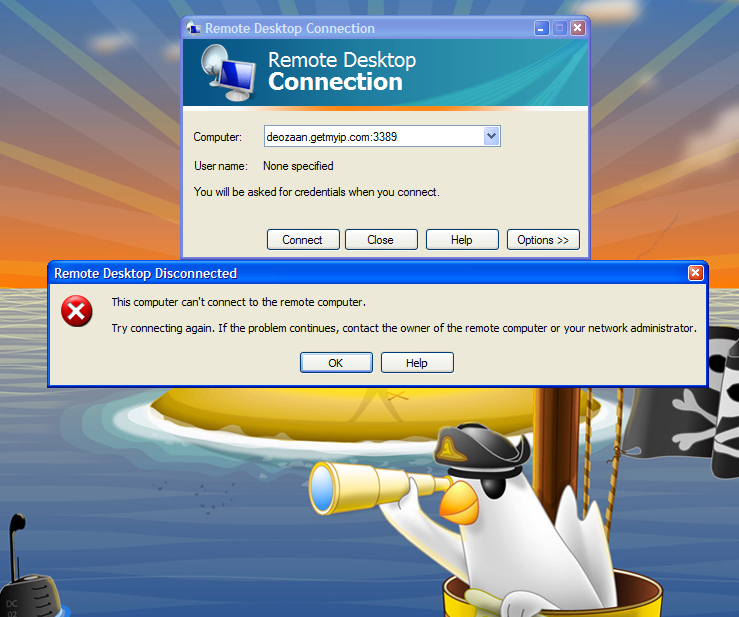
How would I know the IP of the server PC?
Download and run IP2 on the server. It will give you the LAN and WAN IP of the PC.
If you notice that the WAN IP changes every so often, (depends on IP expiry time set by ISP), then you'll need to do what mediaguy says above.
BTW, I think I forgot a step.
You might need to add in the name of the user who is allowed to connect remotely under RDP. To do so, on the server PC go to My Computer->Properties->Remote->Select Remote Users and add the username in, (from step 1 above).
By default, the owner of the PC already has Remote Access, ie. the first user you created while installing XP, (who'll have admin priveleges). Since all my PCs have the same initial user I haven't had to add any users to RDP.
Also, when you log in via RDP the server PC will drop back to the Welcome screen, (I'm assuming single user XP setup here), any programs running will continue in the background.


 - carpe noctem